







Question: In this exercise, you will explore a simple way of visualizing a Rectangle object. The setBounds method of the JFrame class moves a frame window
In this exercise, you will explore a simple way of visualizing a Rectangle object. The setBounds method of the JFrame class moves a frame window to a given rectangle.
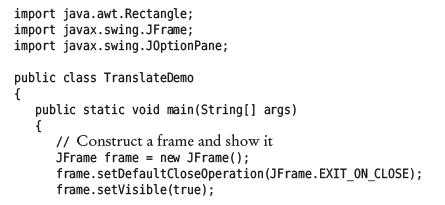
Complete the following program to visually show the translate method of the Rectangle class:
![static void main(String[] args) { // Construct a frame and show it](https://dsd5zvtm8ll6.cloudfront.net/images/question_images/1706/5/9/3/32265b88c2a611901706593322367.jpg)
import java.awt. Rectangle; import javax.swing.JFrame; import javax.swing.JOptionPane; public class TranslateDemo { public static void main(String[] args) { // Construct a frame and show it JFrame frame = new JFrame(); frame.setDefaultCloseOperation (JFrame.EXIT_ON_CLOSE); frame.setVisible(true);
Step by Step Solution
3.41 Rating (157 Votes )
There are 3 Steps involved in it
To complete the provided Java program we need to add code that constructs a Rectangle object and then uses the setBounds method of the JFrame class to ... View full answer

Get step-by-step solutions from verified subject matter experts
 Study Help