







Question: Convert Program 4.2, specifically the modified version with 100,000 cubes, to both anaglyph and side-by-side stereoscopy. Program 4.2 Figure 4.8 Vertex Shader: #version 430 layout
Convert Program 4.2, specifically the modified version with 100,000 cubes, to both anaglyph and side-by-side stereoscopy.
Program 4.2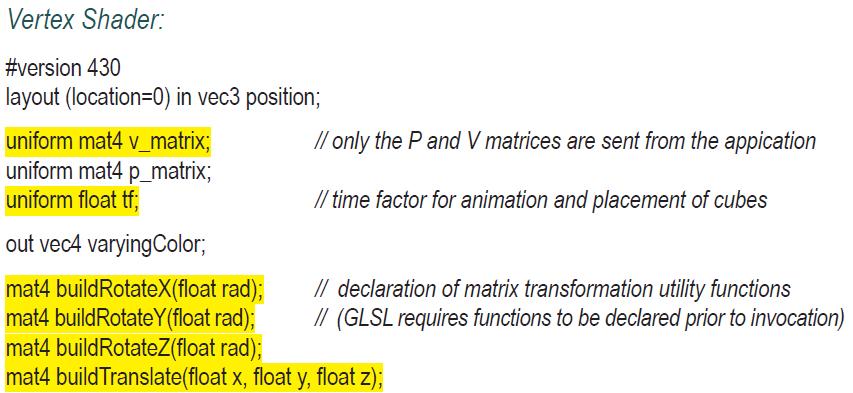
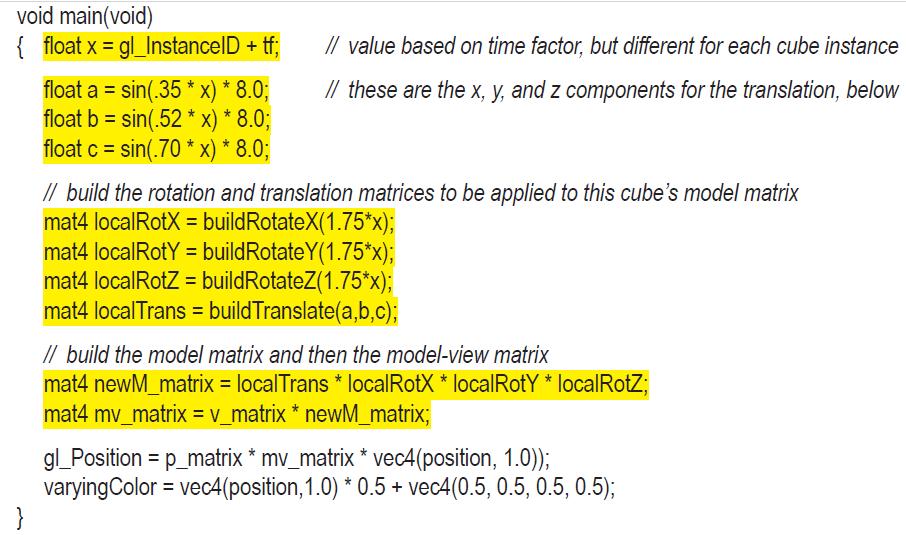

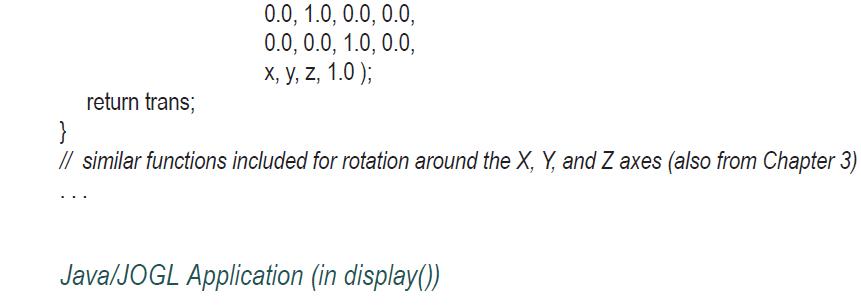
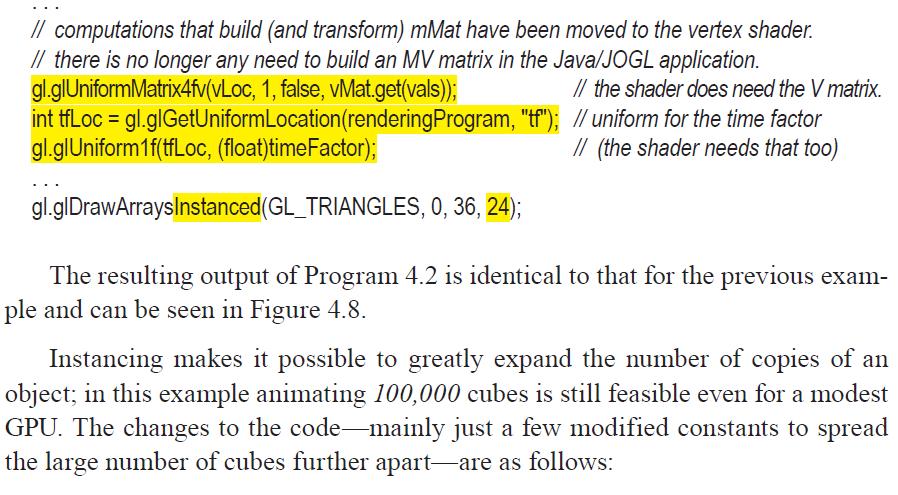
Figure 4.8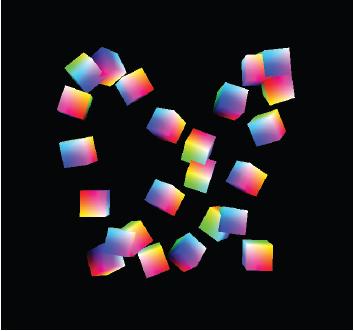
Vertex Shader: #version 430 layout (location=0) in vec3 position; uniform mat4 v_matrix; uniform mat4 p_matrix; uniform float tf; out vec4 varyingColor; mat4 buildRotateX(float rad); mat4 buildRotateY(float rad); mat4 buildRotateZ(float rad); // only the P and V matrices are sent from the appication // time factor for animation and placement of cubes // declaration of matrix transformation utility functions // (GLSL requires functions to be declared prior to invocation) mat4 build Translate(float x, float y, float z);
Step by Step Solution
3.38 Rating (154 Votes )
There are 3 Steps involved in it

Get step-by-step solutions from verified subject matter experts
 Study Help