







Question: Modify Program 17.1 to try a variety of different values for the IOD. What range of values do you think works the best for this
Modify Program 17.1 to try a variety of different values for the IOD. What range of values do you think works the best for this scene? What happens if the IOD is set too small? What do you observe as the IOD increases, and then what happens when the IOD is set too large?
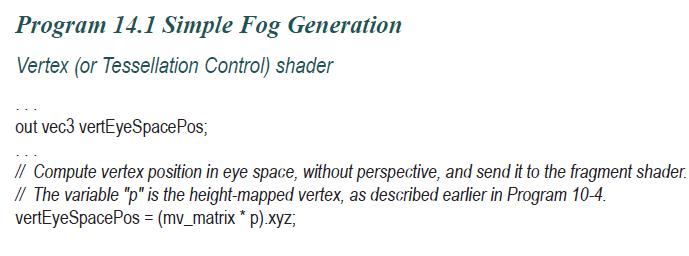
Program 17.1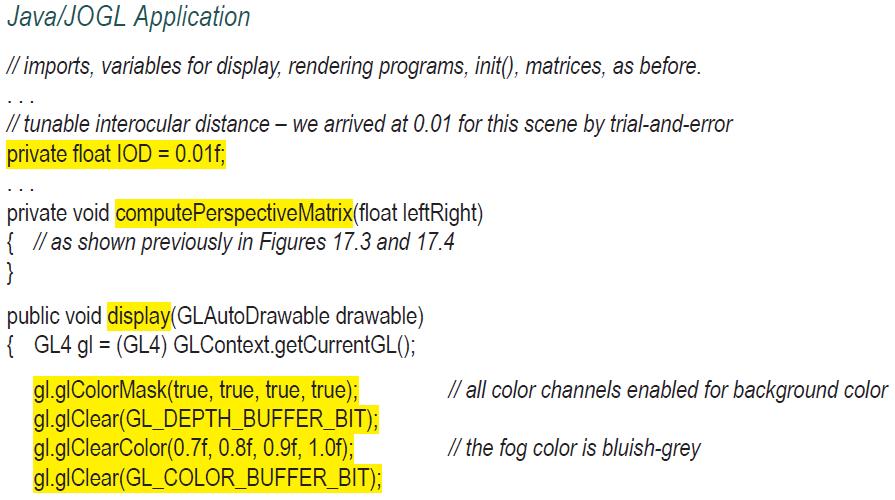
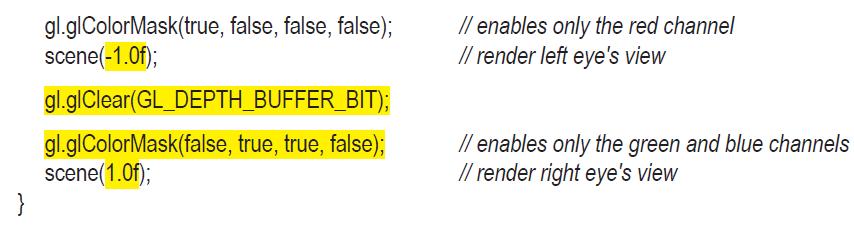
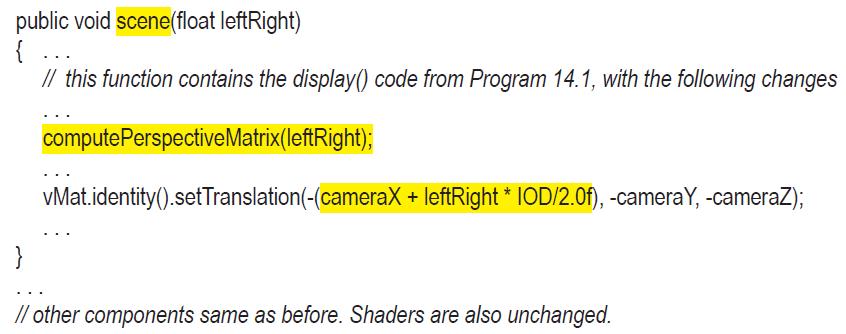
Java/JOGL Application // imports, variables for display, rendering programs, init(), matrices, as before. // tunable interocular distance - we arrived at 0.01 for this scene by trial-and-error private float IOD = 0.01f; private void compute Perspective Matrix(float leftRight) { // as shown previously in Figures 17.3 and 17.4 } public void display(GLAutoDrawable drawable) {GL4 gl= (GL4) GLContext.getCurrentGL(); gl.glColorMask(true, true, true, true); gl.glClear(GL_DEPTH_BUFFER_BIT); gl.glClearColor(0.7f, 0.8f, 0.9f, 1.0f); gl.glClear(GL_COLOR_BUFFER_BIT); // all color channels enabled for background color // the fog color is bluish-grey
Step by Step Solution
There are 3 Steps involved in it

Get step-by-step solutions from verified subject matter experts
 Study Help