







Question: Make the following changes to Program 16.10: (i) Move the box so that it is in front of the sphere, (ii) Make the box transparent/refractive,
Make the following changes to Program 16.10:
(i) Move the box so that it is in front of the sphere,
(ii) Make the box transparent/refractive, and the sphere reflective,
(iii) Move the checkerboard plane so that it is placed vertically behind the box and sphere. Try to place the objects so that both the sphere and the checkerboard plane are visible through the transparent box.
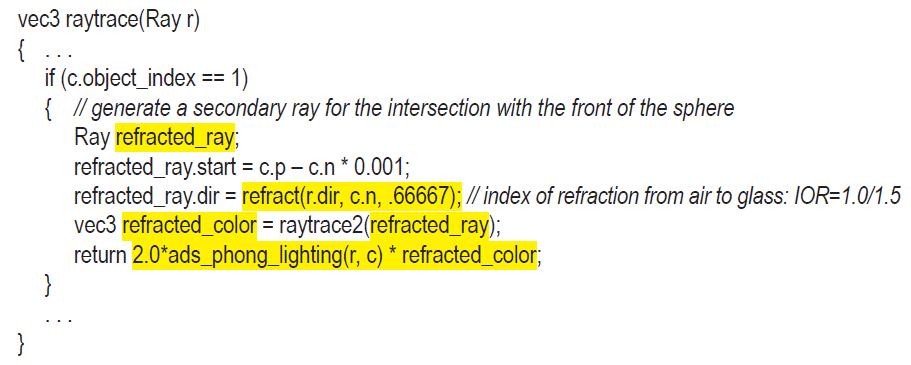
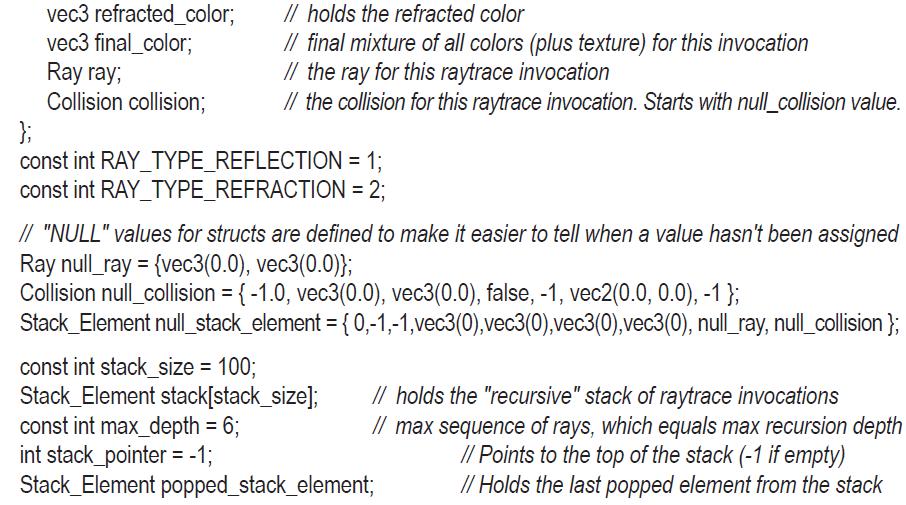
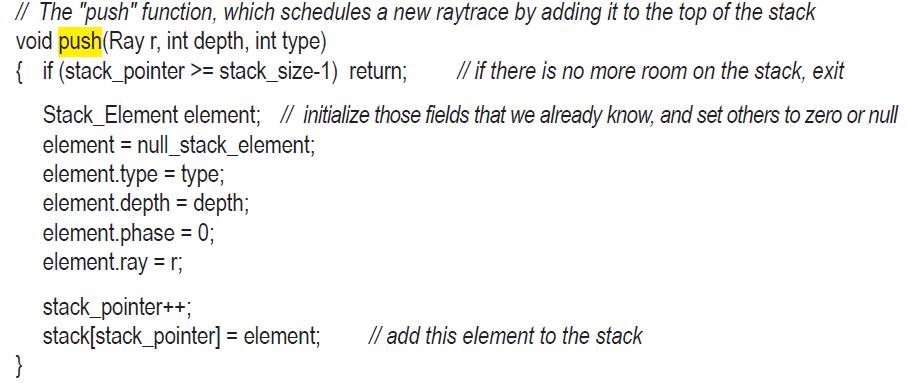
Program 16.10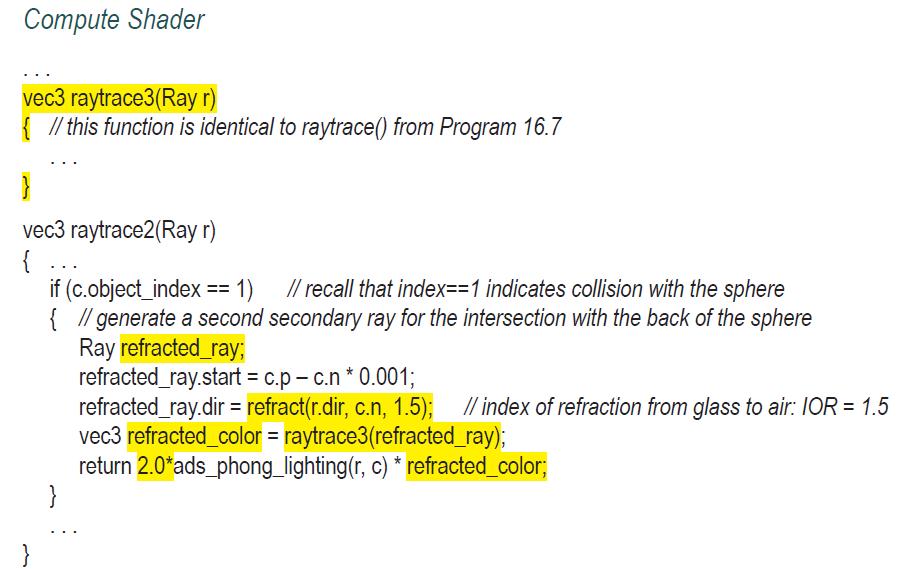
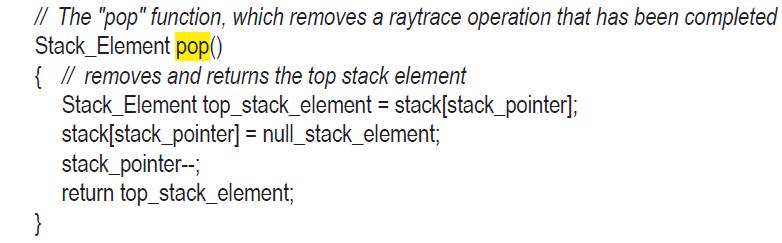
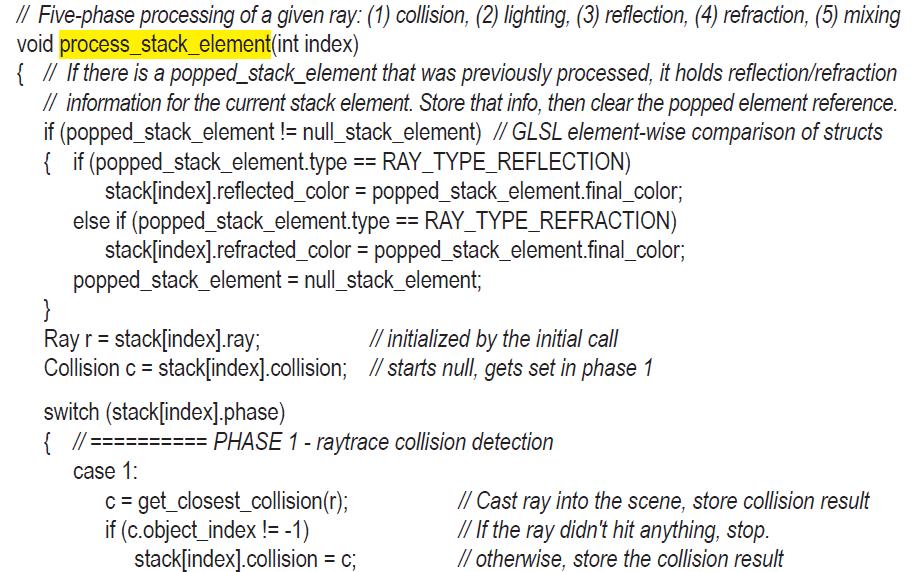
![break; PHASE 2-Phong ADS lighting computation stack[index].phong_color= ads_phong_lighting(r, c); break;](https://dsd5zvtm8ll6.cloudfront.net/images/question_images/1701/6/8/2/871656d9eb72a51c1701682871079.jpg)
![PHASE 4-generate a refraction ray case 4: { if (stack[index].depth < max_depth) // stop if at max depth if](https://dsd5zvtm8ll6.cloudfront.net/images/question_images/1701/6/8/2/919656d9ee7b87c01701682918996.jpg)
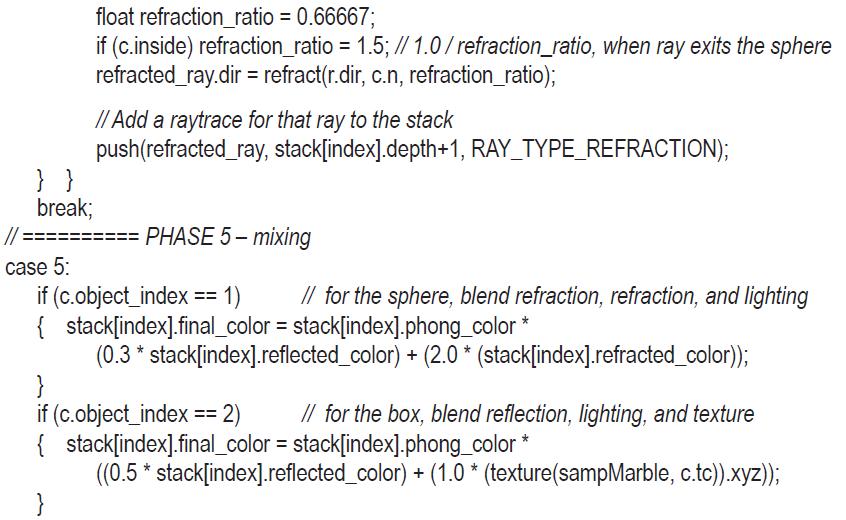
![if (c.object_index == 3) stack[index].final_color = stack[index].phong_color*rbox_color; if (c.object_index](https://dsd5zvtm8ll6.cloudfront.net/images/question_images/1701/6/8/3/025656d9f515fcb51701683011642.jpg)

Compute Shader vec3 raytrace3(Ray r) { // this function is identical to raytrace() from Program 16.7 } vec3 raytrace2(Ray r) { ... if (c.object_index == 1) // recall that index==1 indicates collision with the sphere { // generate a second secondary ray for the intersection with the back of the sphere Ray refracted_ray; refracted_ray.start = c.p - c.n * 0.001; refracted_ray.dir = refract(r.dir, c.n, 1.5); // index of refraction from glass to air: IOR = 1.5 vec3 refracted_color = raytrace3(refracted_ray); return 2.0*ads_phong_lighting(r, c) * refracted_color; }
Step by Step Solution
3.34 Rating (154 Votes )
There are 3 Steps involved in it

Get step-by-step solutions from verified subject matter experts
 Study Help