







Question: Modify Program 2.5 so that it draws an isosceles triangle. Program 2.5 Vertex Shader #version 430 void main(void) { if (gl_VertexID== 0) gl_Position = vec4(
Modify Program 2.5 so that it draws an isosceles triangle.
Program 2.5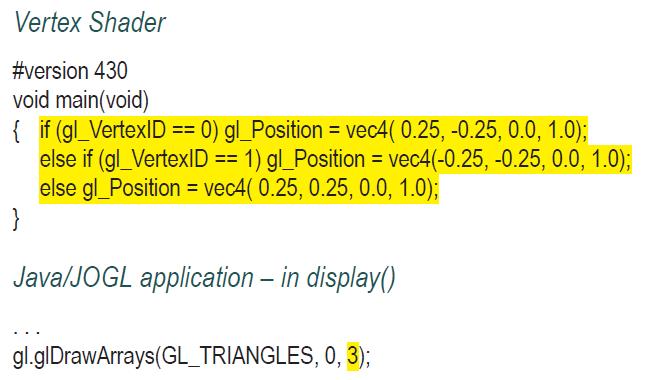
Vertex Shader #version 430 void main(void) { if (gl_VertexID== 0) gl_Position = vec4( 0.25, -0.25, 0.0, 1.0); else if (gl_VertexID == 1) gl_Position vec4(-0.25, -0.25, 0.0, 1.0); else gl_Position=vec4(0.25, 0.25, 0.0, 1.0); = } Java/JOGL application - in display() gl.glDrawArrays(GL_TRIANGLES, 0, 3);
Step by Step Solution
★★★★★
3.36 Rating (162 Votes )
There are 3 Steps involved in it
1 Expert Approved Answer
Step: 1 Unlock

To modify Program 25 to draw an isosceles triangle you need to adjust ... View full answer
Question Has Been Solved by an Expert!
Get step-by-step solutions from verified subject matter experts
Step: 2 Unlock
Step: 3 Unlock
 Study Help