







Question: Write a program that generates the CSS color names window shown in Figure 17.18. In your program, implement a TilePane container named table with setPrefColumns(4),
Write a program that generates the CSS color names window shown in Figure 17.18. In your program, implement a TilePane container named table with setPrefColumns(4), setHgap(5), setVgap(2), and setStyle("-fx-padding: 5, 0, 0, 5"). For each tile in table, embed a FlowPane container named panel with setPrefWidth(183) and setStyle("-fx-font-size: 10;"). Each panel should hold two components:
(1) A four-space Label named swatch that displays a color using a CSS color name, and
(2) An anonymous Label that displays a description for the color swatch at its left. Set the swatch colors with setStyle("-fx-background-color: " + names[i]), where names is an array shown in the following program skeleton.
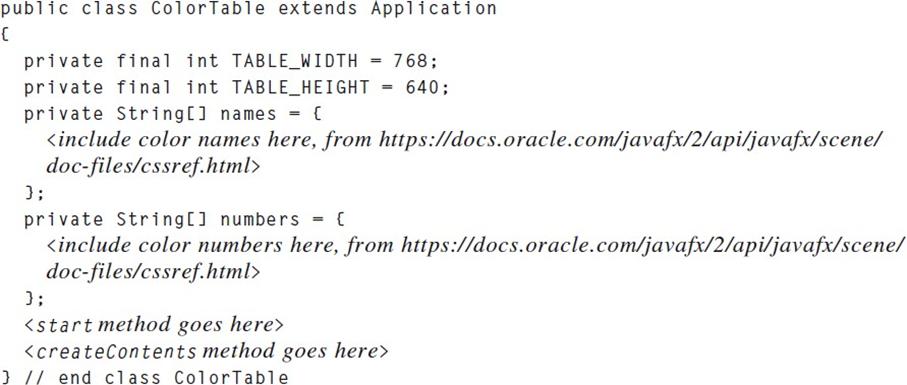
Figure 17.18:
public class ColorTable extends Application ( private final int TABLE WIDTH = 768; private final int TABLE_HEIGHT = 640; private String[] names = { https://docs.oracle.com/javafx/2/api/javafx/scene/ }; private String[] numbers = { }; } // end class ColorTable
Step by Step Solution
3.43 Rating (166 Votes )
There are 3 Steps involved in it
To create a program that generates the CSS color names window as described you will need to complete the JavaFX program skeleton provided in the first ... View full answer

Get step-by-step solutions from verified subject matter experts
 Study Help