







Question: Listing 16.4, ComboBoxDemo.java, gives a program that lets the user view a country?s flag image and description by selecting the country from a combo box.
Listing 16.4, ComboBoxDemo.java, gives a program that lets the user view a country?s flag image and description by selecting the country from a combo box. The description is a string coded in the program. Rewrite the program to read the text description from a file. Suppose that the descriptions are stored in the files description0.txt, . . . , and description8.txt under the text directory for the nine countries Canada, China, Denmark, France, Germany, India, Norway, United Kingdom, and United States, in this order.
Listing
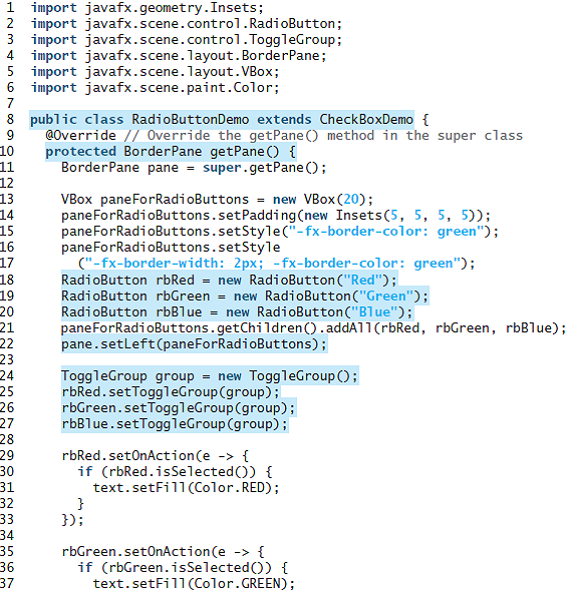
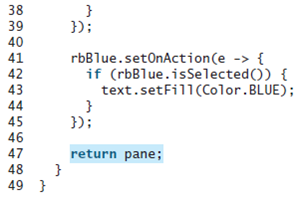
1 import javafx.geometry.Insets; 2 import javafx.scene.control.RadioButton; 3 import javafx.scene.control.ToggleGroup; 4 import javafx.scene.layout.BorderPane; 5 import javafx.scene.layout. VBox; 6 import javafx.scene.paint.Color; 8 public class RadioButtonDemo extends CheckBoxDemo { @Override // Override the getPane () method in the super class 10 protected BorderPane getPane () { 11 12 13 14 15 16 17 18 19 20 21 22 23 24 25 26 27 BorderPane pane = super.getPane (); VBox_paneForRadioButtons = new VBox(20); paneForRadioButtons.setPadding(new Insets(5, 5, 5, 5)); paneForRadioButtons.setStyle("-fx-border-color: green"); paneForRadioButtons.setStyle ("-fx-border-width: 2px; -fx-border-color: green"); RadioButton rbRed = new RadioButton ("Red"); RadioButton rbGreen = new RadioButton("Green"); RadioButton rbBlue = new RadioButton("Blue"); paneForRadioButtons.getChildren().addAll(rbRed, rbGreen, rbBlue); pane.setLeft(paneForRadioButtons); ToggleGroup group = new ToggleGroup(); rbRed.setToggleGroup(group); rbGreen.setToggleGroup(group); rbBlue.setToggleGroup(group); 28 29 30 31 rbRed.setOnAction(e -> { if (rbRed.isSelected()) { text.setFill(Color.RED); 32 33 34 35 36 37 }); rbGreen.set0nAction(e -> { if (rbGreen.isSelected()) { text.setFill(Color.GREEN); 38 39 40 41 42 43 }); rbBlue.setOnAction(e -> { if (rbBlue.isSelected()) { text.setFill(Color.BLUE); 44 45 }); 46 47 return pane; } 48 49 }
Step by Step Solution
3.40 Rating (162 Votes )
There are 3 Steps involved in it
Program plan Import the required packages into the program Define a class DispCountryFlag to display flags and their corresponding description by usin... View full answer

Get step-by-step solutions from verified subject matter experts
 Study Help