







Question: 2. Create an empty Web Site application named Carnival and save it in the VB2015 Chap12 folder. Add a new Web page named Default.aspx to
2. Create an empty Web Site application named Carnival and save it in the VB2015\
Chap12 folder. Add a new Web page named Default.aspx to the application. Change the DOCUMENT object’s Title property to Brookfield. Create a Web page similar to the one shown in Figure 12-25. The image on the Web page is stored in the VB2015\
Chap12\Carnival.png file. (Hint: To position the image as shown in the figure, click the image, click Format on the menu bar, click Position, and then click the Left button in the Wrapping style section of the Position dialog box.) Save and then start the application. Close the browser window and then close the application.
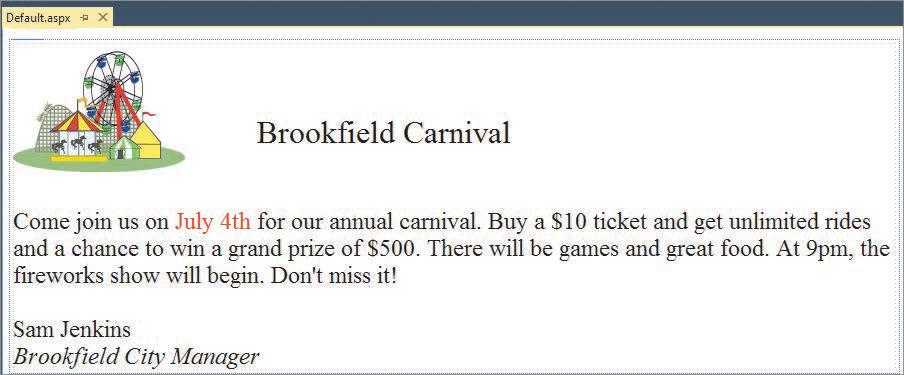
Default.aspx X Brookfield Carnival Come join us on July 4th for our annual carnival. Buy a $10 ticket and get unlimited rides and a chance to win a grand prize of $500. There will be games and great food. At 9pm, the fireworks show will begin. Don't miss it! Sam Jenkins Brookfield City Manager
Step by Step Solution
There are 3 Steps involved in it

Get step-by-step solutions from verified subject matter experts
 Study Help