







Question: 1. Create a database called Student. 2. Download the file Student.sql and use it to populate the database. 4. Install the mysql connector module
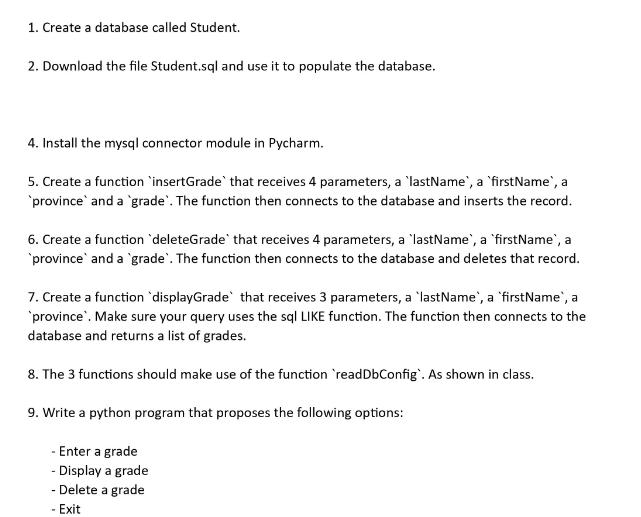
1. Create a database called Student. 2. Download the file Student.sql and use it to populate the database. 4. Install the mysql connector module in Pycharm. 5. Create a function 'insertGrade that receives 4 parameters, a 'lastName', a 'firstName', a province and a 'grade". The function then connects to the database and inserts the record. 6. Create a function 'deleteGrade' that receives 4 parameters, a 'lastName', a 'firstName', a 'province' and a 'grade'. The function then connects to the database and deletes that record. 7. Create a function 'displayGrade that receives 3 parameters, a 'lastName', a 'firstName', a 'province'. Make sure your query uses the sql LIKE function. The function then connects to the database and returns a list of grades. 8. The 3 functions should make use of the function 'readDbConfig'. As shown in class. 9. Write a python program that proposes the following options: - Enter a grade - Display a grade - Delete a grade - Exit
Step by Step Solution
There are 3 Steps involved in it

Get step-by-step solutions from verified subject matter experts
 Study Help