







Question: 1. Create a directory in the root user home directory called Mac232. In the Mac232 directory, create eight empty files that are named labi, lab2,
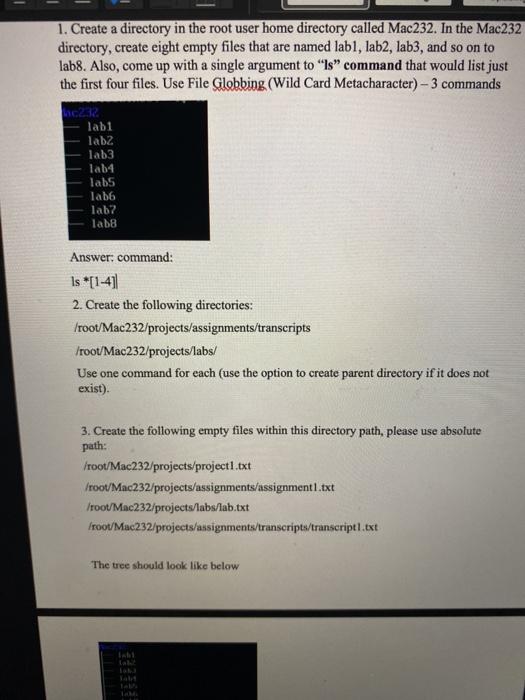
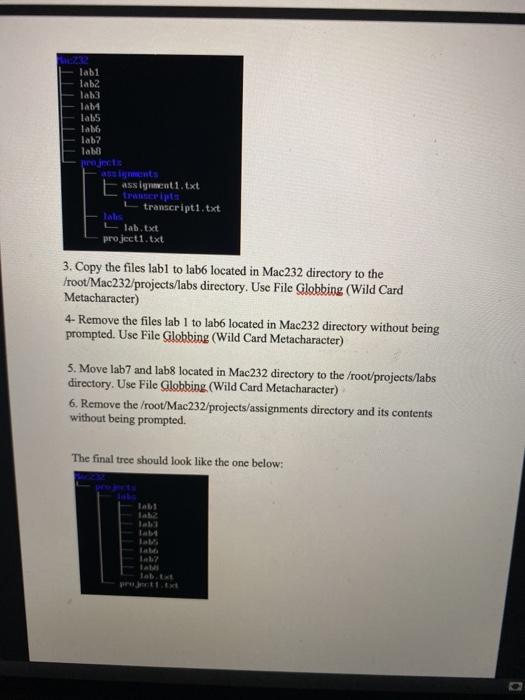
1. Create a directory in the root user home directory called Mac232. In the Mac232 directory, create eight empty files that are named labi, lab2, lab3, and so on to lab8. Also, come up with a single argument to ls command that would list just the first four files. Use File Globbing (Wild Card Metacharacter) - 3 commands C2R. Tabi Tab2 lab3 Tab4 labs Tab6 lab? lab8 Answer: command: is *[1-4] 2. Create the following directories: /root/Mac232/projects/assignments/transcripts /root/Mac232/projects/labs/ Use one command for each (use the option to create parent directory if it does not exist). 3. Create the following empty files within this directory path, please use absolute path: /root/Mac232/projects/project1.txt froot/Mac232/projects/assignments/assignment 1.txt Iroot/Mac232/projects/labs/lab.txt Iroot/Mac232/projects/assignments/transcripts/transcript1.txt The tree should look like below 0232 labi 1ab2 lab3 Tab4 labs Tabb lab? lab Cts E assignment1.txt transcript1.txt Tales Llab.txt project1.txt 3. Copy the files labl to lab6 located in Mac232 directory to the /root/Mac232/projects/labs directory. Use File Globbing (Wild Card Metacharacter) 4- Remove the files lab 1 to labo located in Mac232 directory without being prompted. Use File Globbing (Wild Card Metacharacter) 5. Move lab7 and lab8 located in Mac232 directory to the /root/projects/labs directory. Use File Clobbing. (Wild Card Metacharacter) 6. Remove the /root/Mac232/projects/assignments directory and its contents without being prompted. The final tree should look like the one below: latz Lab
Step by Step Solution
There are 3 Steps involved in it

Get step-by-step solutions from verified subject matter experts
 Study Help