



Question: 1. Create a package named Q1. In this package, you will create to Java classes. 2. Create a new Java class named Circle, as shown
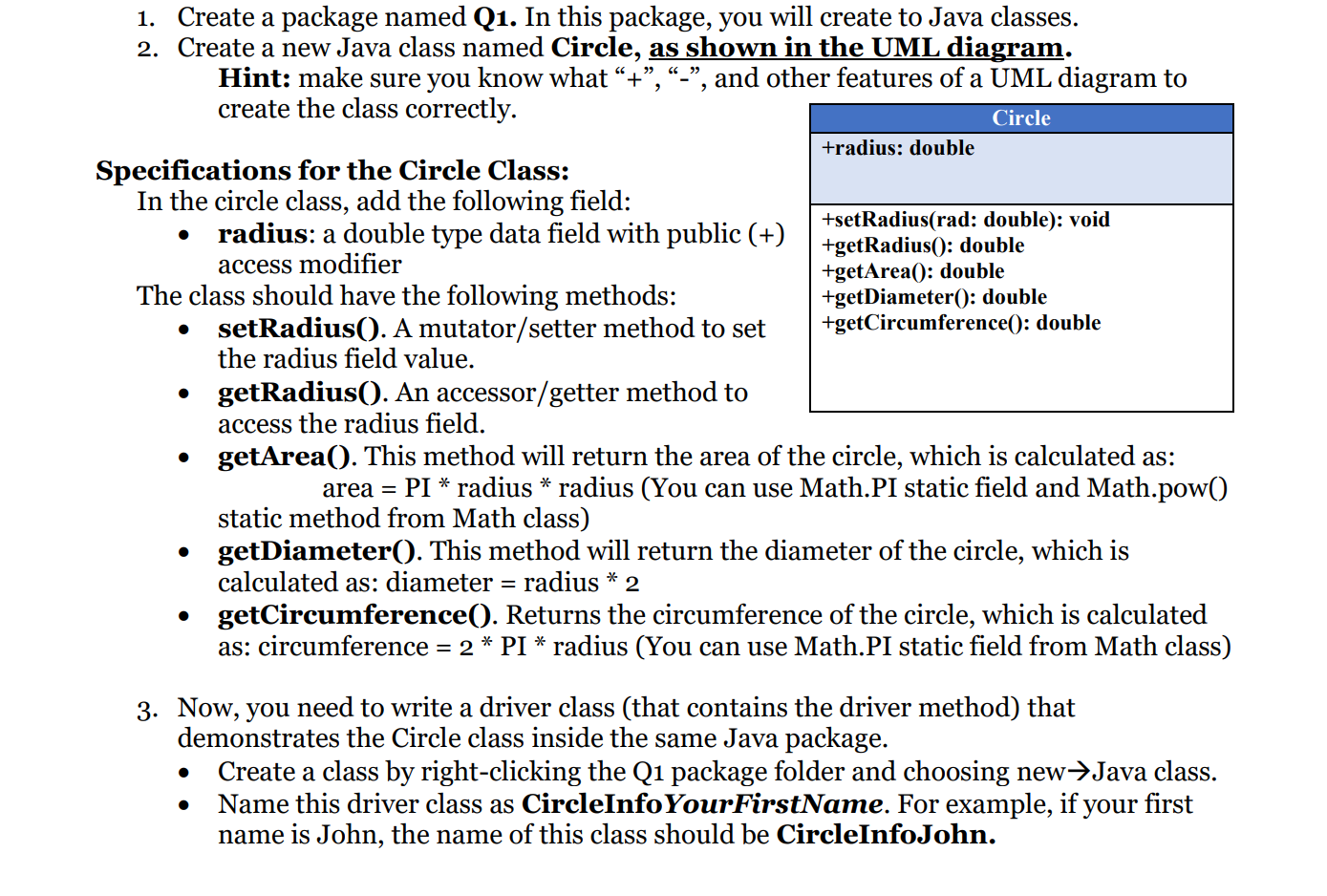
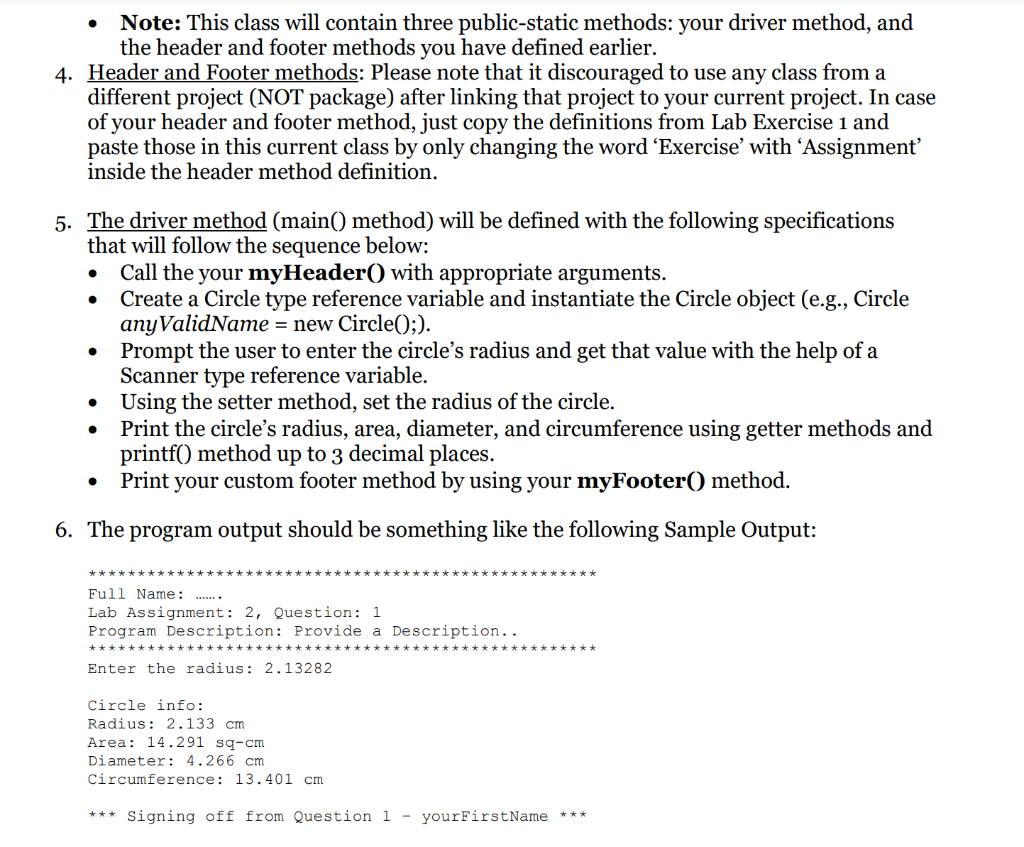
1. Create a package named Q1. In this package, you will create to Java classes. 2. Create a new Java class named Circle, as shown in the UML diagram. Hint: make sure you know what "+, "-", and other features of a UML diagram to create the class correctly. Specifications for the Circle Class: In the circle class, add the following field: - radius: a double type data field with public (+) access modifier \begin{tabular}{|l|} \hline \multicolumn{1}{|c|}{ Circle } \\ \hline +radius: double \\ \hline +setRadius(rad: double): void \\ +getRadius(): double \\ +getArea(0: double \\ +getDiameter(): double \\ +getCircumference(): double \\ \\ \hline \end{tabular} The class should have the following methods: - setRadius(). A mutator/setter method to set the radius field value. - getRadius(). An accessor/getter method to access the radius field. access the radius field. - getArea(). This method will return the area of the circle, which is calculated as: area = PI * radius * radius (You can use Math.PI static field and Math.pow() static method from Math class) - getDiameter(). This method will return the diameter of the circle, which is calculated as: diameter = radius 2 - getCircumference(). Returns the circumference of the circle, which is calculated as: circumference =2PI radius (You can use Math.PI static field from Math class) 3. Now, you need to write a driver class (that contains the driver method) that demonstrates the Circle class inside the same Java package. - Create a class by right-clicking the Q1 package folder and choosing new Java class. - Name this driver class as CircleInfoYourFirstName. For example, if your first name is John, the name of this class should be CircleInfoJohn. - Note: This class will contain three public-static methods: your driver method, and the header and footer methods you have defined earlier. 4. Header and Footer methods: Please note that it discouraged to use any class from a different project (NOT package) after linking that project to your current project. In case of your header and footer method, just copy the definitions from Lab Exercise 1 and paste those in this current class by only changing the word 'Exercise' with 'Assignment' inside the header method definition. 5. The driver method (main() method) will be defined with the following specifications that will follow the sequence below: - Call the your myHeader( ) with appropriate arguments. - Create a Circle type reference variable and instantiate the Circle object (e.g., Circle anyValidName = new Circle(); ). - Prompt the user to enter the circle's radius and get that value with the help of a Scanner type reference variable. - Using the setter method, set the radius of the circle. - Print the circle's radius, area, diameter, and circumference using getter methods and printf() method up to 3 decimal places. - Print your custom footer method by using your myFooter() method. 6. The program output should be something like the following Sample Output: Full Name: Lab Assignment: 2, Question: 1 Program Description: Provide a Description.. Enter the radius: 2.13282 Circle info: Radius: 2.133cm Area: 14.291sqcm. Diameter: 4.266cm Circumference: 13.401cm Signing off from Question 1 - yourFirstName
Step by Step Solution
There are 3 Steps involved in it

Get step-by-step solutions from verified subject matter experts