







Question: 1 Create a Pivot Table from the data table below. The PT should have Discipline Code as the 2 first level row and Area as
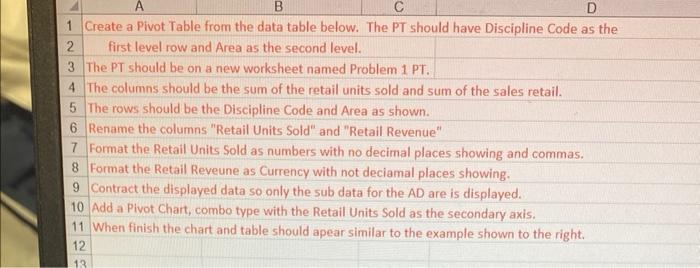
1 Create a Pivot Table from the data table below. The PT should have Discipline Code as the 2 first level row and Area as the second level. 3 The PT should be on a new worksheet named Problem 1 PT. 4 The columns should be the sum of the retail units sold and sum of the sales retail. 5 The rows should be the Discipline Code and Area as shown. 6 Rename the columns "Retail Units Sold" and "Retail Revenue" 7 Format the Retail Units Sold as numbers with no decimal places showing and commas. 8 Format the Retail Reveune as Currency with not deciamal places showing. 9 Contract the displayed data so only the sub data for the AD are is displayed. 10 Add a Pivot Chart, combo type with the Retail Units Sold as the secondary axis. 11 When finish the chart and table should apear similar to the example shown to the right. 1 Create a Pivot Table from the data table below. The PT should have Discipline Code as the 2 first level row and Area as the second level. 3 The PT should be on a new worksheet named Problem 1 PT. 4 The columns should be the sum of the retail units sold and sum of the sales retail. 5 The rows should be the Discipline Code and Area as shown. 6 Rename the columns "Retail Units Sold" and "Retail Revenue" 7 Format the Retail Units Sold as numbers with no decimal places showing and commas. 8 Format the Retail Reveune as Currency with not deciamal places showing. 9 Contract the displayed data so only the sub data for the AD are is displayed. 10 Add a Pivot Chart, combo type with the Retail Units Sold as the secondary axis. 11 When finish the chart and table should apear similar to the example shown to the right
Step by Step Solution
There are 3 Steps involved in it

Get step-by-step solutions from verified subject matter experts
 Study Help