







Question: 1. Develop a simple program that stores a patient's blood details. Create two (2) classes named BloodData (no class modifier) and RunBlood Data (public).
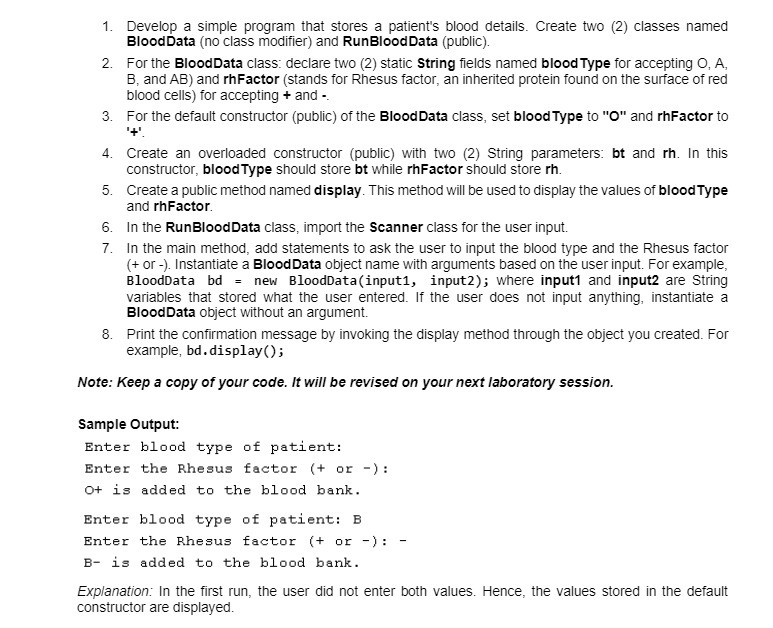
1. Develop a simple program that stores a patient's blood details. Create two (2) classes named BloodData (no class modifier) and RunBlood Data (public). 2. For the BloodData class: declare two (2) static String fields named blood Type for accepting O, A, B, and AB) and rhFactor (stands for Rhesus factor, an inherited protein found on the surface of red blood cells) for accepting + and - 3. For the default constructor (public) of the Blood Data class, set blood Type to "O" and rhFactor to '+'. 4. Create an overloaded constructor (public) with two (2) String parameters: bt and rh. In this constructor, blood Type should store bt while rhFactor should store rh. 5. Create a public method named display. This method will be used to display the values of blood Type and rhFactor. 6. In the RunBlood Data class, import the Scanner class for the user input. 7. In the main method, add statements to ask the user to input the blood type and the Rhesus factor (+ or -). Instantiate a Blood Data object name with arguments based on the user input. For example, BloodData bd = new BloodData(input1, input2); where input1 and input2 are String variables that stored what the user entered. If the user does not input anything, instantiate a BloodData object without an argument. 8. Print the confirmation message by invoking the display method through the object you created. For example, bd.display(); Note: Keep a copy of your code. It will be revised on your next laboratory session. Sample Output: Enter blood type of patient: Enter the Rhesus factor (+ or -): O+ is added to the blood bank. Enter blood type of patient: B. Enter the Rhesus factor (+ or -): - B is added to the blood bank. Explanation: In the first run, the user did not enter both values. Hence, the values stored in the default constructor are displayed.
Step by Step Solution
There are 3 Steps involved in it
Java public class RunBloodData public static void mainString args Scanner scanner new ScannerSystemin SystemoutprintEnter blood type of patient String ... View full answer

Get step-by-step solutions from verified subject matter experts
 Study Help