


Question: 1. Download the Firewall Visualization Tool.jar file from the Moodle (included in the compressed archive Assignment3 Files.zip). Start the Firewall program by double clicking on
1. Download the "Firewall Visualization Tool.jar"
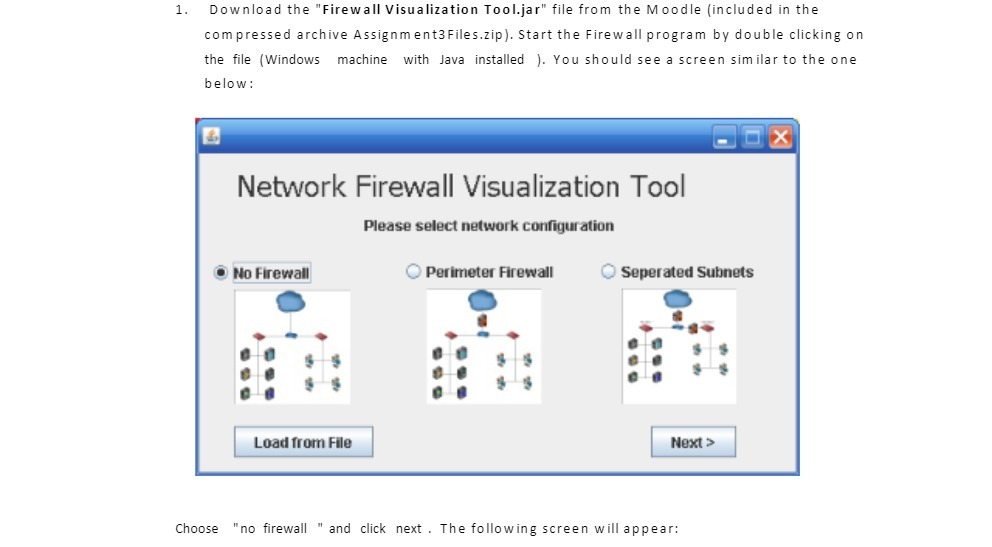
1. Download the "Firewall Visualization Tool.jar" file from the Moodle (included in the compressed archive Assignment3 Files.zip). Start the Firewall program by double clicking on the file (Windows machine with Java installed ). You should see a screen similar to the one below : Network Firewall Visualization Tool Please select network configuration No Firewall Perimeter Firewall Seperated Subnets Load from File Next > Choose "no firewall " and click next . The following screen will appear

Step by Step Solution

There are 3 Steps involved in it

1 Expert Approved Answer
Step: 1 Unlock blur-text-image

Question Has Been Solved by an Expert!

Get step-by-step solutions from verified subject matter experts

Step: 2 Unlock
Step: 3 Unlock

Students Have Also Explored These Related Mathematics Questions!