







Question: 1. Find the SysCtl API function that sets the clock source and frequency. You can use Resource Explorer, a search engine, or (my preference) look
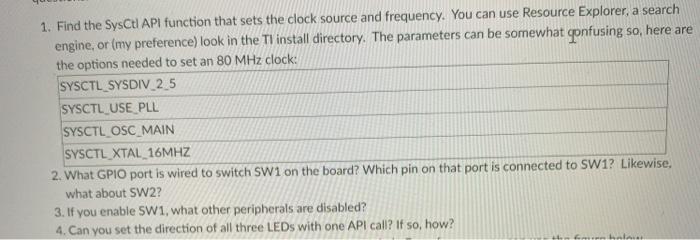
1. Find the SysCtl API function that sets the clock source and frequency. You can use Resource Explorer, a search engine, or (my preference) look in the Tl install directory. The parameters can be somewhat confusing so, here are the options needed to set an 80 MHz clock: SYSCTL_SYSDIV 2 5 SYSCTL_USE PLL SYSCTL OSC_MAIN SYSCTL_XTAL 16MHZ 2. What GPIO port is wired to switch SW1 on the board? Which pin on that port is connected to SW1? Likewise, what about SW22 3. If you enable SW1, what other peripherals are disabled? 4. Can you set the direction of all three LEDs with one API call? If so, how? 1. Find the SysCtl API function that sets the clock source and frequency. You can use Resource Explorer, a search engine, or (my preference) look in the Tl install directory. The parameters can be somewhat confusing so, here are the options needed to set an 80 MHz clock: SYSCTL_SYSDIV 2 5 SYSCTL_USE PLL SYSCTL OSC_MAIN SYSCTL_XTAL 16MHZ 2. What GPIO port is wired to switch SW1 on the board? Which pin on that port is connected to SW1? Likewise, what about SW22 3. If you enable SW1, what other peripherals are disabled? 4. Can you set the direction of all three LEDs with one API call? If so, how
Step by Step Solution
There are 3 Steps involved in it

Get step-by-step solutions from verified subject matter experts
 Study Help