







Question: 1) First thing you will need to do is setup three groups on your system: sysadmin, normal, hr 2) Now, create two separate folders: /etc/admin,
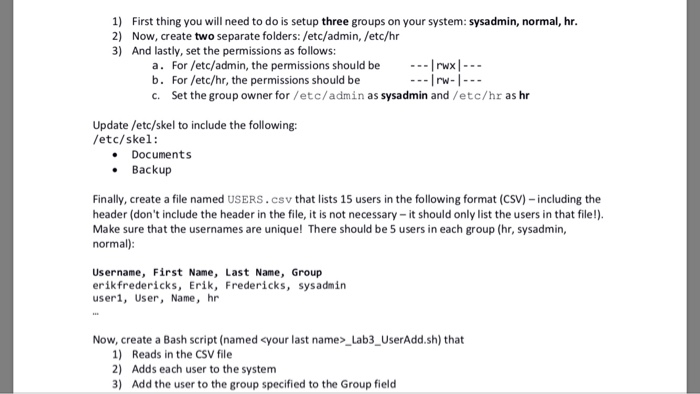
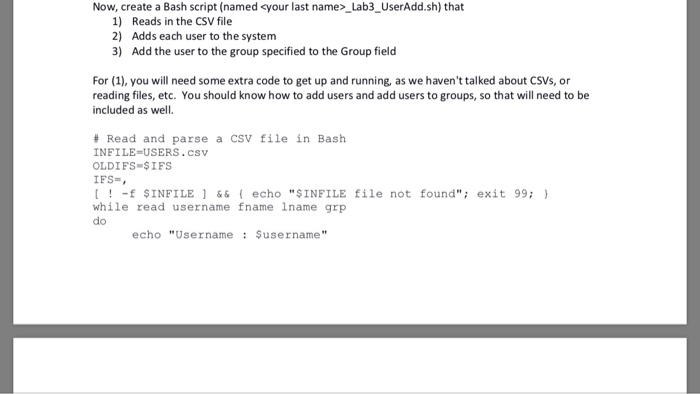
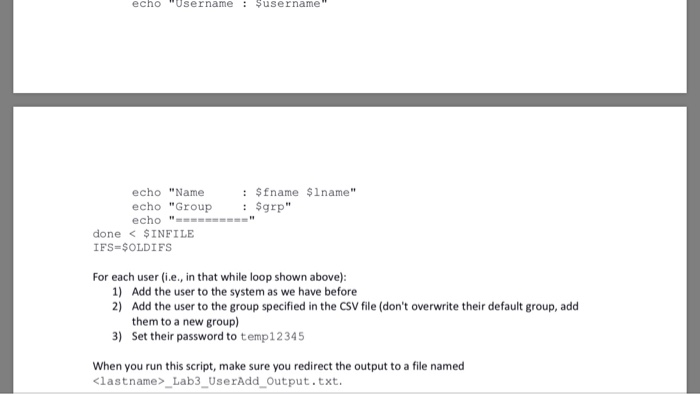
1) First thing you will need to do is setup three groups on your system: sysadmin, normal, hr 2) Now, create two separate folders: /etc/admin, /etc/hr 3) And lastly, set the permissions as follows: a. For /etc/admin, the permissions should be---IrwxI--- b. For /etc/hr, the permissions should be c. Set the group owner for /etc/admin as sysadmin and/etc/hr as hr Update /etc/skel to include the following: /etc/skel: . Documents Backup Finally, create a file named USERS . csv that lists 15 users in the following format (CSV)-including the header (don't include the header in the file, it is not necessary-it should only list the users in that file!) Make sure that the usernames are unique! There should be 5 users in each group (hr, sysadmin, normal): Username, First Name, Last Name, Group erikfredericks, Erik, Fredericks, sysadmin useri, User, Name, hr Now, create a Bash script (named
Step by Step Solution
There are 3 Steps involved in it

Get step-by-step solutions from verified subject matter experts
 Study Help