







Question: 1 import static org.junit. Assert.assertEquals; 2 import org.junit. Test; 3 4 public class CompareNums Test { 5 6 7 8 9 10 // TODO
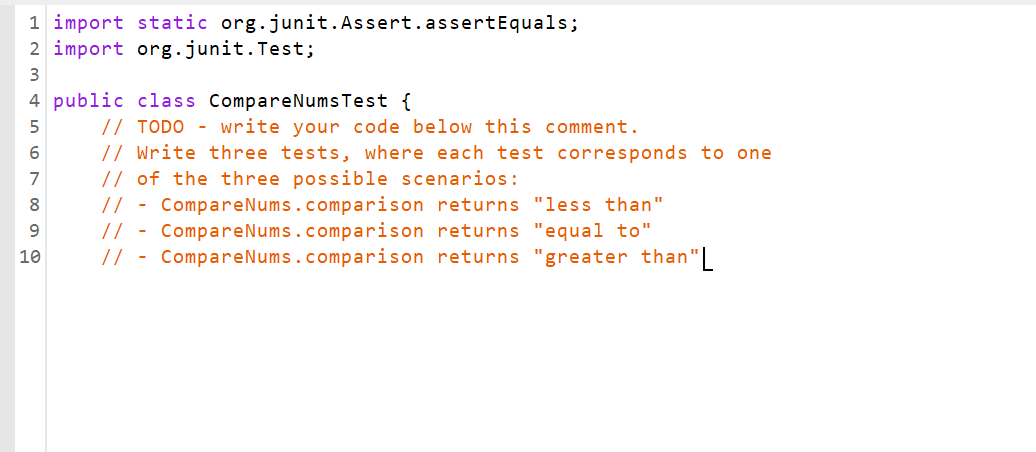
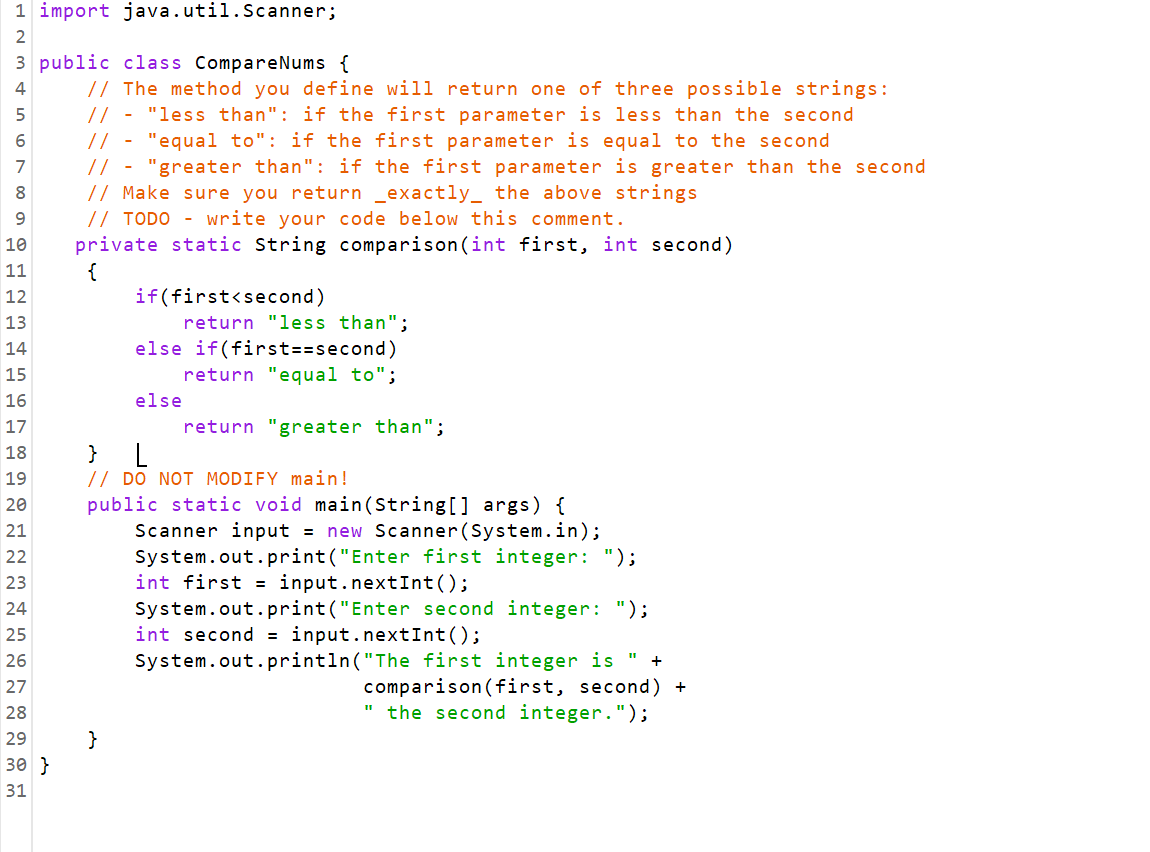
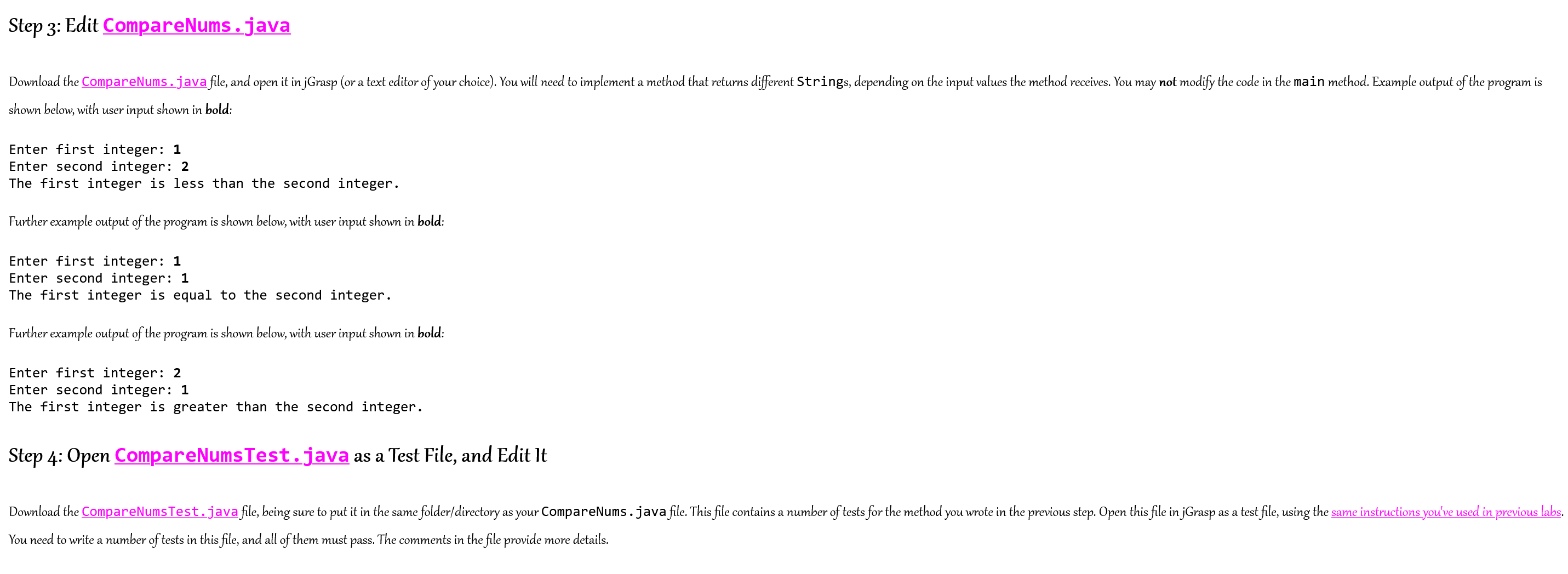
1 import static org.junit. Assert.assertEquals; 2 import org.junit. Test; 3 4 public class CompareNums Test { 5 6 7 8 9 10 // TODO - write your code below this comment. // Write three tests, where each test corresponds to one // of the three possible scenarios: // CompareNums.comparison // - CompareNums.comparison // - CompareNums.comparison - returns "less than" returns "equal to" returns "greater than "L 1 import java.util.Scanner; 2 3 public class Compare Nums { // The method you define will return one of three possible strings: // - "less than": if the first parameter is less than the second 6 7 8 9 10 11 12 13 14 15 16 17 18 19 20 N N N N N N N 30 } // - "equal to": if the first parameter is equal to the second // - "greater than": if the first parameter is greater than the second // Make sure you return _exactly the above strings // TODO - write your code below this comment. private static String comparison (int first, int second) { if(first Step 3: Edit CompareNums.java Download the CompareNums. java file, and open it in jGrasp (or a text editor of your choice). You will need to implement a method that returns different Strings, depending on shown below, with user input shown in bold: Enter first integer: 1 Enter second integer: 2 The first integer is less than the second integer. Further example output of the program is shown below, with user input shown in bold: Enter first integer: 1 Enter second integer: 1 The first integer is equal to the second integer. Further example output of the program is shown below, with user input shown in bold: Enter first integer: 2 Enter second integer: 1 The first integer is greater than the second integer. Step 4: Open CompareNums Test.java as a Test File, and Edit It the input values the method receives. You may not modify the code in the main method. Example output of the program is Download the CompareNumsTest.java file, being sure to put it in the same folder/directory as your CompareNums. java file. This file contains a number of tests for the method you wrote in the previous step. Open this file in jGraspa o as a test file, using the same instructions you've used in previous labs. You need to write a number of tests in this file, and all of them must pass. The comments in the file provide more details.
Step by Step Solution
3.40 Rating (150 Votes )
There are 3 Steps involved in it
CompareNumsjava Make comparison method in CompareNums class public so that we can access the method ... View full answer

Get step-by-step solutions from verified subject matter experts
 Study Help