







Question: 1. In the table for the first state, for the first column of data (i.e. Daily confirmed) move the cursor to the cell 2 rows
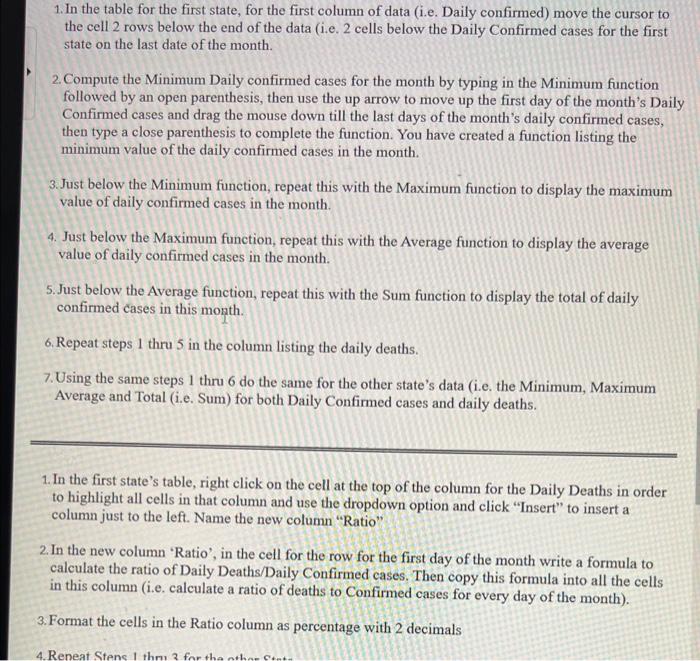
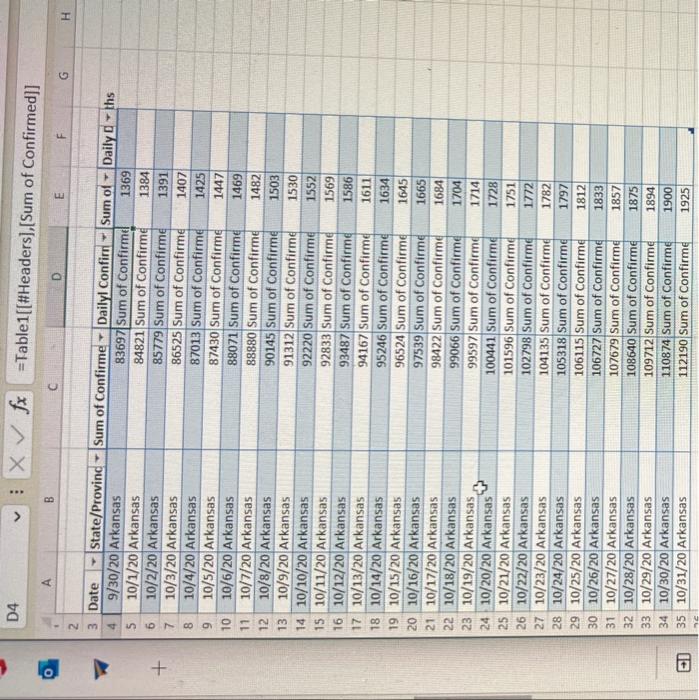
1. In the table for the first state, for the first column of data (i.e. Daily confirmed) move the cursor to the cell 2 rows below the end of the data (i.e. 2 cells below the Daily Confirmed cases for the first state on the last date of the month. 2. Compute the Minimum Daily confirmed cases for the month by typing in the Minimum function followed by an open parenthesis, then use the up arrow to move up the first day of the month's Daily Confirmed cases and drag the mouse down till the last days of the month's daily confirmed cases, then type a close parenthesis to complete the function. You have created a function listing the minimum value of the daily confirmed cases in the month. 3. Just below the Minimum function, repeat this with the Maximum function to display the maximum value of daily confirmed cases in the month. 4. Just below the Maximum function, repeat this with the Average function to display the average value of daily confirmed cases in the month. 5. Just below the Average function, repeat this with the Sum function to display the total of daily confirmed cases in this month. 6. Repeat steps 1 thru 5 in the column listing the daily deaths. 7. Using the same steps 1 thru 6 do the same for the other state's data (i.e. the Minimum, Maximum Average and Total (i.e. Sum) for both Daily Confirmed cases and daily deaths. 1. In the first state's table, right click on the cell at the top of the column for the Daily Deaths in order to highlight all cells in that column and use the dropdown option and click "Insert" to insert a column just to the left. Name the new column "Ratio" 2. In the new column 'Ratio', in the cell for the row for the first day of the month write a formula to calculate the ratio of Daily Deaths/Daily Confirmed cases. Then copy this formula into all the cells in this column (i.e. calculate a ratio of deaths to Confirmed cases for every day of the month). 3. Format the cells in the Ratio column as percentage with 2 decimals D4 Xfx= Table1[[\#Headers],[Sum of Confirmed]] b
Step by Step Solution
There are 3 Steps involved in it

Get step-by-step solutions from verified subject matter experts
 Study Help