







Question: 1. Open NetBeans. 2. Select File, New File. 3. Select Java, Empty Java File. Next. 4. For the Class Name enter String Methods. Select Finish.
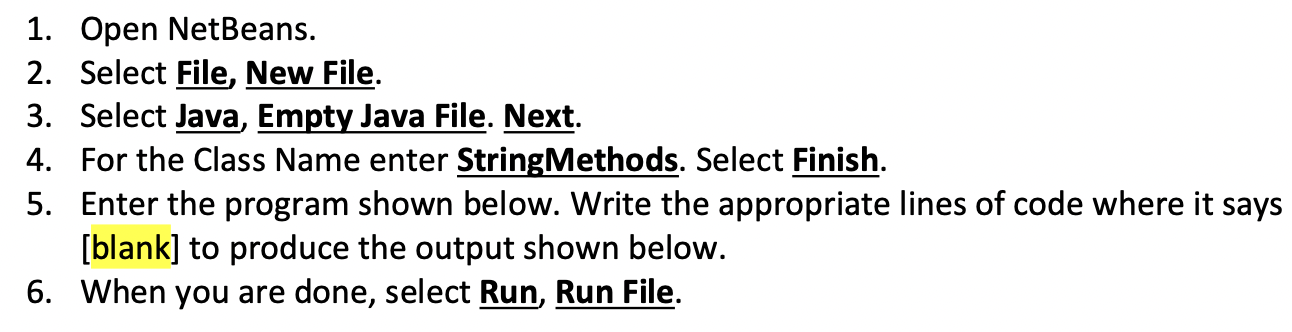
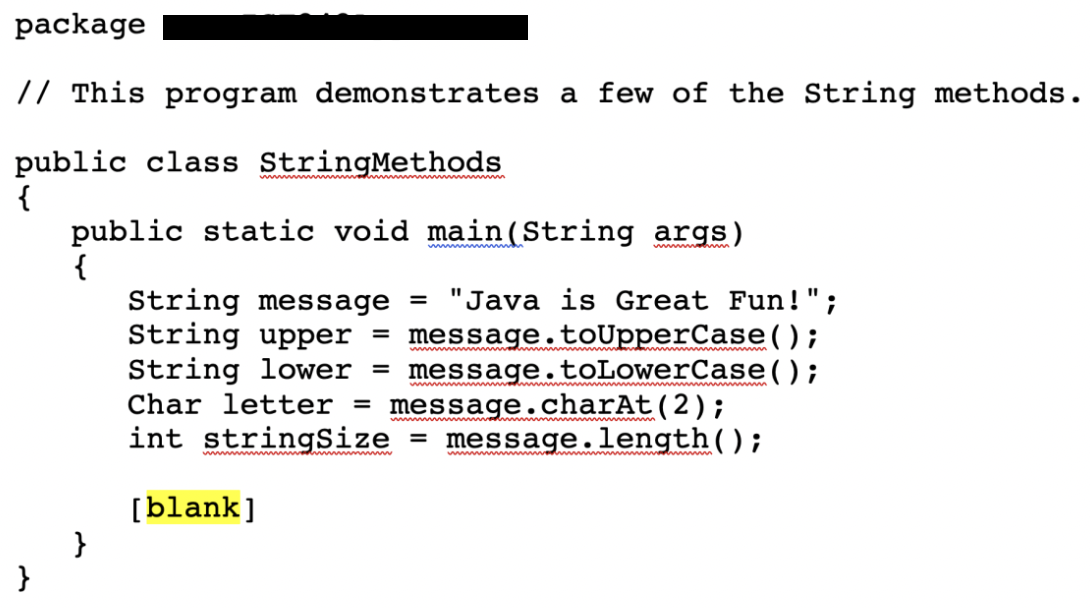
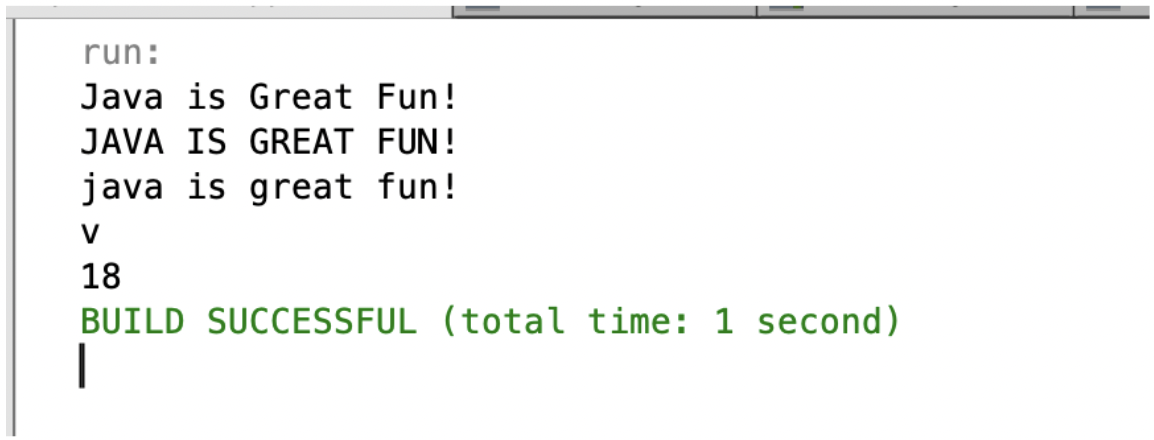
1. Open NetBeans. 2. Select File, New File. 3. Select Java, Empty Java File. Next. 4. For the Class Name enter String Methods. Select Finish. 5. Enter the program shown below. Write the appropriate lines of code where it says [blank] to produce the output shown below. 6. When you are done, select Run, Run File. package // This program demonstrates a few of the String methods. public class StringMethods { public static void main(String args) { String message = "Java is Great Fun!"; String upper = message: toUpperCase(); String lower message.toLowerCase(); Char letter = message.charAt(2); int stringSize = message.length(); = [blank] } } run: Java is Great Fun! JAVA IS GREAT FUN! java is great fun! V 18 BUILD SUCCESSFUL (total time: 1 second)
Step by Step Solution
There are 3 Steps involved in it

Get step-by-step solutions from verified subject matter experts
 Study Help