







Question: Assignment: Clock.java 1. Open NetBeans. 2. Select File, New File. 3. Select Java, Empty Java File. Next. 4. For the Class Name enter Clock. Select
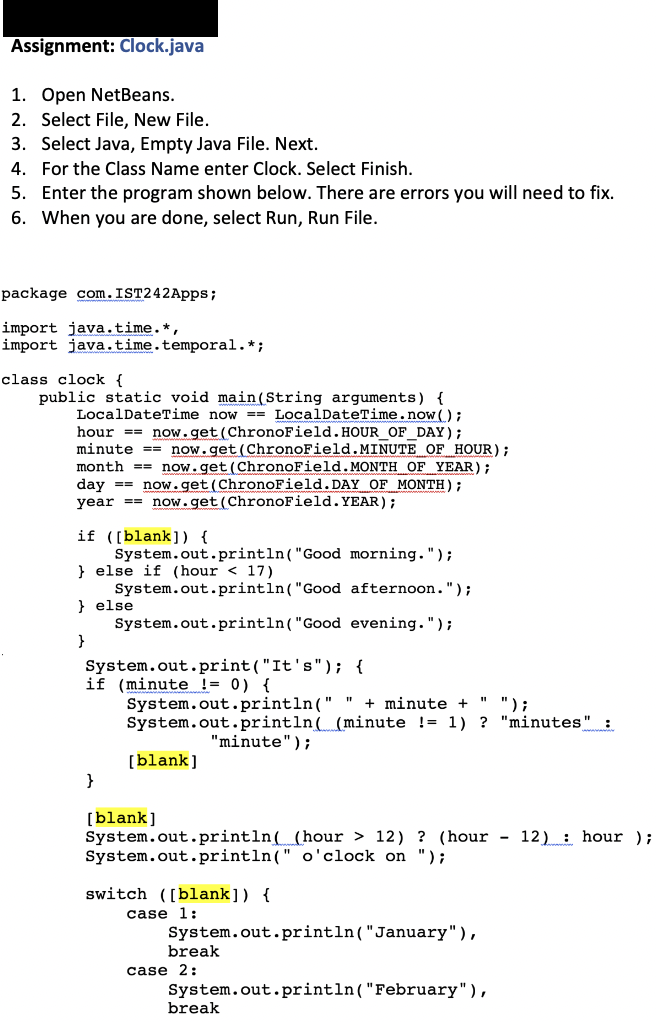
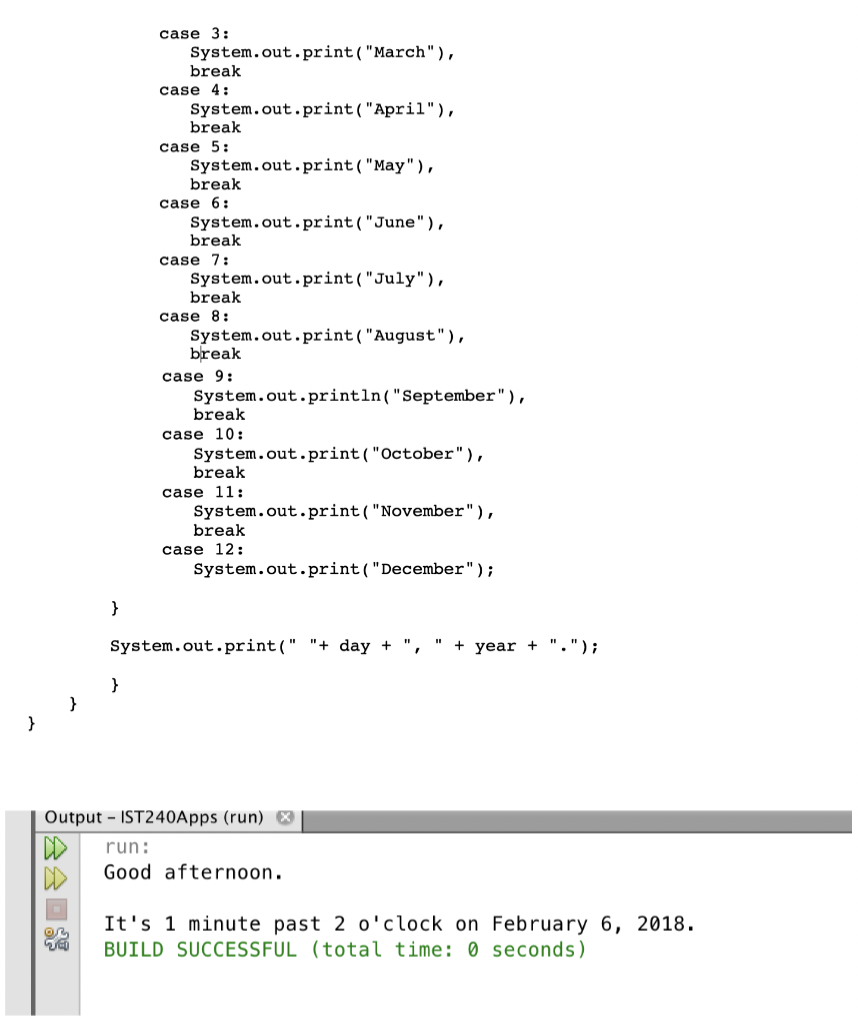
Assignment: Clock.java 1. Open NetBeans. 2. Select File, New File. 3. Select Java, Empty Java File. Next. 4. For the Class Name enter Clock. Select Finish. 5. Enter the program shown below. There are errors you will need to fix. 6. When you are done, select Run, Run File. package com.IST242 Apps; import java.time.*, import java.time. temporal.*; class clock { public static void main(String arguments) { LocalDateTime now == LocalDateTime.now(); hour == now.get(ChronoField. HOUR_OF_DAY); minute == now.get(ChronoField.MINUTE OF HOUR); month == now.get(ChronoField.MONTH OF YEAR); day == now.get(ChronoField.DAY OF MONTH); year == now.get (ChronoField. YEAR); if ([blank]) { System.out.println("Good morning."); } else if (hour 12) ? (hour - 12) : hour ); System.out.println(" o'clock on "); switch ([blank]) { case 1: System.out.println("January"), break case 2: System.out.println("February"), break case 3: System.out.print("March"), break case 4: System.out.print("April"), break case 5: System.out.print("May"), break case 6: System.out.print("June"), break case 7: System.out.print("July"), break case 8: System.out.print("August"), break case 9: System.out.println("September"), break case 10: System.out.print("October"), break case 11: System.out.print("November"), break case 12: System.out.print("December"); } System.out.print(" "+ day + " + year + "."); } } } Output - IST240Apps (run) x run: Good afternoon. It's 1 minute past 2 o'clock on February 6, 2018. BUILD SUCCESSFUL (total time: 0 seconds)
Step by Step Solution
There are 3 Steps involved in it

Get step-by-step solutions from verified subject matter experts
 Study Help