







Question: 1. Record and plot Hello world using Matlab. (a) Write a Matlab script that records yourself saying Hello world using the Matlab audiorecorder object. Set
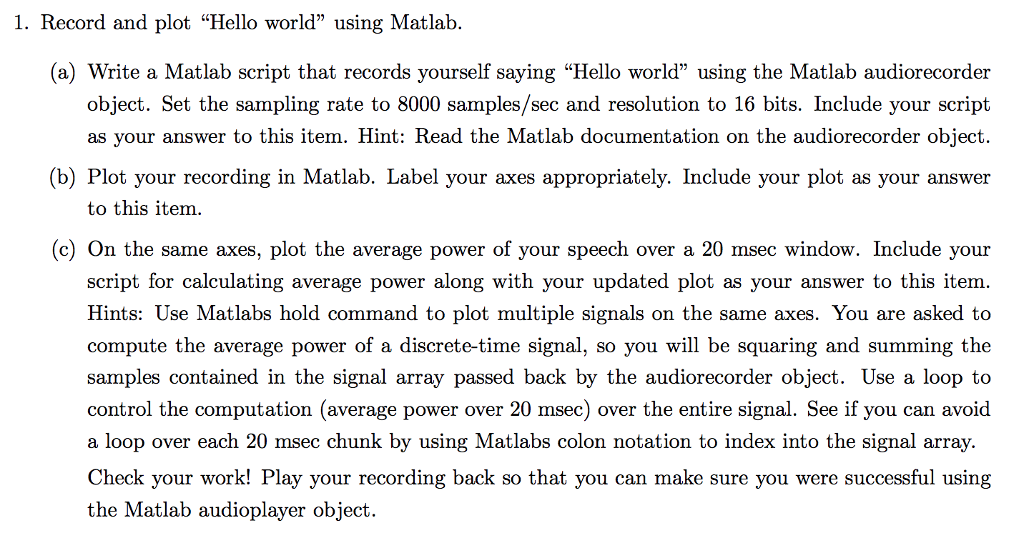
1. Record and plot "Hello world" using Matlab. (a) Write a Matlab script that records yourself saying "Hello world" using the Matlab audiorecorder object. Set the sampling rate to 8000 samples/sec and resolution to 16 bits. Include your script as your answer to this item. Hint: Read the Matlab documentation on the audiorecorder object (b) Plot your recording in Matlab. Label your axes appropriately. Include your plot as your answer to this item. (c) On the same axes, plot the average power of your speech over a 20 msec window. Include your script for calculating average power along with your updated plot as your answer to this item Hints: Use Matlabs hold command to plot multiple signals on the same axes. You are asked to compute the average power of a discrete-time signal, so you will be squaring and summing the samples contained in the signal array passed back by the audiorecorder object. Use a loop to control the computation (average power over 20 msec) over the entire signal. See if you can avoid a loop over each 20 msec chunk by using Matlabs colon notation to index into the signal array. Check your work! Play your recording back so that you can make sure you were successful using the Matlab audioplayer object. 1. Record and plot "Hello world" using Matlab. (a) Write a Matlab script that records yourself saying "Hello world" using the Matlab audiorecorder object. Set the sampling rate to 8000 samples/sec and resolution to 16 bits. Include your script as your answer to this item. Hint: Read the Matlab documentation on the audiorecorder object (b) Plot your recording in Matlab. Label your axes appropriately. Include your plot as your answer to this item. (c) On the same axes, plot the average power of your speech over a 20 msec window. Include your script for calculating average power along with your updated plot as your answer to this item Hints: Use Matlabs hold command to plot multiple signals on the same axes. You are asked to compute the average power of a discrete-time signal, so you will be squaring and summing the samples contained in the signal array passed back by the audiorecorder object. Use a loop to control the computation (average power over 20 msec) over the entire signal. See if you can avoid a loop over each 20 msec chunk by using Matlabs colon notation to index into the signal array. Check your work! Play your recording back so that you can make sure you were successful using the Matlab audioplayer object
Step by Step Solution
There are 3 Steps involved in it

Get step-by-step solutions from verified subject matter experts
 Study Help