







Question: 1) Type the following code in Matlab and see the results Step-heaviside (X)i Exp- exp(X) figure (1) subplot ( 2, 1, 1 ) ; plot
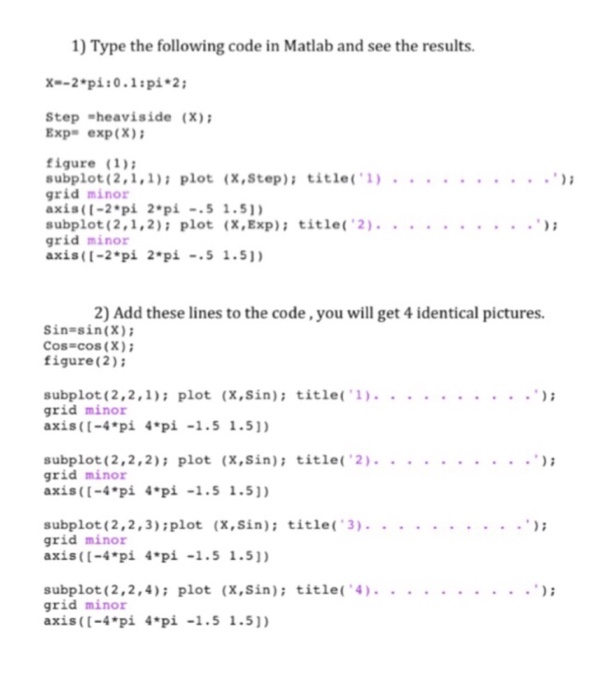
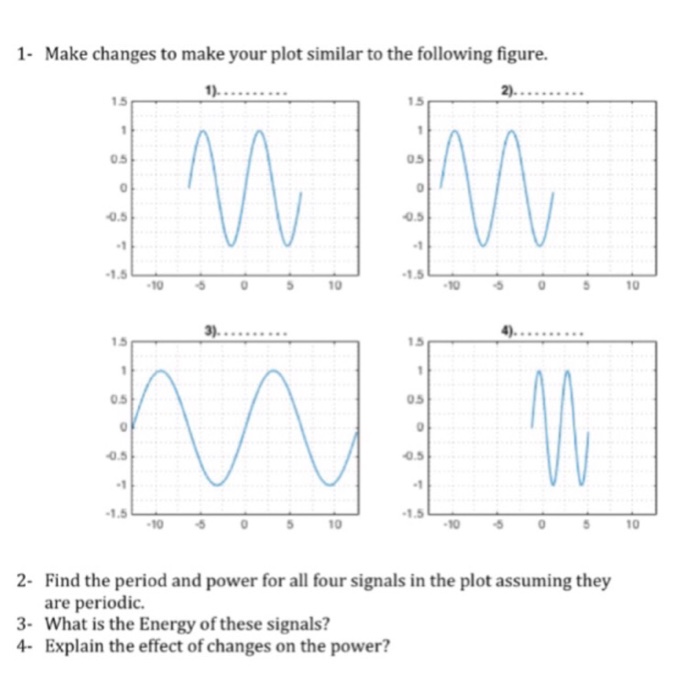
1) Type the following code in Matlab and see the results Step-heaviside (X)i Exp- exp(X) figure (1) subplot ( 2, 1, 1 ) ; plot (X,Step ) ; grid minor axis(t-2 pi 2*pi-5 1.51 title('1) '); grid minor axis(t-2 pi 2 pi-51.51 2) Add these lines to the code,you will get 4 identical pictures. Sin-sin(X) Cos-cos (X) figure(2) grid minor axis (t-4pi 4 pi -1.5 1.51) grid minor axis(t-4pi 4 pi-1.5 1.51) subplot (2,2,3):plot (x,Sin): title 3)... grid minor axis (t-4 pi 4 pi-1.5 1.5]) grid minor axis(t-4 pi 4 pi -1.5 1.5)
Step by Step Solution
There are 3 Steps involved in it
1 Expert Approved Answer
Step: 1 Unlock

Question Has Been Solved by an Expert!
Get step-by-step solutions from verified subject matter experts
Step: 2 Unlock
Step: 3 Unlock
 Study Help