Question: 1. What is the recommended way to create a new PivotTable style that is close to an existing style? Select an answer: I Duplicate the
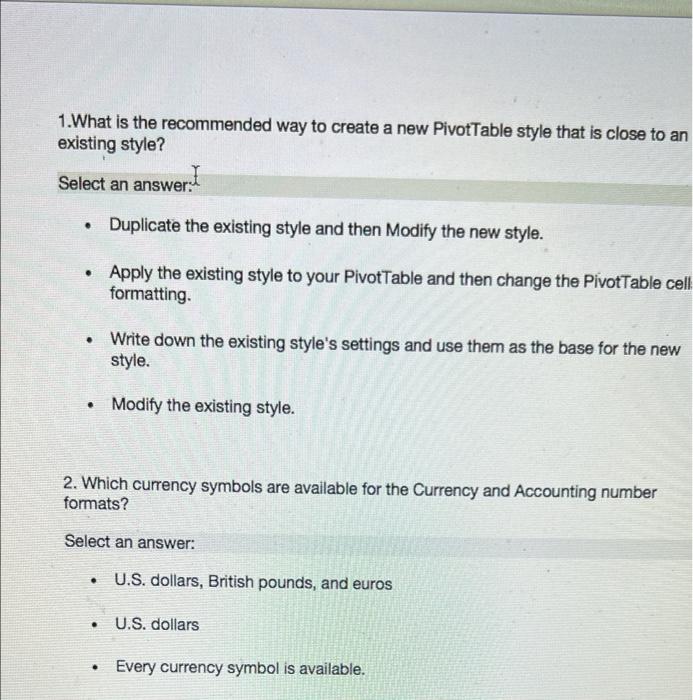
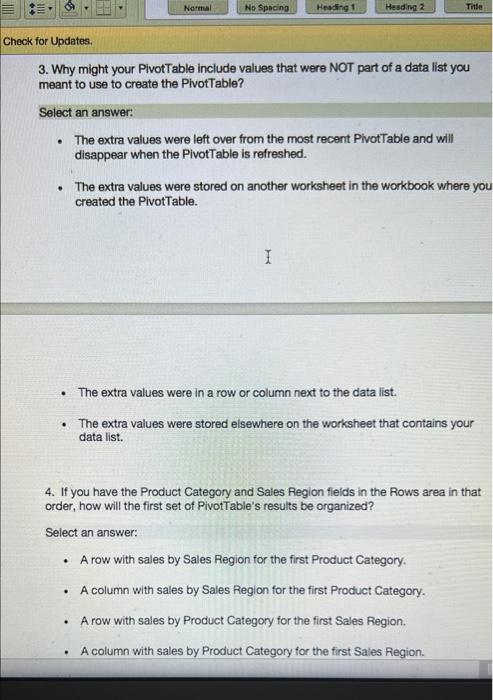
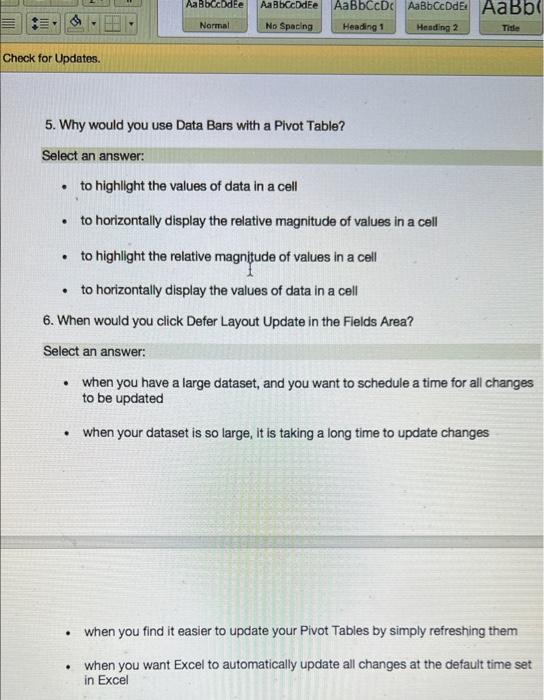
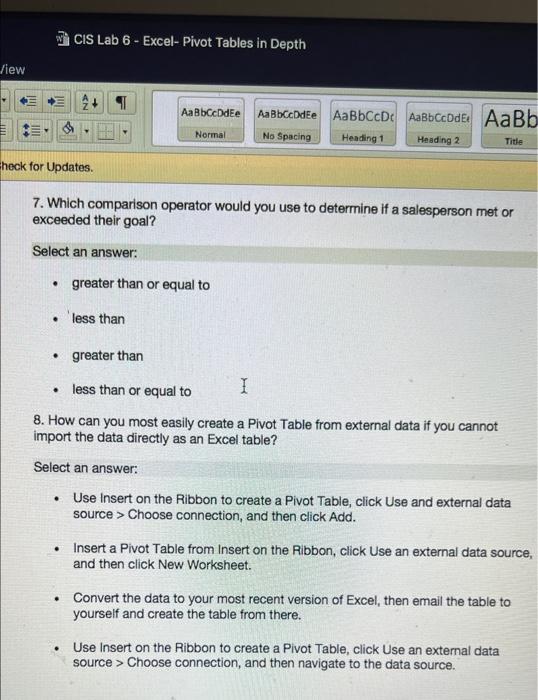
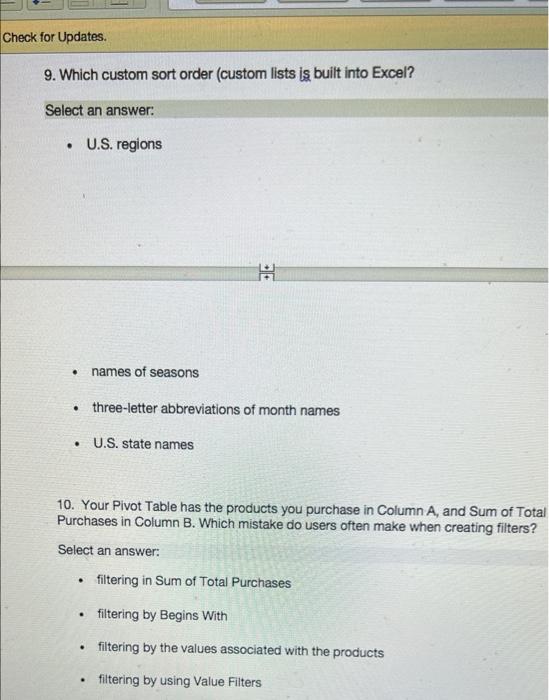
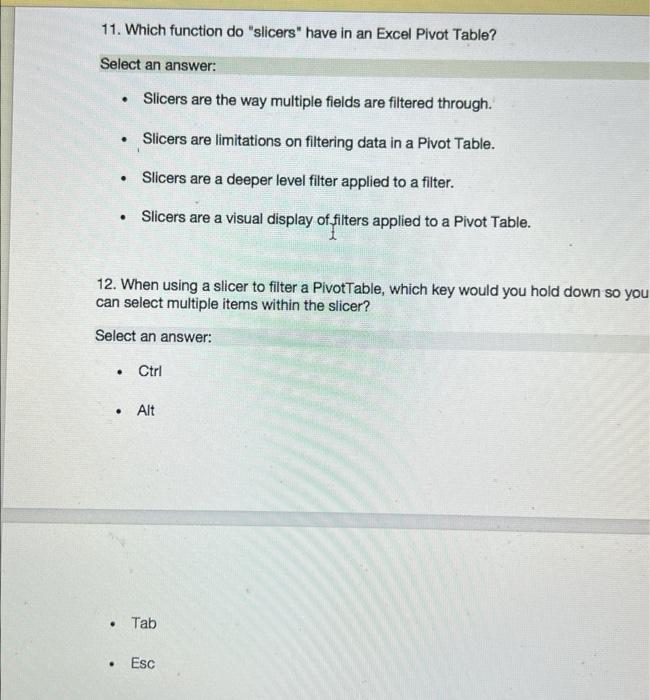
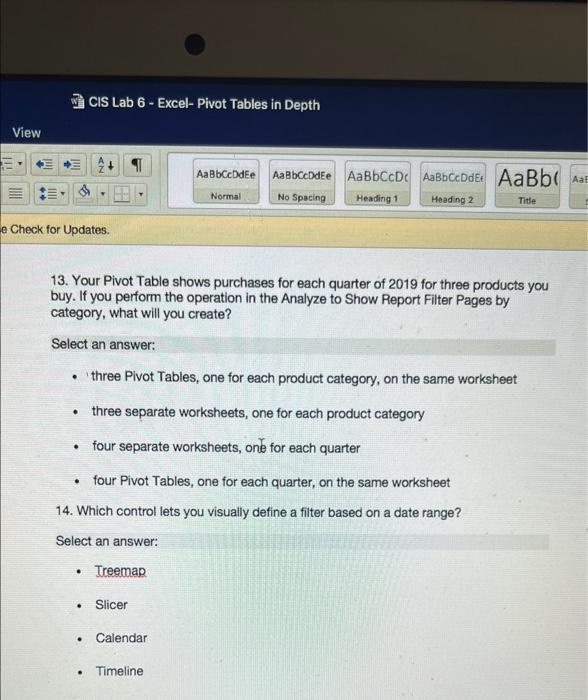
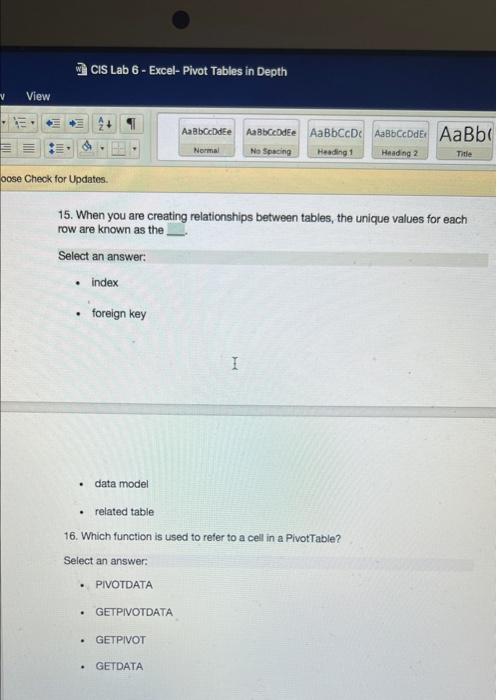
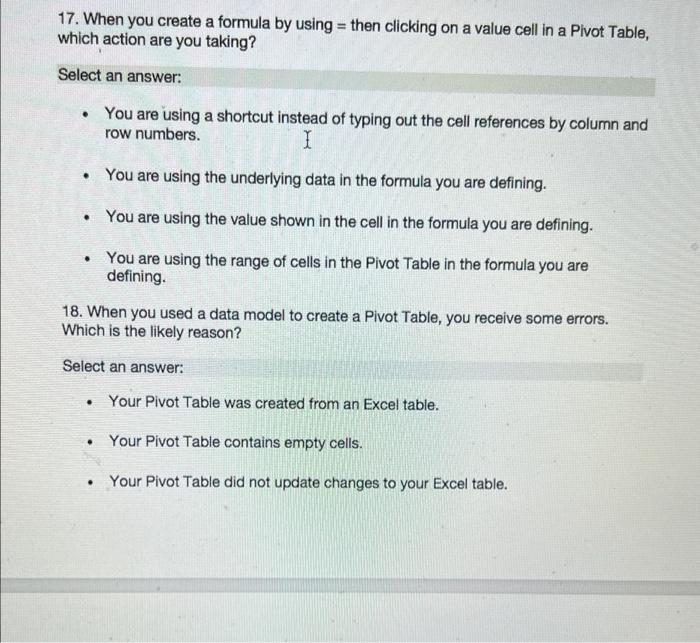
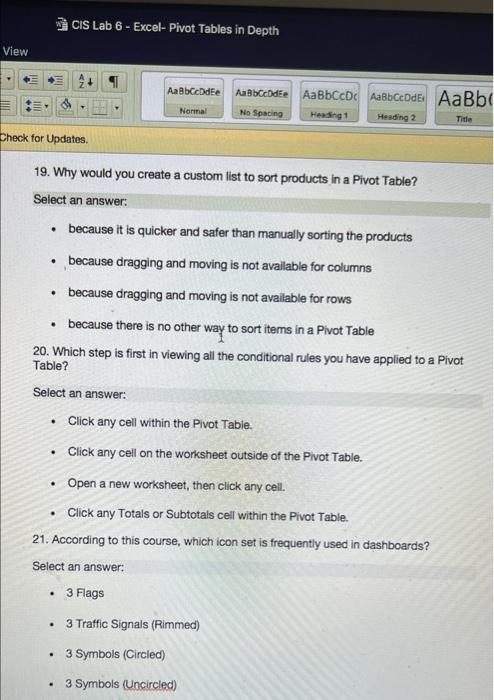
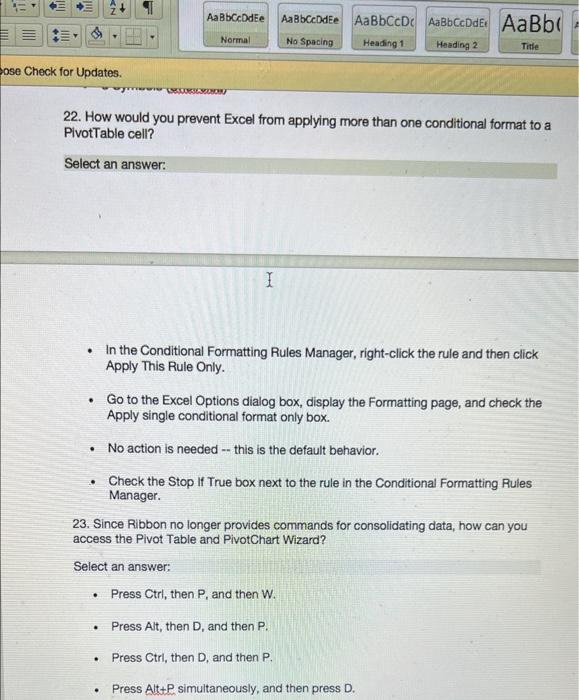
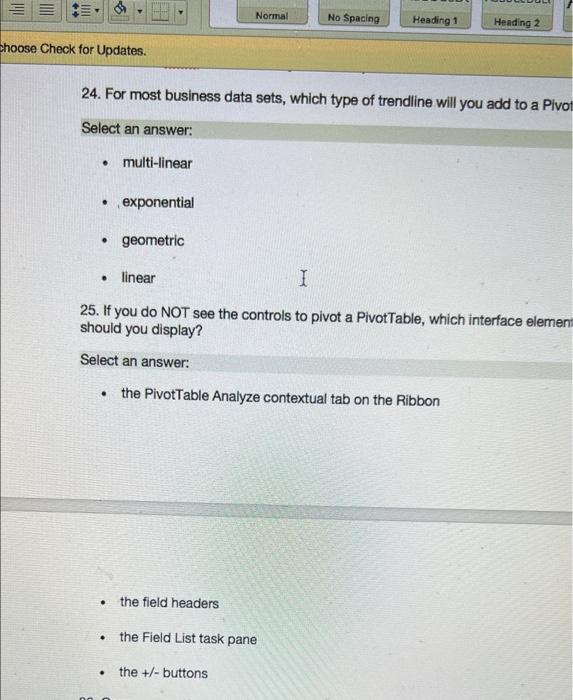
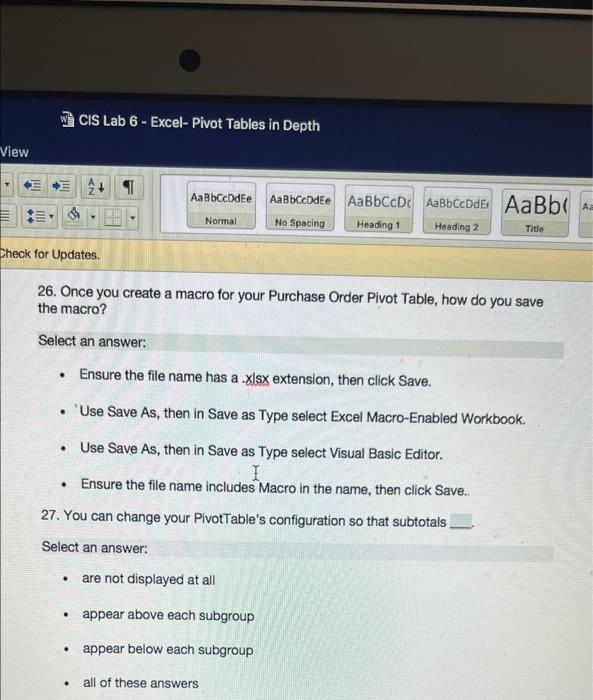
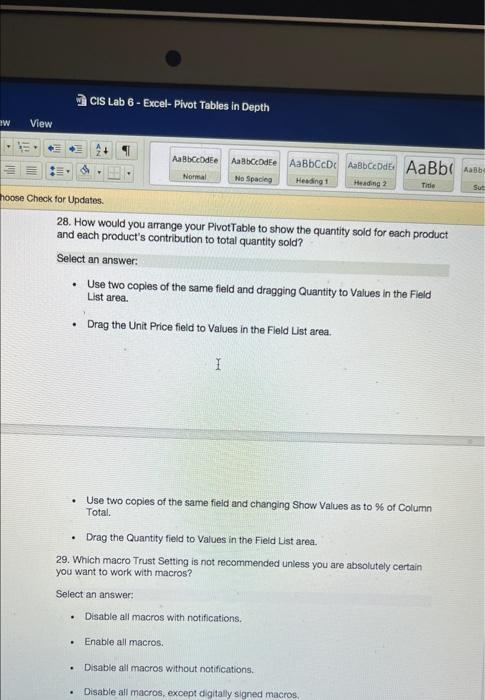
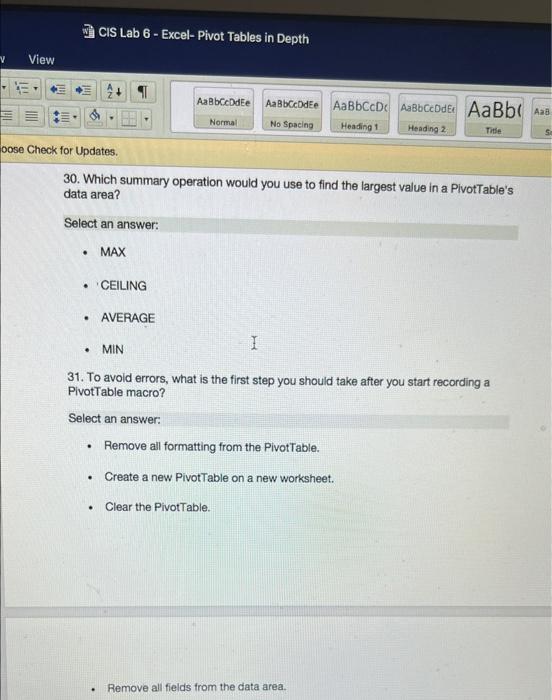
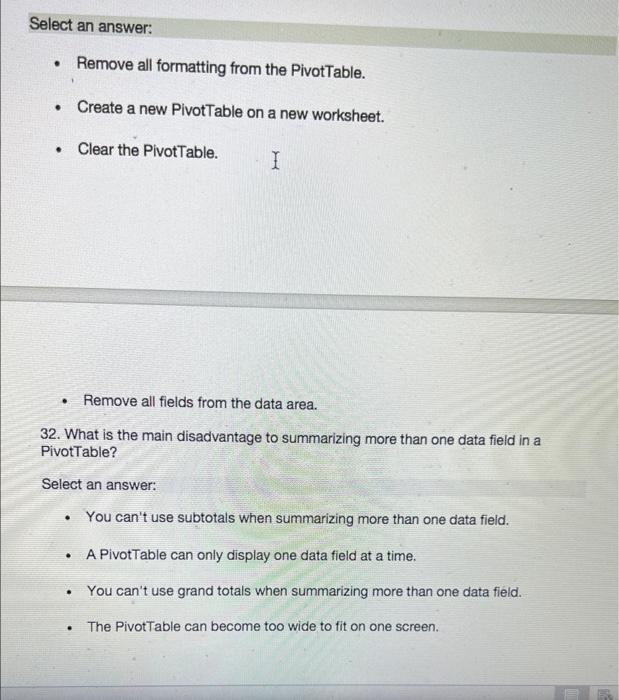
1. What is the recommended way to create a new PivotTable style that is close to an existing style? Select an answer: I Duplicate the existing style and then Modify the new style. Apply the existing style to your Pivottable and then change the Pivot Table cell formatting. . Write down the existing style's settings and use them as the base for the new style. . Modify the existing style. 2. Which currency symbols are available for the Currency and Accounting number formats? Select an answer: U.S. dollars, British pounds, and euros U.S. dollars . Every currency symbol is available. Normal No Spacing Heading 1 Heading 2 Title Check for Updates 3. Why might your Plvot Table include values that were NOT part of a data list you meant to use to create the PivotTable? Select an answer: The extra values were left over from the most recent PivotTable and will disappear when the PivotTable is refreshed. The extra values were stored on another worksheet in the workbook where you created the PivotTable. I . The extra values were in a row or column next to the data list. The extra values were stored elsewhere on the worksheet that contains your data list. 4. If you have the Product Category and Sales Region fields in the Rows area in that order, how will the first set of PivotTable's results be organized? Select an answer: A row with sales by Sales Region for the first Product Category. A column with sales by Sales Region for the first Product Category. A row with sales by Product Category for the first Sales Region. . . . . A column with sales by Product Category for the first Sales Region. Aa8bCcDdEe Aa BbccbdEe AaBbCcDc AaBb CcDdEt AaBb Heading 1 Heading 2 Normal No Spacing Title Check for Updates. 5. Why would you use Data Bars with a Pivot Table? Select an answer: . to highlight the values of data in a cell . to horizontally display the relative magnitude of values in a cell to highlight the relative magnitude of values in a cell . to horizontally display the values of data in a cell 6. When would you click Defer Layout Update in the Fields Area? Select an answer: when you have a large dataset, and you want to schedule a time for all changes to be updated when your dataset is so large, it is taking a long time to update changes . when you find it easier to update your Pivot Tables by simply refreshing them when you want Excel to automatically update all changes at the default time set in Excel CIS Lab 6 - Excel-Pivot Tables in Depth View SN AaBbCcDdEe Aa Bbccddee AaBb De AaBbCcOde AaBb Normal No Spacing Heading 1 Heading 2 Title Check for Updates 7. Which comparison operator would you use to determine if a salesperson met or exceeded their goal? Select an answer: greater than or equal to less than greater than less than or equal to 1 8. How can you most easily create a Pivot Table from external data if you cannot import the data directly as an Excel table? Select an answer: Use Insert on the Ribbon to create a Pivot Table, click Use and external data source > Choose connection, and then click Add. Insert a Pivot Table from Insert on the Ribbon, click Use an external data source, and then click New Worksheet. . Convert the data to your most recent version of Excel, then email the table to yourself and create the table from there. Use Insert on the Ribbon to create a Pivot Table, click Use an external data source > Choose connection, and then navigate to the data source. Check for Updates. 9. Which custom sort order (custom lists is built into Excel? Select an answer: . U.S. regions M . names of seasons three-letter abbreviations of month names U.S. state names 10. Your Pivot Table has the products you purchase in Column A, and Sum of Total Purchases in Column B. Which mistake do users often make when creating filters? Select an answer: filtering in Sum of Total Purchases filtering by Begins with . filtering by the values associated with the products filtering by using Value Filters 11. Which function do "slicers" have in an Excel Pivot Table? Select an answer: Slicers are the way multiple fields are filtered through. Slicers are limitations on filtering data in a Pivot Table. Slicers are a deeper level filter applied to a filter. . Slicers are a visual display of filters applied to a Pivot Table. 12. When using a slicer to filter a PivotTable, which key would you hold down so you can select multiple items within the slicer? Select an answer: Ctrl . Alt Tab . Esc CIS Lab 6 - Excel-Pivot Tables in Depth View N? AaBbCcDdEe AaBbCcDdEe AaBbCcDc AaBb CcDdEt AaBbc Aal Normal No Spacing Heading 1 Heading 2 Title e Check for Updates 13. Your Pivot Table shows purchases for each quarter of 2019 for three products you buy. If you perform the operation in the Analyze to Show Report Filter Pages by category, what will you create? Select an answer: three Pivot Tables, one for each product category, on the same worksheet three separate worksheets, one for each product category four separate worksheets, one for each quarter four Pivot Tables, one for each quarter, on the same worksheet 14. Which control lets you visually define a filter based on a date range? Select an answer: Treeman . Slicer . Calendar . Timeline CIS Lab 6 - Excel-Pivot Tables in Depth View Aa Bbcdee Aa Bbce de AaBbcc Aabbccde AaBb Normal No Spacing Heading 1 Heading 2 Title oose Check for Updates 15. When you are creating relationships between tables, the unique values for each row are known as the Select an answer: index foreign key 1 data model related table 16. Which function is used to refer to a cell in a Pivot Table? Select an answer. PIVOTDATA . GETPIVOTDATA . GETPIVOT GETDATA 17. When you create a formula by using = then clicking on a value cell in a Pivot Table, which action are you taking? Select an answer: You are using a shortcut instead of typing out the cell references by column and row numbers. I You are using the underlying data in the formula you are defining. . You are using the value shown in the cell in the formula you are defining. You are using the range of cells in the Pivot Table in the formula you are defining. 18. When you used a data model to create a Pivot Table, you receive some errors. Which is the likely reason? Select an answer: . Your Pivot Table was created from an Excel table. . Your Pivot Table contains empty cells. . Your Pivot Table did not update changes to your Excel table. CIS Lab 6 - Excel-Pivot Tables in Depth View AaBbccdee Aa Bbccde AaBbccDc A2BBCCDdE AaBb Normal No Spacing Heading 1 Heading 2 Title Check for Updates 19. Why would you create a custom list to sort products in a Pivot Table? Select an answer: because it is quicker and safer than manually sorting the products because dragging and moving is not available for columns because dragging and moving is not available for rows because there is no other way to sort items in a Pivot Table 20. Which step is first in viewing all the conditional rules you have applied to a Pivot Table? Select an answer: Click any cell within the Pivot Table Click any cell on the worksheet outside of the Pivot Table. Open a new worksheet, then click any cell. Click any Totals or Subtotals cell within the Pivot Table. 21. According to this course, which icon set is frequently used in dashboards? Select an answer: . 3 Flags . 3 Traffic Signals (Rimmed) . 3 Symbols (Circled) 3 Symbols Uncircled) TIM AaBbCcDdEe Aa Bbccddee AaBbCcDc AaBbCcOde AaBbc Normal No Spacing Heading 1 Heading 2 Title Bose Check for Updates. WORK 22. How would you prevent Excel from applying more than one conditional format to a PivotTable cell? Select an answer: I . In the Conditional Formatting Rules Manager, right-click the rule and then click Apply This Rule Only. Go to the Excel Options dialog box, display the Formatting page, and check the Apply single conditional format only box. No action is needed -- this is the default behavior. Check the Stop If True box next to the rule in the Conditional Formatting Rules Manager 23. Since Ribbon no longer provides commands for consolidating data, how can you access the Pivot Table and PivotChart Wizard? Select an answer: Press Ctrl, then P, and then W. Press Alt, then D, and then P. . Press Ctrl, then D, and then P. Press Alt+P simultaneously, and then press D. Normal No Spacing Heading 1 Heading 2 Choose Check for Updates. 24. For most business data sets, which type of trendline will you add to a Pivot Select an answer: multi-linear exponential geometric linear I 25. If you do NOT see the controls to pivot a Pivot Table, which interface elemen should you display? Select an answer: the PivotTable Analyze contextual tab on the Ribbon . the field headers . the Field List task pane . the +/- buttons CIS Lab 6 - Excel-Pivot Tables in Depth View . 1111 AaBbCcDdEe Aa Bbccddee AaBbCcDc Aabbccode AaBbc A III Normal No Spacing Heading 1 Heading 2 Title Check for Updates 26. Once you create a macro for your purchase Order Pivot Table, how do you save the macro? Select an answer: . Ensure the file name has a .xlsx extension, then click Save. Use Save As, then in Save as Type select Excel Macro-Enabled Workbook. . Use Save As, then in Save as Type select Visual Basic Editor. Ensure the file name includes Macro in the name, then click Save. 27. You can change your PivotTable's configuration so that subtotals Select an answer: are not displayed at all . appear above each subgroup . appear below each subgroup . all of these answers CIS Lab 6 - Excel-Pivot Tables in Depth aw View Aa Bbcode AaBbcode Normal . Heading Heading 2 No Spaces Title Sue hoose Check for Updates 28. How would you arrange your Pivot Table to show the quantity sold for each product and each product's contribution to total quantity sold? Select an answer: Use two copies of the same field and dragging Quantity to Values in the Field List area. Drag the Unit Price field to Values in the Field List area. . 1 . . Use two copies of the same field and changing Show Values as to % of Column Total Drag the Quantity field to Values in the Field List area. 29. Which macro Trust Setting is not recommended unless you are absolutely certain you want to work with macros? Select an answer: Disable all macros with notifications. . Enable all macros. . Disable all macros without notifications, Disable all macros, except digitally signed macros CIS Lab 6 - Excel-Pivot Tables in Depth V View AaBbc dee Aa BbCcDEO AaBbCcDc AaBbceDdEt AaBb Heading 2 Aaa Normal No Spacing Heading 1 Title s oose Check for Updates. 30. Which summary operation would you use to find the largest value in a PlvotTable's data area? Select an answer: . MAX CEILING . AVERAGE . MIN I 31. To avoid errors, what is the first step you should take after you start recording a Pivot Table macro? Select an answer: Remove all formatting from the Pivottable. . Create a new PivotTable on a new worksheet. Clear the Pivot Table Remove all fields from the data area. Select an answer: . Remove all formatting from the PivotTable. Create a new PivotTable on a new worksheet. Clear the PivotTable. I Remove all fields from the data area. 32. What is the main disadvantage to summarizing more than one data field in a PivotTable? Select an answer: You can't use subtotals when summarizing more than one data field. A Pivot Table can only display one data field at a time. You can't use grand totals when summarizing more than one data field. The Pivot Table can become too wide to fit on one screen









 Study Help