







Question: 1. Write a method save_model(self) that saves the TextModel object self by writing its various feature dictionaries to files. There will be one file written
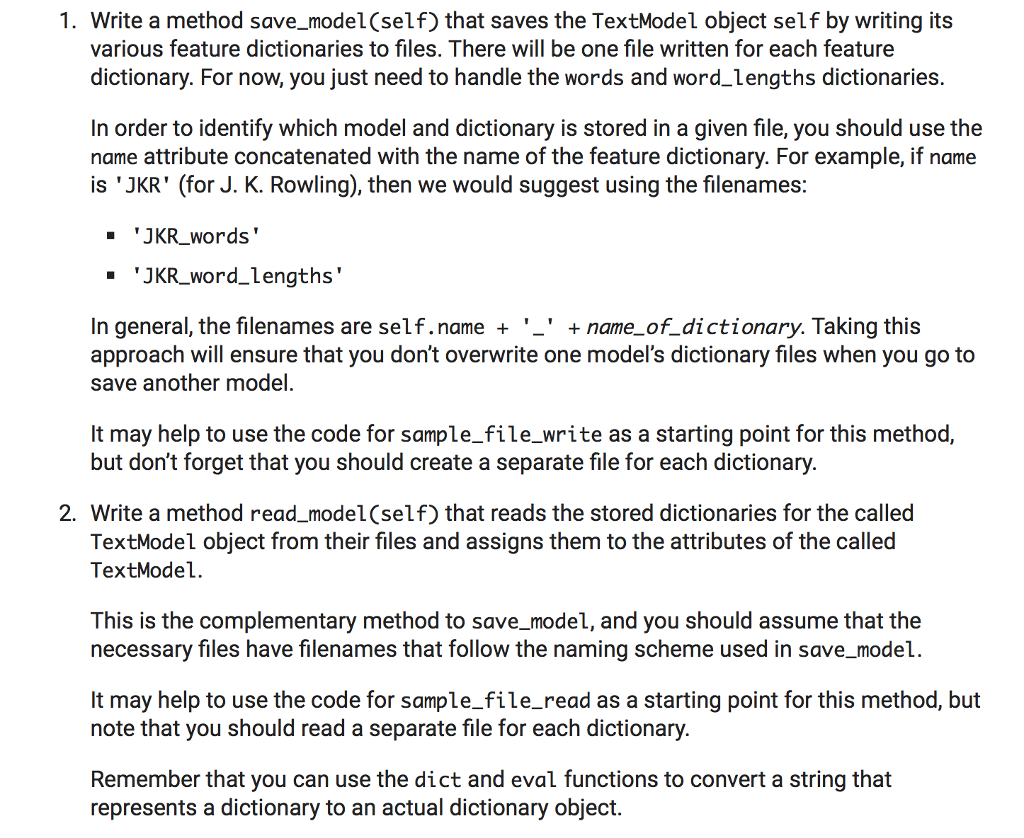
1. Write a method save_model(self) that saves the TextModel object self by writing its various feature dictionaries to files. There will be one file written for each feature dictionary. For now, you just need to handle the words and word_lengths dictionaries. In order to identify which model and dictionary is stored in a given file, you should use the name attribute concatenated with the name of the feature dictionary. For example, if name is JKR' (for J. K. Rowling), then we would suggest using the filenames: JKR_words' .JKR.word.lengths In general, the filenames are self.name + '_' + name_of_dictionary. Taking this approach will ensure that you don't overwrite one model's dictionary files when you go to save another model. It may help to use the code for sample_file_write as a starting point for this method, but don't forget that you should create a separate file for each dictionary. 2. Write a method read_model(self) that reads the stored dictionaries for the called TextModel object from their files and assigns them to the attributes of the called TextModel This is the complementary method to save_model, and you should assume that the necessary files have filenames that follow the naming scheme used in save_model. It may help to use the code for sample_file_read as a starting point for this method, but note that you should read a separate file for each dictionary. Remember that you can use the dict and eval functions to convert a string that represents a dictionary to an actual dictionary object
Step by Step Solution
There are 3 Steps involved in it

Get step-by-step solutions from verified subject matter experts
 Study Help