







Question: 1. Write a SELECT statement that returns three columns from the Vendors table: VendorContactFName, VendorContactLName, and VendorName. Sort the result set by last name, then
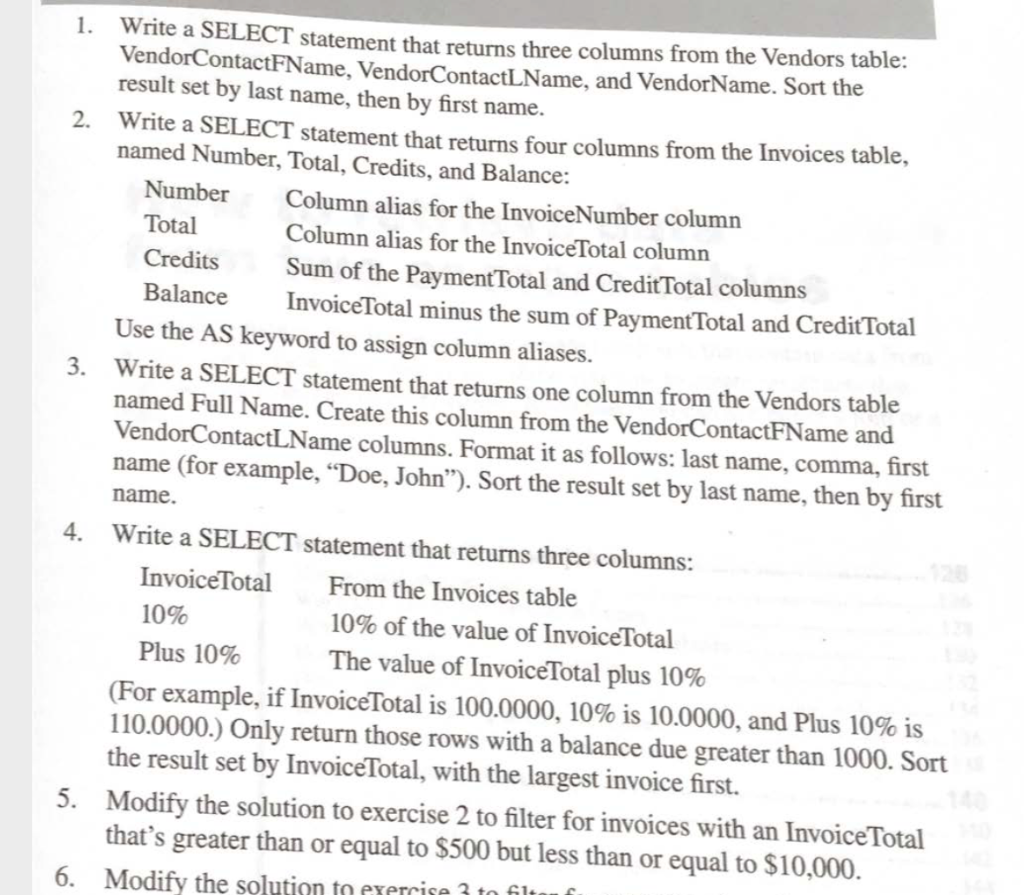
1. Write a SELECT statement that returns three columns from the Vendors table: VendorContactFName, VendorContactLName, and VendorName. Sort the result set by last name, then by first name. 2. Write a SELECT statement that returns four columns from the Invoices table, named Number, Total, Credits, and Balance: Number Column alias for the InvoiceNumber column Total Column alias for the Invoice Total column Credits Sum of the Payment Total and Credit Total columns Balance Invoice Total minus the sum of Payment Total and Credit Total Use the AS keyword to assign column aliases. 3. Write a SELECT statement that returns one column from the Vendors table named Full Name. Create this column from the VendorContactFName and VendorContactLName columns. Format it as follows: last name, comma, first name (for example, Doe, John). Sort the result set by last name, then by first name. Write a SELECT statement that returns three columns: Invoice Total From the Invoices table 10% 10% of the value of InvoiceTotal Plus 10% The value of Invoice Total plus 10% (For example, if Invoice Total is 100.0000, 10% is 10.0000, and Plus 10% is 110.0000.) Only return those rows with a balance due greater than 1000. Sort the result set by Invoice Total, with the largest invoice first. 5. Modify the solution to exercise 2 to filter for invoices with an Invoice Total that's greater than or equal to $500 but less than or equal to $10,000. 6. Modify the solution to exercise 3 to filt
Step by Step Solution
There are 3 Steps involved in it

Get step-by-step solutions from verified subject matter experts
 Study Help