



Question: (10 pts) Describe in words what the program below displays import javafx.application.Application; mport javafx.geometry. Pos import javafx. scene. Scene import javafx.scene. control.Button; import javafx.scene. layout.HBox
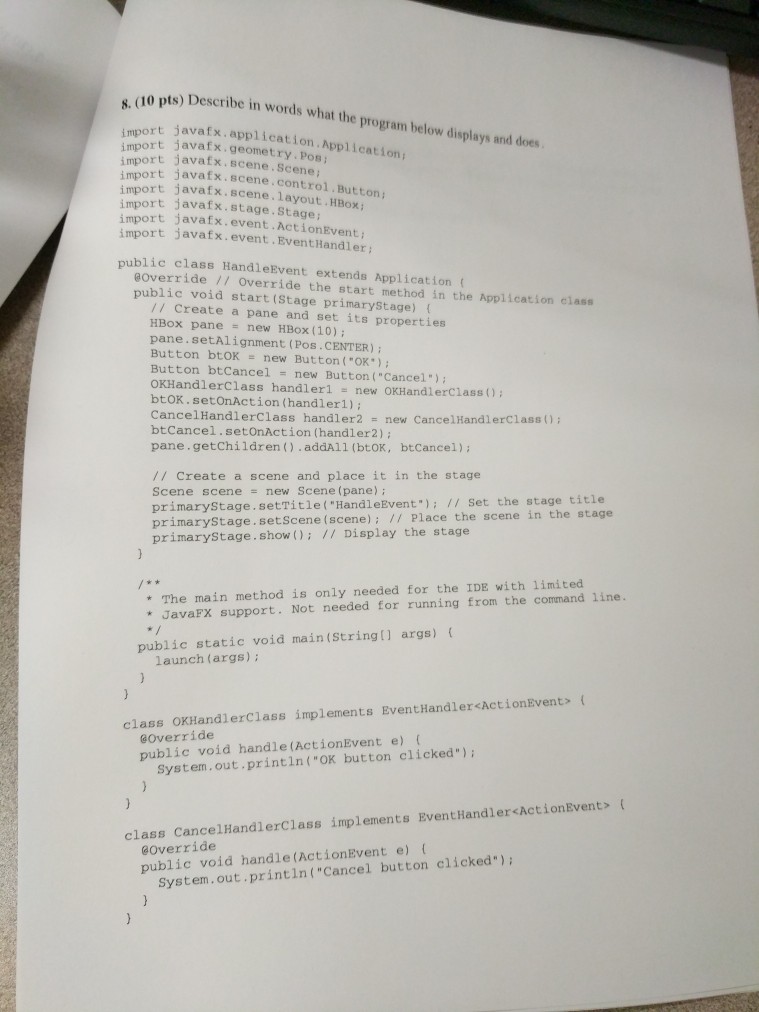
(10 pts) Describe in words what the program below displays import javafx.application.Application; mport javafx.geometry. Pos import javafx. scene. Scene import javafx.scene. control.Button; import javafx.scene. layout.HBox import javafx.stage. Stage: import javafx. event.ActionEvent import rt javafx.event.EventHandler ublic class HandleEvent extends Application ( Override 17 Override the start method in the Application class public void start (Stage primaryStage) // Create a pane and set its properties HBox pane new HBox (10) pane.setAlignment (Pos.CENTER) Button btOK new Button ("OK"); Button btCancel new Button ("Cancel") OKHandlerClass handlerl - new OKHandlerclass () btOK. setonAction (handlerl); CancelHandlerClass handler2 new CancelHandlerClass (); btCancel.setOnAction (handler2) pane.getChildren().addAll (btOK, btCancel): /I Create a scene and place it in the stage Scene scene new Scene (pane) primarystage.setTitle( "HandleEvent") Set the stage title primarystage. setScene (scene) / Place the scene in the stage primarystage. show Display the stage * The main method is only needed for the IDE with limited *JavaFx support. Not needed for running from the command line. public static void main(String[] args) launch (args); class oxHandlerclass implements EventHandler
Step by Step Solution
There are 3 Steps involved in it

Get step-by-step solutions from verified subject matter experts