







Question: 1.17 Variables, input, and casting (Java) (1) Prompt the user to input an integer, a double, a character, and a string, storing each into separate
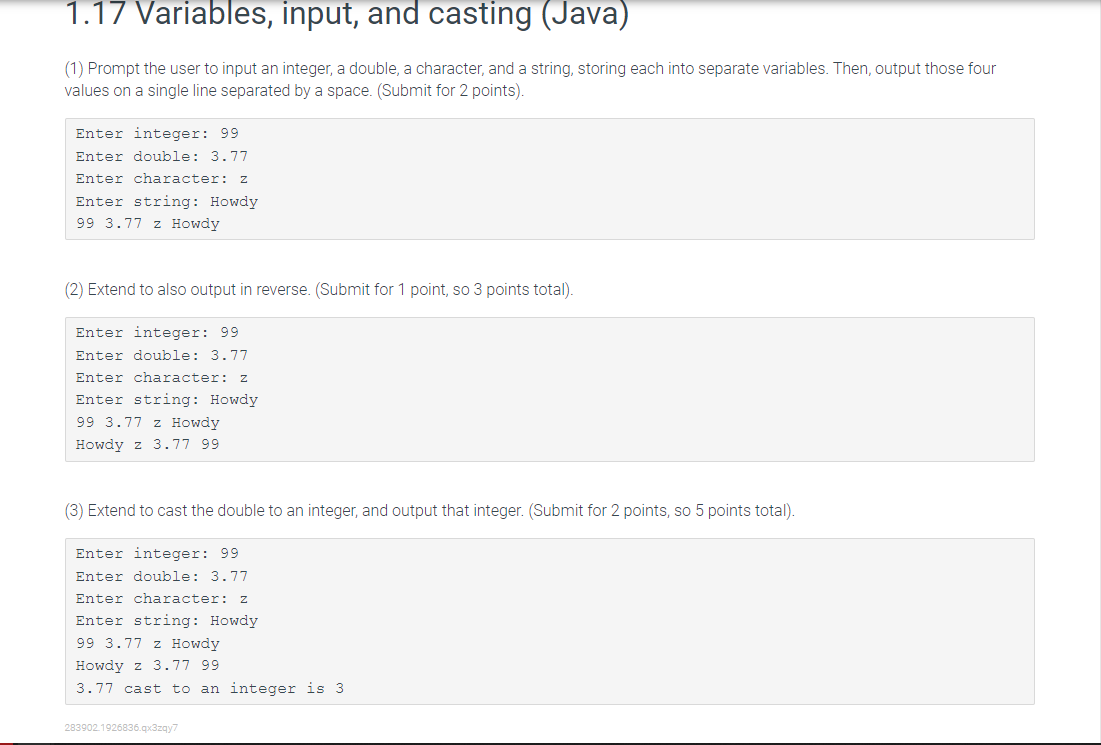
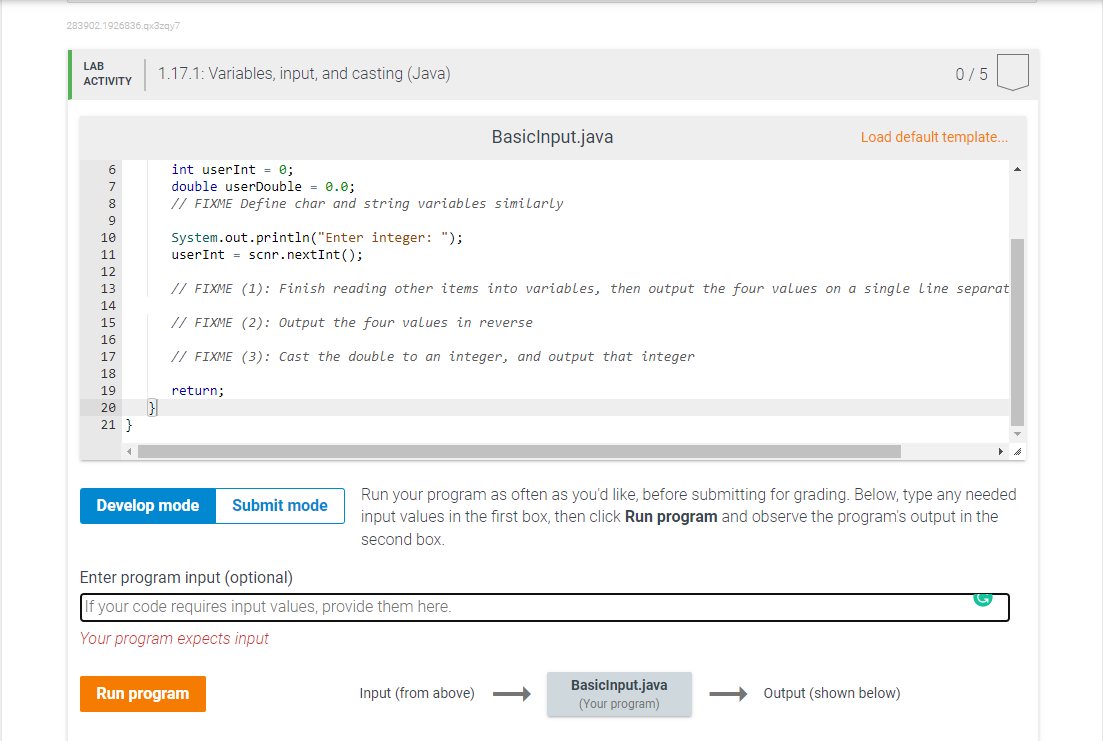
1.17 Variables, input, and casting (Java) (1) Prompt the user to input an integer, a double, a character, and a string, storing each into separate variables. Then, output those four values on a single line separated by a space. (Submit for 2 points). Enter integer: 99 Enter double: 3.77 Enter character: Z Enter string: Howdy 99 3.77 z Howdy (2) Extend to also output in reverse. (Submit for 1 point, so 3 points total). Enter integer: 99 Enter double: 3.77 Enter character: 2 Enter string: Howdy 99 3.77 z Howdy Howdy z 3.77 99 (3) Extend to cast the double to an integer, and output that integer. (Submit for 2 points, so 5 points total). Enter integer: 99 Enter double: 3.77 Enter character: 2 Enter string: Howdy 99 3.77 z Howdy Howdy z 3.77 99 3.77 cast to an integer is 3 283902.1926836.qx3zqy7 283902.1926836.qx3zqy7 LAB ACTIVITY 1.17.1: Variables, input, and casting (Java) 0/5 BasicInput.java Load default template... int user Int = ; double userDouble = 0.0; // FIXME Define char and string variables similarly System.out.println("Enter integer: "); userInt = scnr.nextInt(); BESSESE Soo yo // FIXME (1): Finish reading other items into variables, then output the four values on a single Line separat 10 11 12 13 14 15 16 17 18 // FIXME (2): Output the four values in reverse // FIXME (3): Cast the double to an integer, and output that integer return; 20 21 } Develop mode Submit mode Run your program as often as you'd like, before submitting for grading. Below, type any needed input values in the first box, then click Run program and observe the program's output in the second box. Enter program input (optional) If your code requires input values, provide them here. Your program expects input Run program Input (from above) BasicInput.java (Your program) Output (shown below)
Step by Step Solution
There are 3 Steps involved in it

Get step-by-step solutions from verified subject matter experts
 Study Help