







Question: LAB: Warm up: Variables, input, and type conversion (1) Prompt the user to input an integer between 32 and 126, a float, a character, and
LAB: Warm up: Variables, input, and type conversion
(1) Prompt the user to input an integer between 32 and 126, a float, a character, and a string, storing each into separate variables. Then, output those four values on a single line separated by a space. (Submit for 2 points). Note: This zyLab outputs a newline after each user-input prompt. For convenience in the examples below, the user's input value is shown on the next line, but such values don't actually appear as output when the program runs.
Enter integer (32 - 126): 99 Enter float: 3.77 Enter character: z Enter string: Howdy 99 3.77 z Howdy
(2) Extend to also output in reverse. (Submit for 1 point, so 3 points total).
Enter integer (32 - 126): 99 Enter float: 3.77 Enter character: z Enter string: Howdy 99 3.77 z Howdy Howdy z 3.77 99
(3) Extend to convert the integer to a character by using the 'chr()' function, and output that character. (Submit for 2 points, so 5 points total).
Enter integer (32 - 126): 99 Enter float: 3.77 Enter character: z Enter string: Howdy 99 3.77 z Howdy Howdy z 3.77 99 99 converted to a character is c
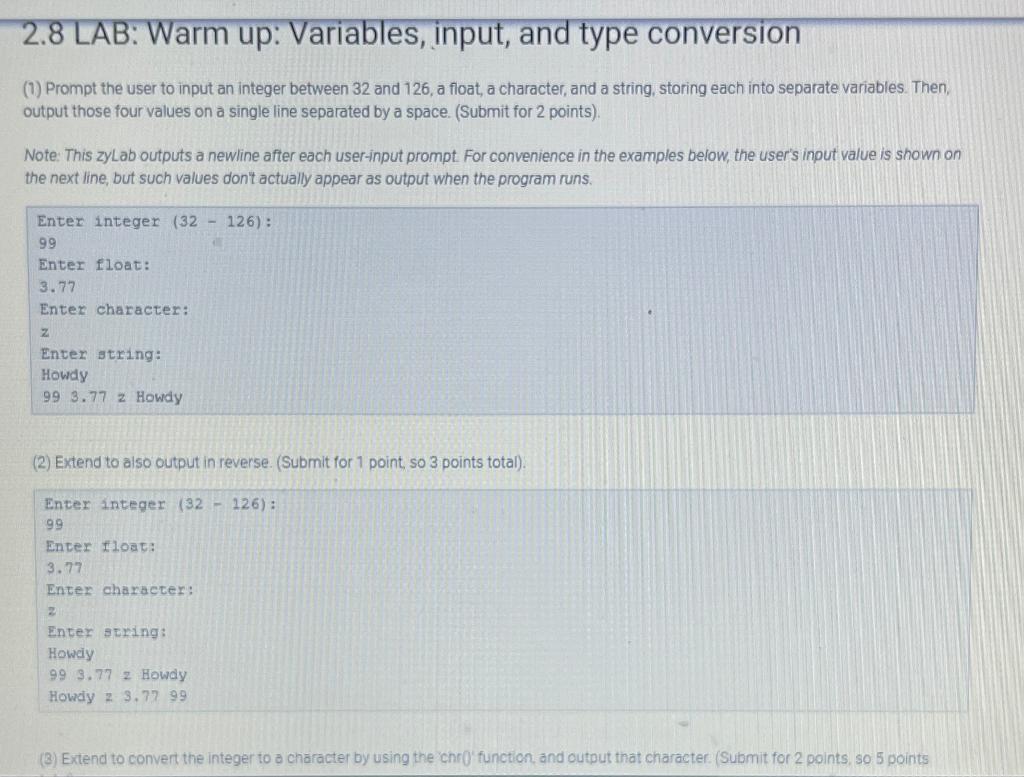
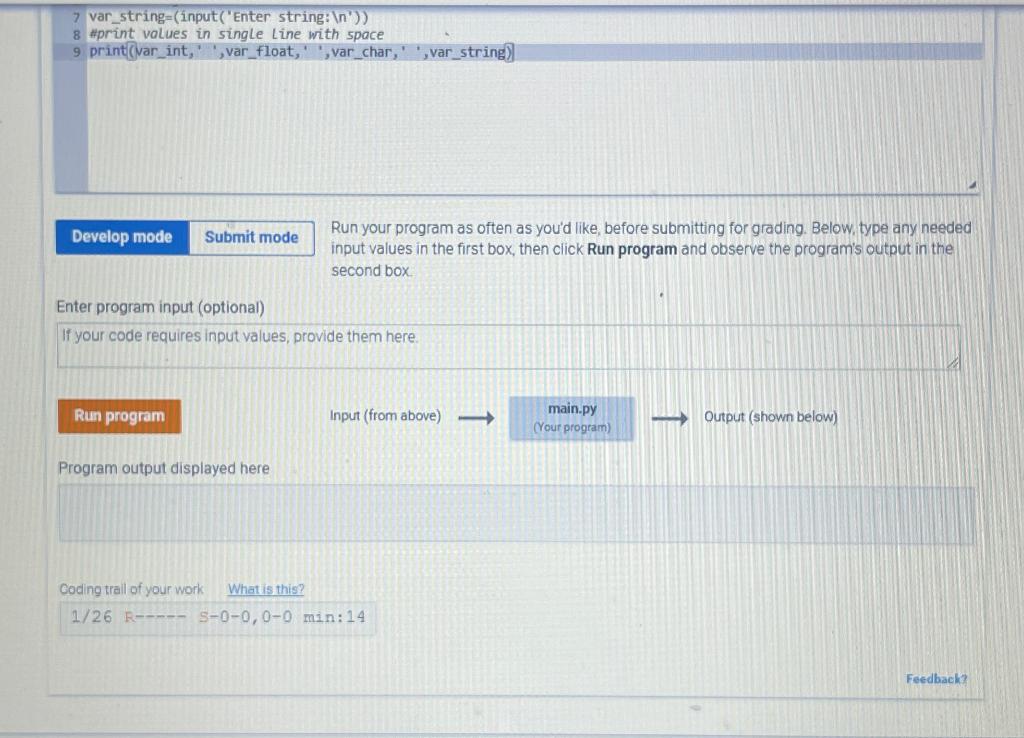
2.8 LAB: Warm up: Variables, input, and type conversion (1) Prompt the user to input an integer between 32 and 126, a float, a character, and a string, storing each into separate variables. Then, output those four values on a single line separated by a space. (Submit for 2 points). Note: This zyLab outputs a newline after each user-input prompt. For convenience in the examples below, the user's input value is shown on the next line, but such values don't actually appear as output when the program runs. Enter integer (32 99 Enter float: 3.77 Enter character: z Enter string: Howdy 993.77 z Howdy Enter integer (32126) : (2) Extend to also output in reverse. (Submit for 1 point, so 3 points total). Enter integer (32126) : 99 Enter float: 3.77 Enter character: z Enter scring: Howiy 993.77 = Howdy Howdy 2 3.77 99 7 var_string =( input ( Enter string: (n)) 8 \#print values in single line with space 9 print(var_int,' ', var_float,' ',var_char,' ',var_string)]. Run your program as often as you'd like, before submitting for grading. Below, type any needed input values in the first box, then click Run program and observe the program's output in the second box. Enter program input (optional) If your code requires input values, provide them here. Proaram outout displaved here
Step by Step Solution
There are 3 Steps involved in it

Get step-by-step solutions from verified subject matter experts
 Study Help