







Question: 2.19 Ch 2 Warm up: Variables, input, and casting (Java) (1) Prompt the user to input an integer, a double, a character, and a string,
2.19 Ch 2 Warm up: Variables, input, and casting (Java)
(1) Prompt the user to input an integer, a double, a character, and a string, storing each into separate variables. Then, output those four values on a single line separated by a space. (2 pts) Note: This zyLab outputs a newline after each user-input prompt. For convenience in the examples below, the user's input value is shown on the next line, but such values don't actually appear as output when the program runs.
Enter integer: 99 Enter double: 3.77 Enter character: z Enter string: Howdy 99 3.77 z Howdy
(2) Extend to also output in reverse. (1 pt)
Enter integer: 99 Enter double: 3.77 Enter character: z Enter string: Howdy 99 3.77 z Howdy Howdy z 3.77 99
(3) Extend to cast the double to an integer, and output that integer. (2 pts)
Enter integer: 99 Enter double: 3.77 Enter character: z Enter string: Howdy 99 3.77 z Howdy Howdy z 3.77 99 3.77 cast to an integer is 3
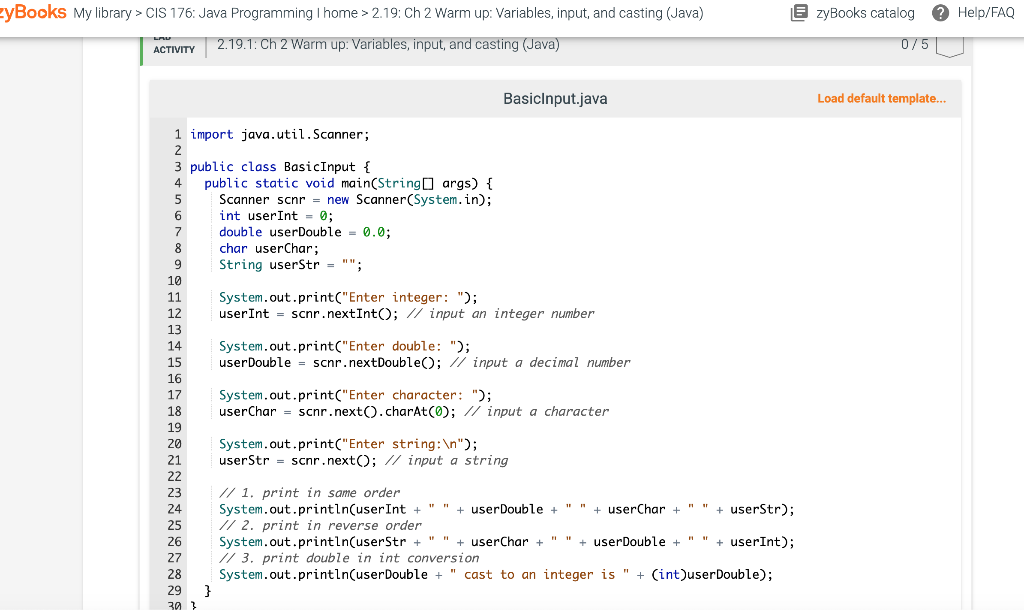
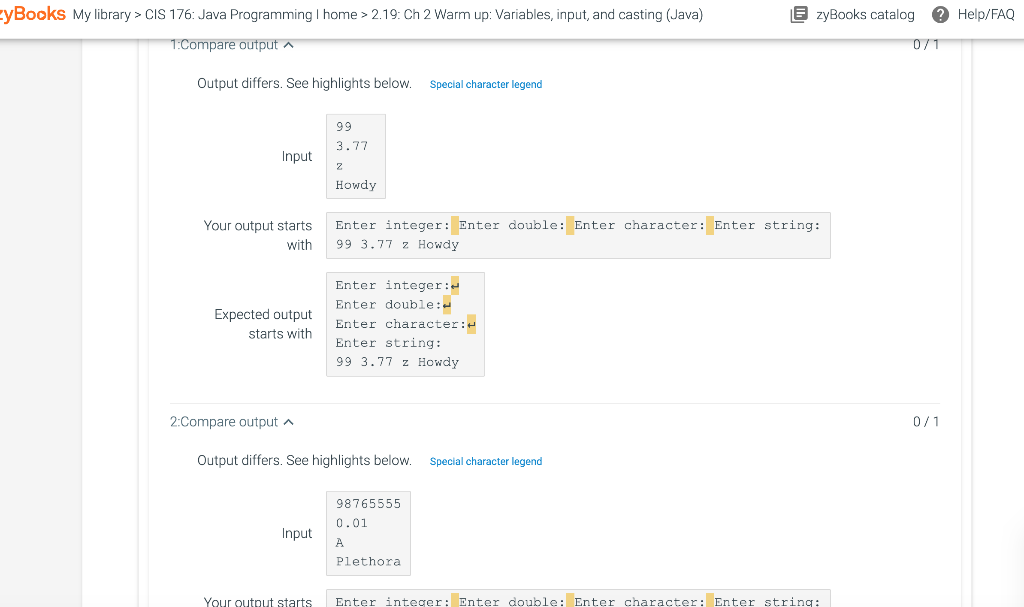
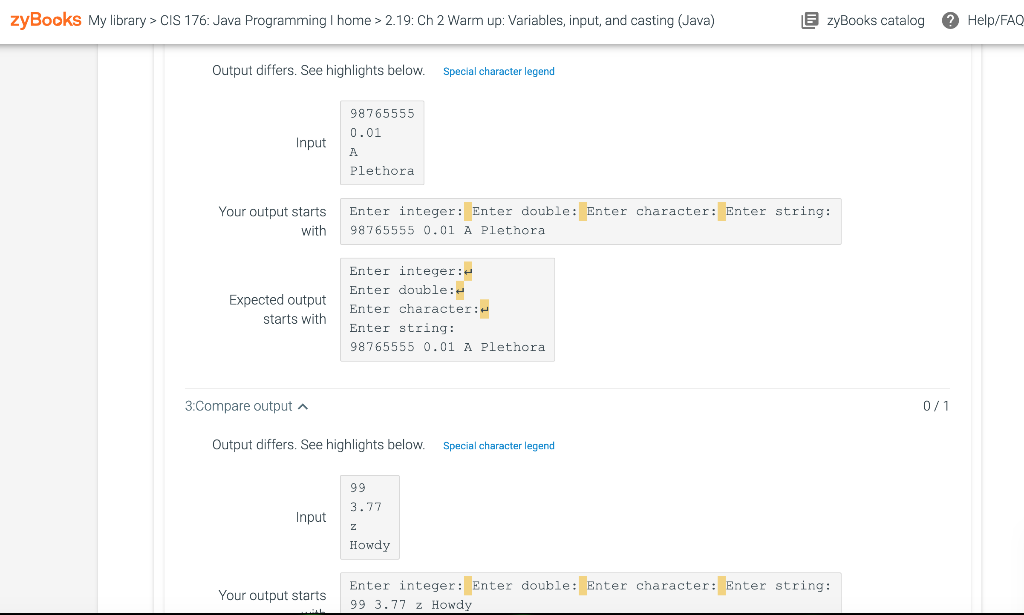
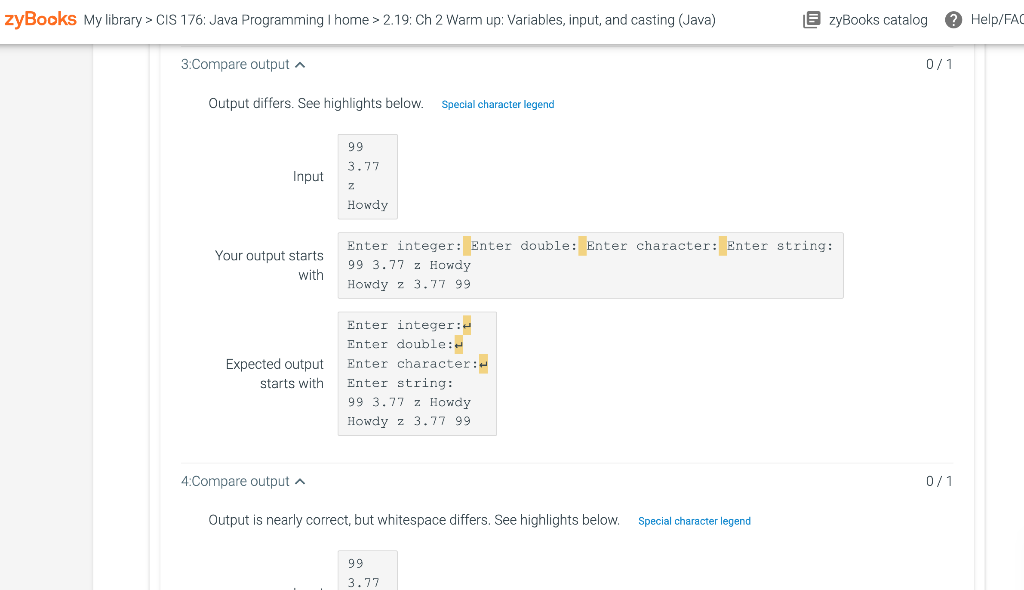
PLEASE HELP ME FIX THIS CODE BUT DO NOT TELL ME WHAT IS WORNG BUT COMPLETELY FIX IT BY REWRITING THE CODE AND THEN USING THE SAME JAVA PROGRAM SO I DO NOT HAVE THE SAME ISSUES. PLEASE AND THNAK YOU
Basiclnput.java Load default tem| Output differs. See highlights below. YouroutputstartsEnterinteger:Enterdouble:Entercharacter:Enterstring:with993.77zHowdy Enter integer: Enter double: Enter character: Enter string: 993.77 z Howdy Output differs. See highlights below. Special character legend 3.Compare output Output differs. See highlights below. 3:Compare output Output differs. See highlights below. Special character legend
Step by Step Solution
There are 3 Steps involved in it

Get step-by-step solutions from verified subject matter experts
 Study Help