





Question: 12 The Addresses worksheet includes data from the payroll database. You need to cleanse the data so this worksheet can be used later in a
12 The Addresses worksheet includes data from the
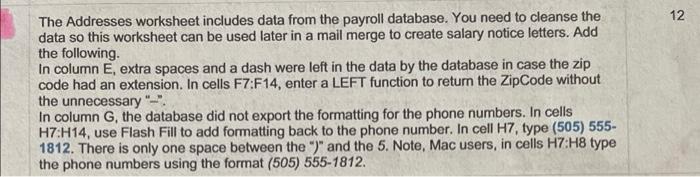
12 The Addresses worksheet includes data from the payroll database. You need to cleanse the data so this worksheet can be used later in a mail merge to create salary notice letters. Add the following In column E, extra spaces and a dash were left in the data by the database in case the zip code had an extension. In cells F7:F14, enter a LEFT function to return the ZipCode without the unnecessary"- In column G, the database did not export the formatting for the phone numbers. In cells H7:H14, use Flash Fill to add formatting back to the phone number. In cell H7, type (505) 555- 1812. There is only one space between the ")" and the 5. Note, Mac users, in cells H7 H8 type the phone numbers using the format (505) 555-1812. 12 The Addresses worksheet includes data from the payroll database. You need to cleanse the data so this worksheet can be used later in a mail merge to create salary notice letters. Add the following In column E, extra spaces and a dash were left in the data by the database in case the zip code had an extension. In cells F7:F14, enter a LEFT function to return the ZipCode without the unnecessary"- In column G, the database did not export the formatting for the phone numbers. In cells H7:H14, use Flash Fill to add formatting back to the phone number. In cell H7, type (505) 555- 1812. There is only one space between the ")" and the 5. Note, Mac users, in cells H7 H8 type the phone numbers using the format (505) 555-1812

Step by Step Solution

There are 3 Steps involved in it

1 Expert Approved Answer
Step: 1 Unlock blur-text-image

Question Has Been Solved by an Expert!

Get step-by-step solutions from verified subject matter experts

Step: 2 Unlock
Step: 3 Unlock

Students Have Also Explored These Related General Management Questions!