







Question: 12:39 elearning.wmich.edu Exercise 03 Special Note Use NetBeans IDE as tool to write the Java code. Using Command-line as the proper interface (CLI) Create a
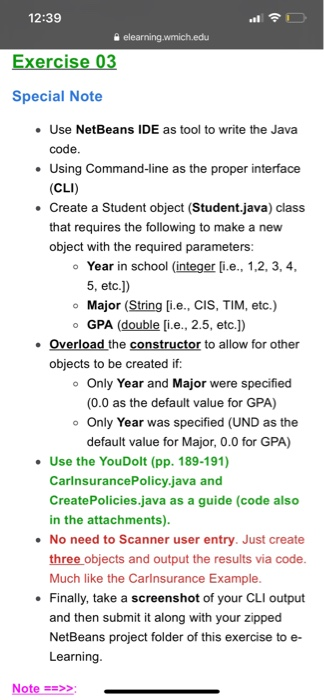
12:39 elearning.wmich.edu Exercise 03 Special Note Use NetBeans IDE as tool to write the Java code. Using Command-line as the proper interface (CLI) Create a Student object (Student.java) class that requires the following to make a new object with the required parameters: Year in school (integer [i.e., 1,2, 3, 4, 5, etc.)) Major (String [i.e., CIS, TIM, etc.) o GPA (double [i.e., 2.5, etc.]) Overload the constructor to allow for other objects to be created if: o Only Year and Major were specified (0.0 as the default value for GPA) . Only Year was specified (UND as the default value for Major, 0.0 for GPA) Use the YouDolt (pp. 189-191) Carinsurance Policy.java and CreatePolicies.java as a guide (code also in the attachments). No need to Scanner user entry. Just create three objects and output the results via code. Much like the Carinsurance Example. Finally, take a screenshot of your CLI output and then submit it along with your zipped NetBeans project folder of this exercise to e- Learning. Note ==>>
Step by Step Solution
There are 3 Steps involved in it

Get step-by-step solutions from verified subject matter experts
 Study Help