







Question: 125% + . T E View Zoom Add Page Insert Table Chart Text Shape Media Comment Collaborate Format Document Simulation Activity #2: Projectile Motion Text
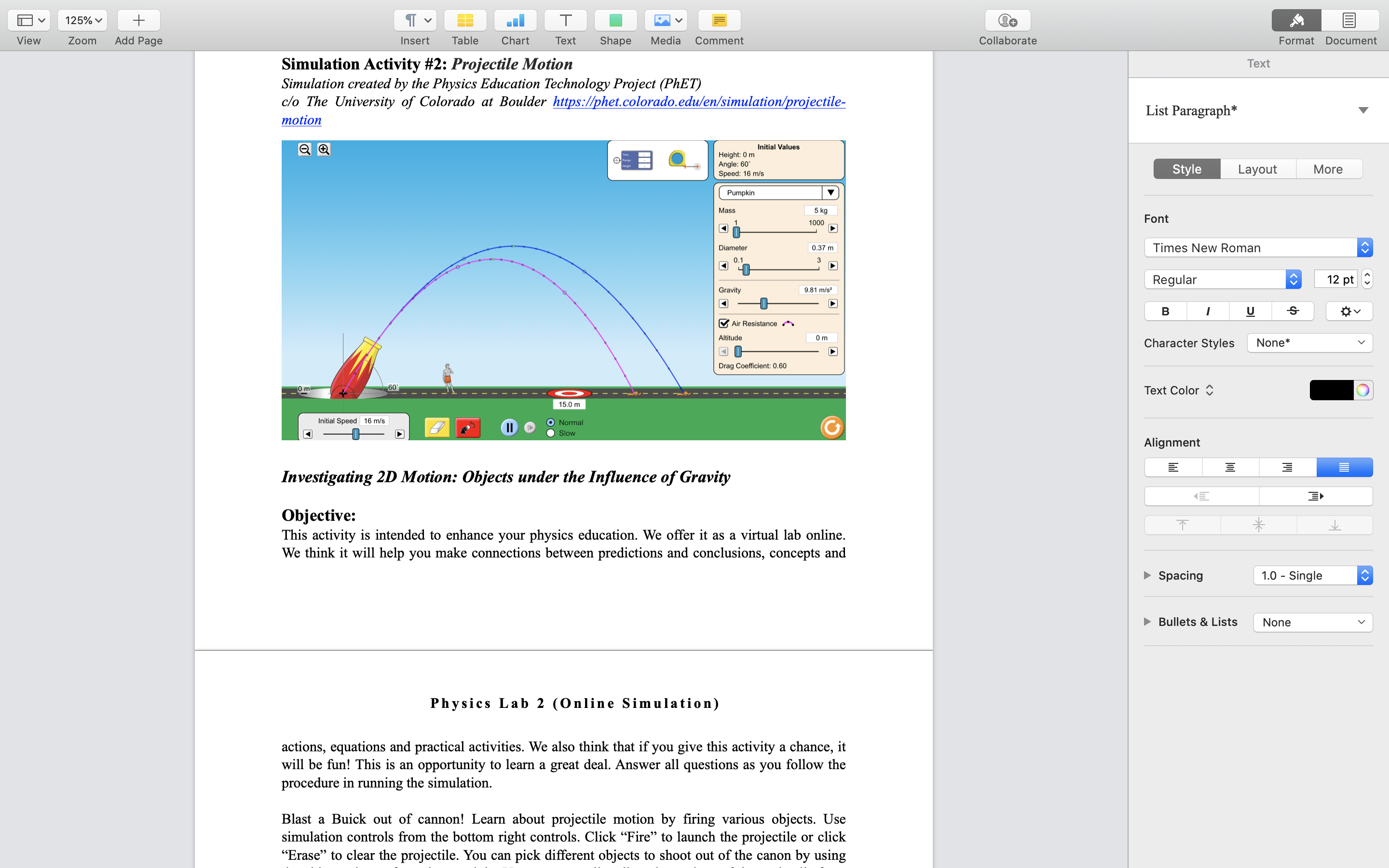
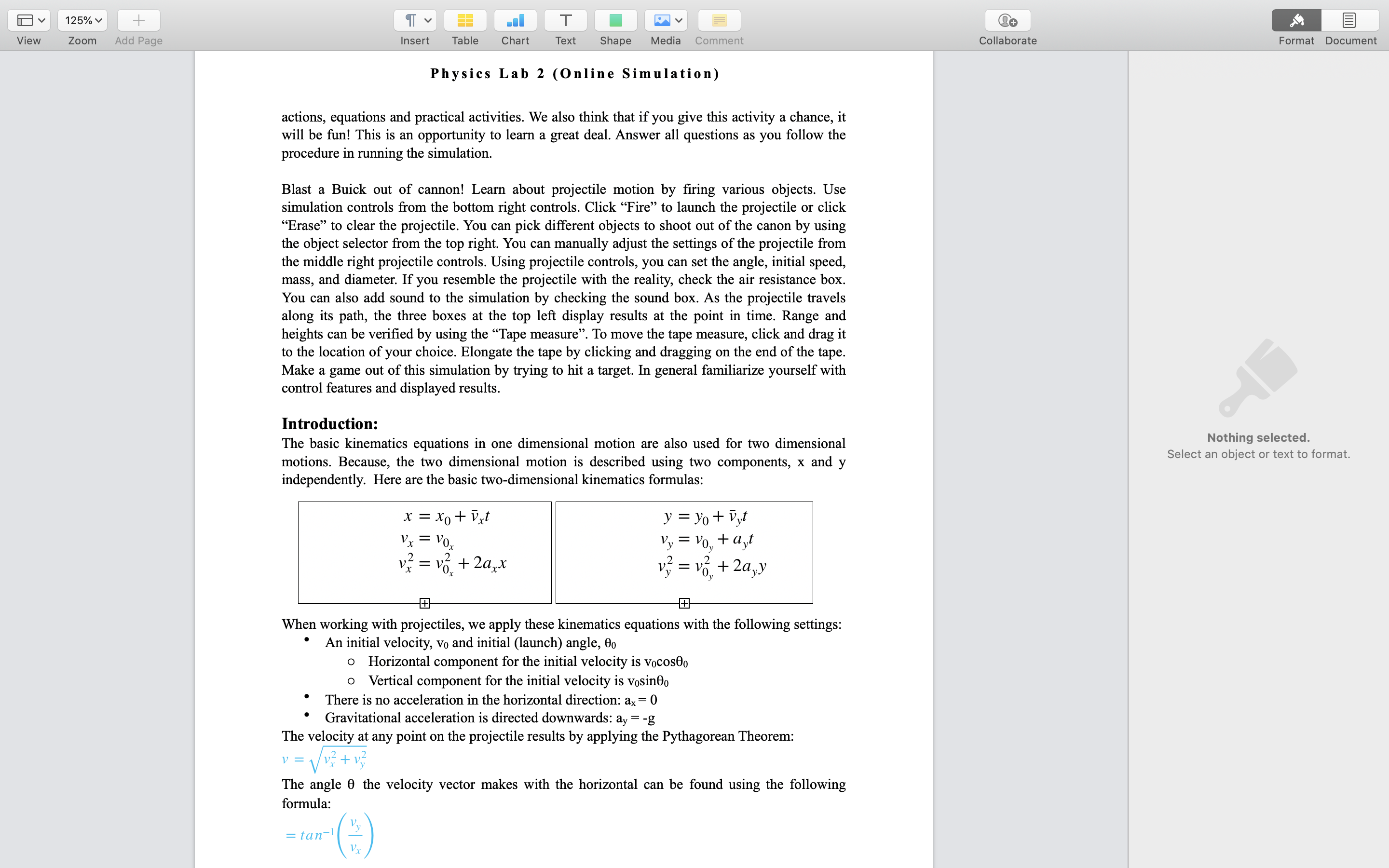
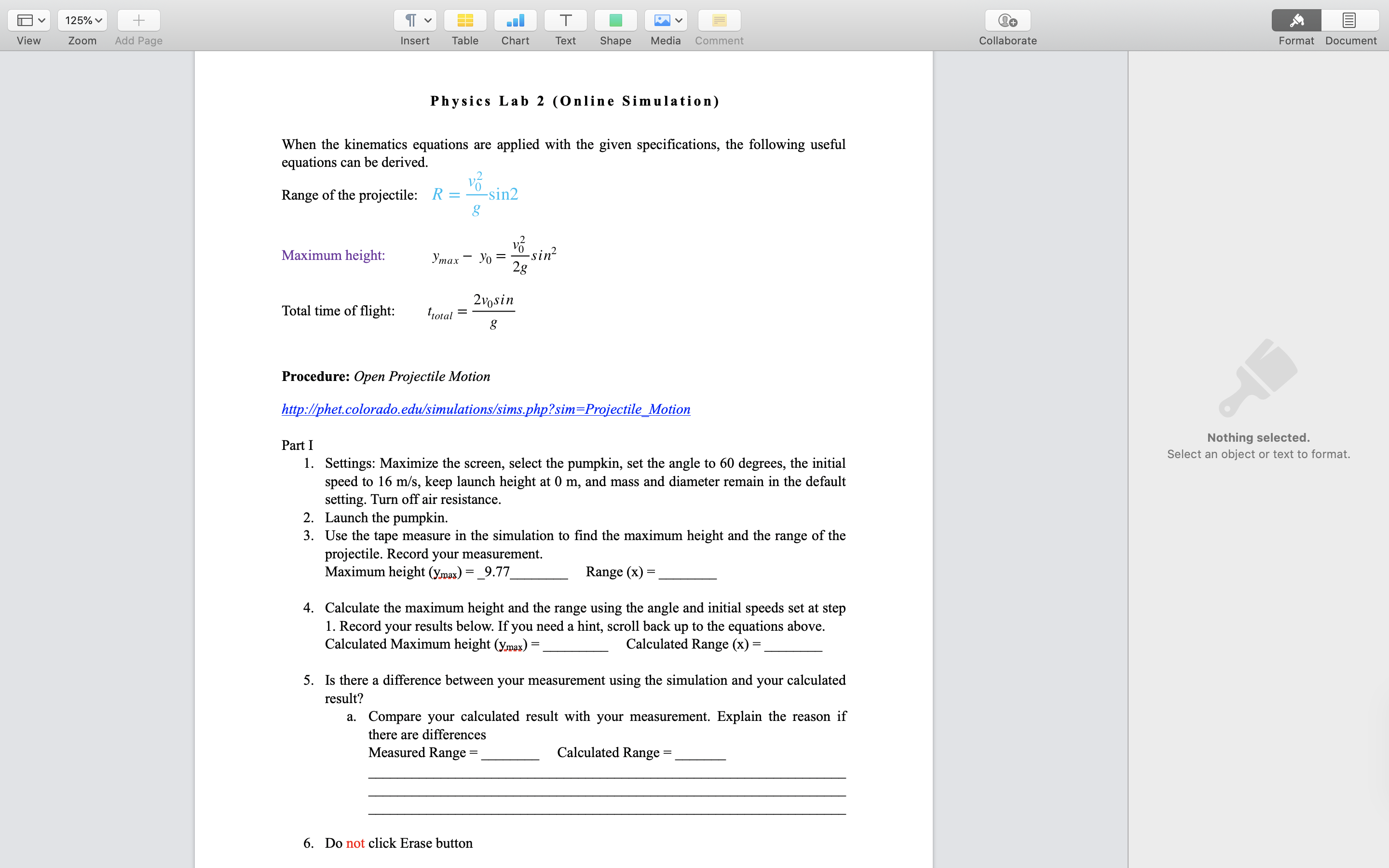
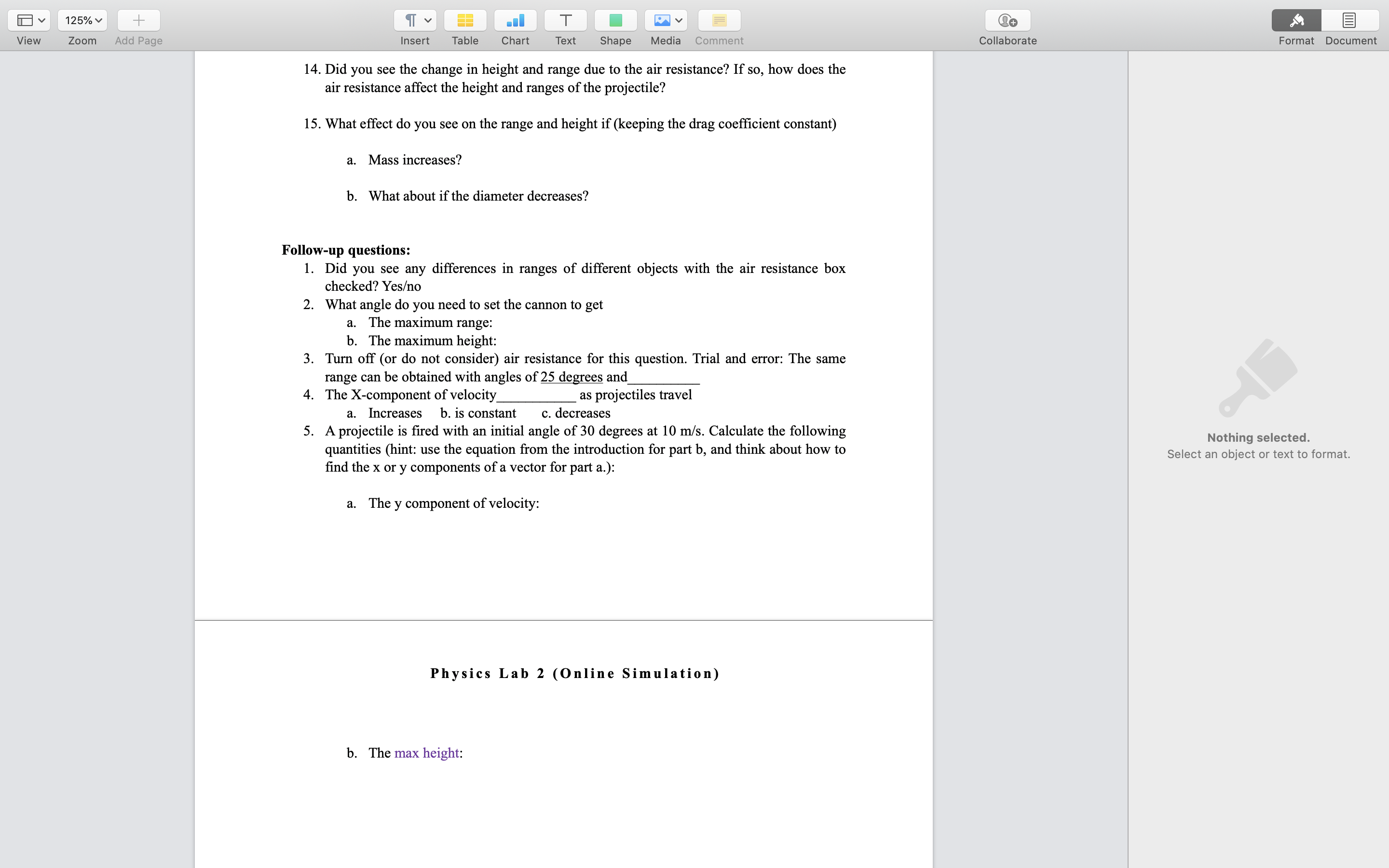
125% + . T E View Zoom Add Page Insert Table Chart Text Shape Media Comment Collaborate Format Document Simulation Activity #2: Projectile Motion Text Simulation created by the Physics Education Technology Project (PhET) clo The University of Colorado at Boulder https://phet. colorado.edulen/simulation/projectile- List Paragraph* motion Initial Values Height: 0 m Angle: 60' Speed: 16 m/ Style Layout More Pumpkin Mass 5 kg 1000 Font Diameter 0.37 m Times New R Regular 12 pt Gravity 9.81 m/s' B U S Air Resistance Altitude 0m Character Styles None* Drag Coefficient: 0.60 Text Color O 15.0 m Initial Speed 16 m/s 11 9 Normal Slow Alignment Investigating 2D Motion: Objects under the Influence of Gravity Objective: T * This activity is intended to enhance your physics education. We offer it as a virtual lab online. We think it will help you make connections between predictions and conclusions, concepts and Spacing 1.0 - Single E Bullets & Lists None Physics Lab 2 (Online Simulation) actions, equations and practical activities. We also think that if you give this activity a chance, it will be fun! This is an opportunity to learn a great deal. Answer all questions as you follow the procedure in running the simulation. Blast a Buick out of cannon! Learn about projectile motion by firing various objects. Use simulation controls from the bottom right controls. Click "Fire" to launch the projectile or click "Erase" to clear the projectile. You can pick different objects to shoot out of the canon by using\"Em-"IE Physlcs Lab 2 (Online Slmulation) actions, equations and practical activities. We also think that if you give this activity a chance, it will be fun! This is an opportunity to learn a great deal. Answer all questions as you follow the procedure in running the simulation. Blast a Buick out of cannon! Learn about projectile motion by ring various objects. Use simulation controls from the bottom right controls. Click \"Fire\" to launch the projectile or click \"Erase" to clear the projectile. You can pick different objects to shoot out of the canon by using the object selector om the top right You can manually adjust the settings of the projectile oor the middle right projectile controls. Using projectile controls, you can set the angle, initial speed, mass, and diameter. Ifyou resemble the projectile with the reality, check the air resistance box. You can also add sound to the simulation by checking the sound box. As the projectile travels along its path, the three boxes at the top le display results at the point in time. Range and heights can be veried by using the "Tape measure\". To move the tape measure, click and drag it to the location of your choice. Elongate the tape by choking and dragging on the end of the tape. Make a game out ofthis simulation by trying to hit a target. In general familiarize yourselfwith control features and displayed results. Introduction: The basic kinematics equations in one dimensional motion are also used for two dimensional motions. Because, the two dimmsional motion is described using two components, x and y independently. Here are the basic two-dimensional kinematics formulas: with x=x0+t7xt y=y0+17yt VI = V0,, vy = voy + ayt 2 2 vx = \"0,, + 211x): v} = vgy + Zayy El When working with projectiles, we apply these kinematics equations with the following settings: ' An initial velocity, Va and initial (launch) angle, 00 0 Horizontal component for the initial velocity is vocoseo 0 Vertical component for the initial velocity is vosineo There is no acceleration in the horizontal direction: a; = 0 ' Gravitational acceleration is directed downwards: a, = -g The velocity at any point on the projectile results by applying the Pythagorean Theorem: v = ' (v: + vyZ The angle 9 the velocity vector makes with the horizontal can be found using the following formula: v = tan1 y Vx 125% + T D V View Zoom Add Page Insert Table Chart Text Shape Media Comment Collaborate Format Document Physics Lab 2 (Online Simulation) When the kinematics equations are applied with the given specifications, the following useful equations can be derived. Range of the projectile: R = Vo Usin2 g Maximum height: ymax - yo = Vo sin 2g 2vosin Total time of flight: total= g Procedure: Open Projectile Motion http://phet.colorado.edu/simulations/sims.php?sim=Projectile_Motion Nothing selected. Part I Select an object or text to format. 1. Settings: Maximize the screen, select the pumpkin, set the angle to 60 degrees, the initial speed to 16 m/s, keep launch height at 0 m, and mass and diameter remain in the default setting. Turn off air resistance. . Launch the pumpkin. 3. Use the tape measure in the simulation to find the maximum height and the range of the projectile. Record your measurement. Maximum height (ymax) = _9.77 Range (x) = 4. Calculate the maximum height and the range using the angle and initial speeds set at step 1. Record your results below. If you need a hint, scroll back up to the equations above. Calculated Maximum height (ymax)= Calculated Range (x) = 5. Is there a difference between your measurement using the simulation and your calculated result? a. Compare your calculated result with your measurement. Explain the reason if there are differences Measured Range = Calculated Range =_ 6. Do not click Erase button125% + TE T D V View Zoom Add Page Insert Table Chart Text Shape Media Comment Collaborate Format Document 14. Did you see the change in height and range due to the air resistance? If so, how does the air resistance affect the height and ranges of the projectile? 15. What effect do you see on the range and height if (keeping the drag coefficient constant) a. Mass increases? b. What about if the diameter decreases? Follow-up questions: 1. Did you see any differences in ranges of different objects with the air resistance box checked? Yeso 2. What angle do you need to set the cannon to get a. The maximum range: b. The maximum height: 3. Turn off (or do not consider) air resistance for this question. Trial and error: The same range can be obtained with angles of 25 degrees and 4. The X-component of velocity as projectiles travel a. Increases b. is constant c. decreases 5. A projectile is fired with an initial angle of 30 degrees at 10 m/s. Calculate the following Nothing selected. quantities (hint: use the equation from the introduction for part b, and think about how to Select an object or text to format. find the x or y components of a vector for part a.): a. The y component of velocity: Physics Lab 2 (Online Simulation) b. The max height
Step by Step Solution
There are 3 Steps involved in it

Get step-by-step solutions from verified subject matter experts
 Study Help