







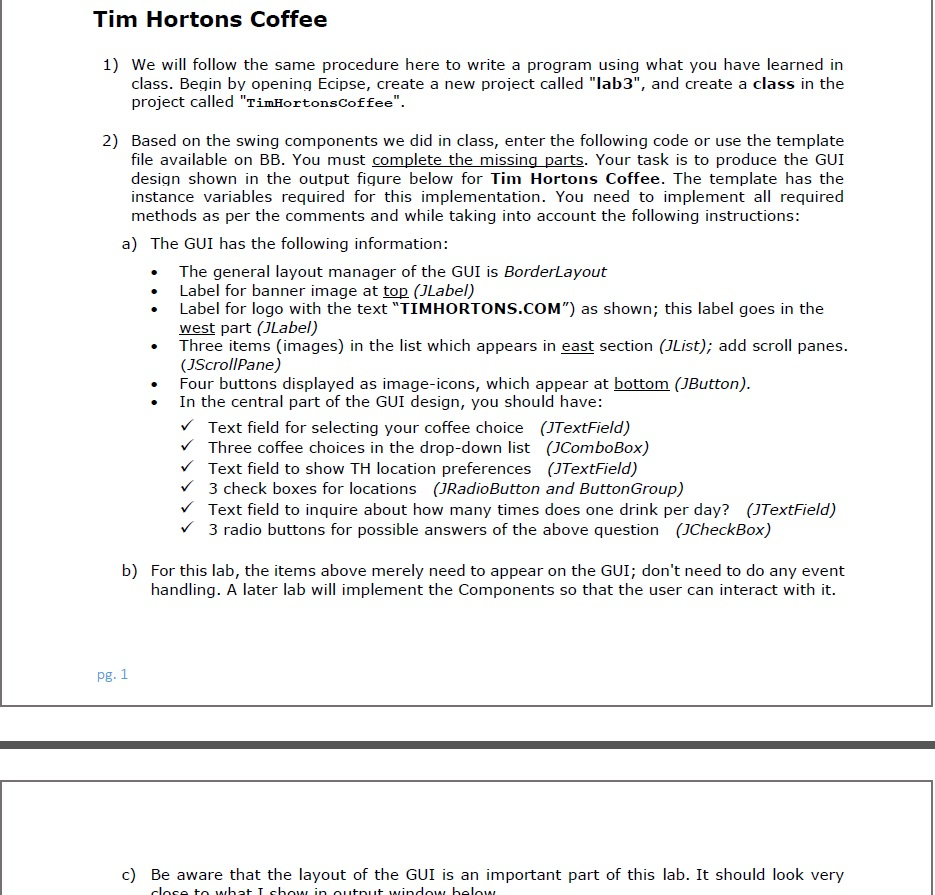
Question: 1411246: Object Oriented Design with Java Fall 2015/2016 LAB #3 GUI Design import java.awt.*; import javax.swing.*; public class TimHortonsCoffee extends JApplet { /** my first
1411246: Object Oriented Design with Java
Fall 2015/2016
LAB #3 GUI Design
![first program * ID: [PUT YOUR ID HERE] * Programmer: [PUT YOUR](https://dsd5zvtm8ll6.cloudfront.net/si.experts.images/questions/2024/09/66f679afe6110_03966f679af5004e.jpg)
![NAME HERE] * Lab#: [PUT Lab # HERE] */ import java.awt.*; import](https://dsd5zvtm8ll6.cloudfront.net/si.experts.images/questions/2024/09/66f679b0cb336_04066f679b04befe.jpg)








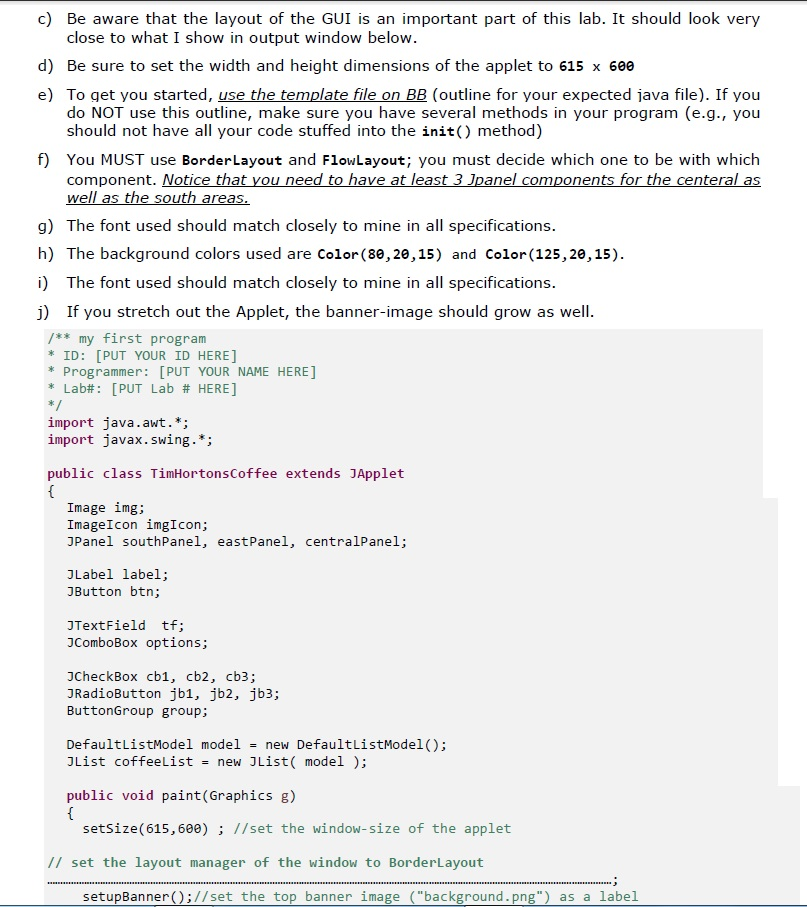
import java.awt.*; import javax.swing.*; public class TimHortonsCoffee extends JApplet { /** my first program * ID: [PUT YOUR ID HERE] * Programmer: [PUT YOUR NAME HERE] * Lab#: [PUT Lab # HERE] */ import java.awt.*; import javax.swing.*;
public class TimHortonsCoffee extends JApplet { Image img; ImageIcon imgIcon; JPanel southPanel, eastPanel, centralPanel;
JLabel label; JButton btn; JTextField tf; JComboBox options; JCheckBox cb1, cb2, cb3; JRadioButton jb1, jb2, jb3; ButtonGroup group; DefaultListModel model = new DefaultListModel(); JList coffeeList = new JList( model );
public void paint(Graphics g) { setSize(615,600) ; //set the window-size of the applet
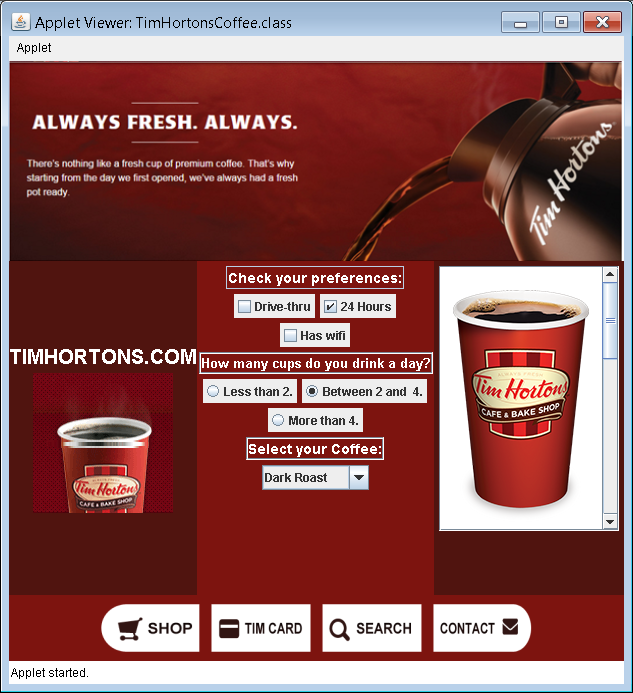
// set the layout manager of the window to BorderLayout ; setupBanner();//set the top banner image ("background.png") as a label setupLogo(); //set the left-side part to the logo ("header_cup_steam_us.gif") as a label // create the east-panel; set its layout manager to FlowLayout; set background color too ; ; ; setupList(); // add the east-panel to GUI design ;
// create the central-panel; set its layout manager to FlowLayout; set background color too ; ; setupTextfield1(); setupCheckBoxes(); setupTextfield2(); setupRadioButtons(); setupTextfield3(); setupComboBox(); // add the central-panel to GUI design ; // create the south-panel; set its layout manager to FlowLayout; set background color too ; ; setupButtons(); // add the south-panel to GUI design ; } // continue implementation of all other methods in init() // You need the following images for the JList // original-blend-product-us.png // TH-DR-ProductCup_US-v3.png // decaf-blend-product-us.png
public void setupLogo( ) { //get the img object from "header_cup_steam_us.gif" //create the imgIcon object //create font object that is sans-serif, bold, and size 20
// create the label; set the colors, alignment; add the label
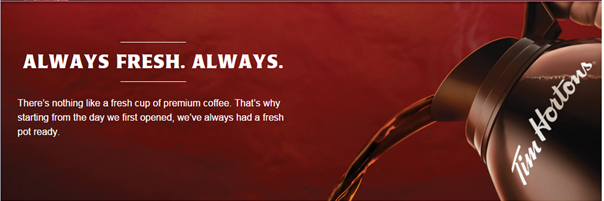
} public void setupBanner( ) { //get the img object from "background.png" //create a scaled image (call it newimg) from img using the method: //img.getScaledInstance( width, height, java.awt.Image.SCALE_SMOOTH ) //set width as applet width; height as applet height/3. //create the imgIcon object from newimg // create the label and add it } public void setupButtons( ) { setupButtonImage("header_secondary_navigation_shop.png"); setupButtonImage("header_secondary_navigation_tim_card.png"); setupButtonImage("header_secondary_navigation_search.png"); setupButtonImage("header_secondary_navigation_contact.png"); } public void setupButtonImage(String imageName) { //get the img object from imageName //create a scaled image (call it newimg) from img using the method: //img.getScaledInstance( 100, 50, java.awt.Image.SCALE_SMOOTH ) //create the imgIcon object from newimg // create the button and set it as in the output [setOpaque() & setBorderPainted() ....] //add it to proper panel } public void setupTextfield1( ) { //create a textfield and set it to "Check your preferences:" //set the color,font, and alignment as in the output // do NOT allow editing this field //add it to proper panel } public void setupTextfield2( ) { //create a textfield and set it to "How many cups do you drink a day?" //set the color,font, and alignment as in the output // do NOT allow editing this field //add it to proper panel } public void setupTextfield3( ) { //create a textfield and set it to "Select your Coffee:" //set the color,font, and alignment as in the output // do NOT allow editing this field //add it to proper panel } public void setupCheckBoxes() { //create 3 check boxes; make the second one selected by default //add them to proper panel } public void setupRadioButtons( ) { //create 3 radio buttons; group them //add them to proper panel } public void setupComboBox( ) { //create the combobox with the 3 coffee choices: //"Dark Roast" //"Original Blend" //"Decaf" //add them to proper panel
}
public void setupList( ) { // create DefaultListModel and then the JList object coffeeList // add 3 images to the list; namely // "original-blend-product-us.png" // "TH-DR-ProductCup_US-v3.png" // "decaf-blend-product-us.png"
// make one row visible // create scrollpane object to hold coffeeList then add it to proper panel
} } // end of class
Step by Step Solution
There are 3 Steps involved in it

Get step-by-step solutions from verified subject matter experts
 Study Help