







Question: 17-18 please Simulation Link: htt s: het.colorado.edu sims html wave-interference latestlwave-interference en.html Part B: Interference The Laser Select the Laser opon. Select the 'Screen' option.
17-18 please
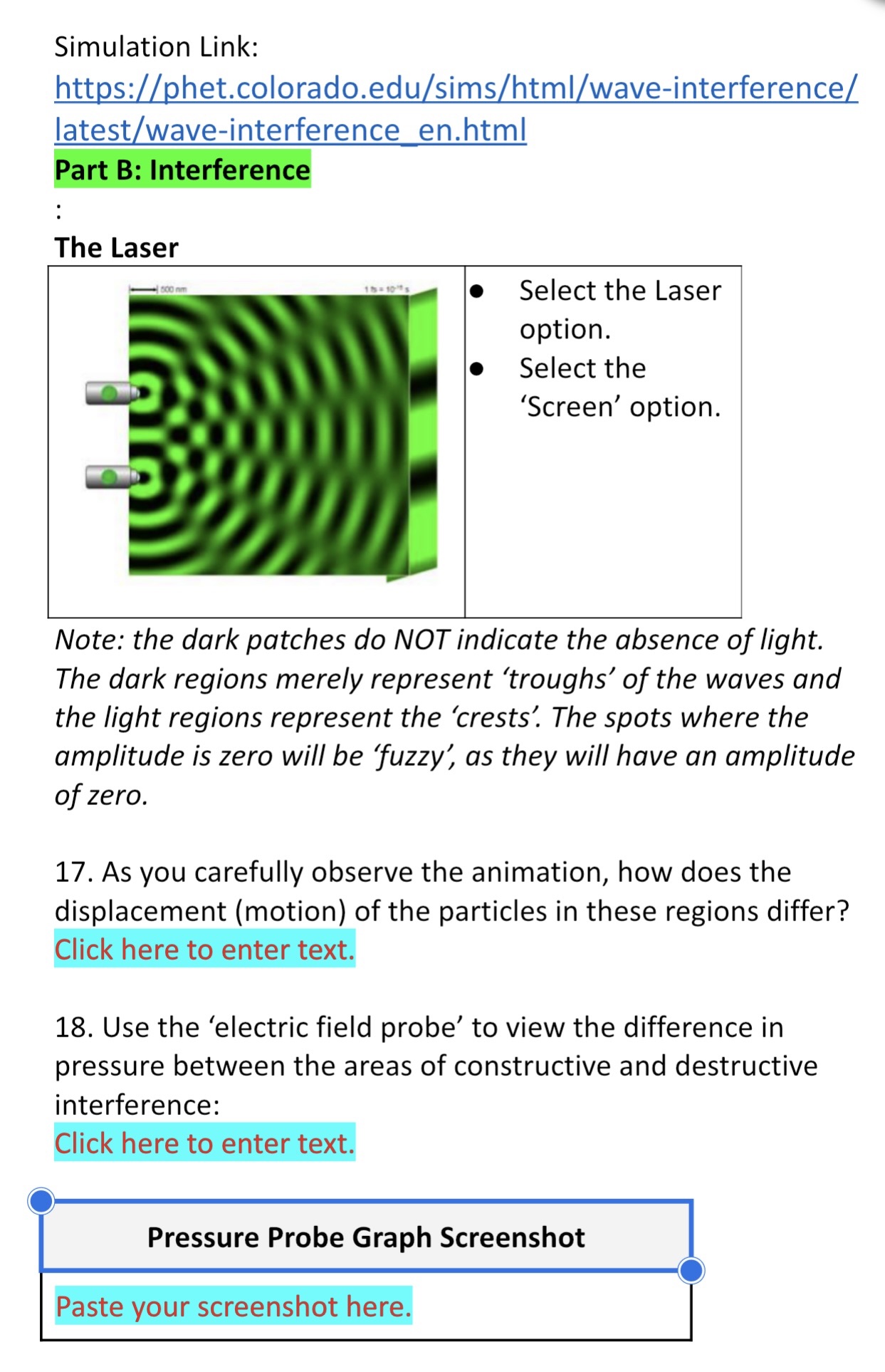
Simulation Link: htt s: het.colorado.edu sims html wave-interference latestlwave-interference en.html Part B: Interference The Laser Select the Laser opon. Select the 'Screen' option. Note: the dark patches do NOT indicate the absence of light. The dark regions merely represent 'troughs' of the waves and the light regions represent the 'crests'. The spots where the amplitude is zero will be :fuzzyj as they will have an amplitude of zero. 17. As you carefully observe the animation, how does the displacement (motion) of the particles in these regions differ? Click here to enter text. 18. Use the 'electric field probe' to view the difference in pressure between the areas of constructive and destructive interference: Click here to enter text. 0 Pressure Probe Graph Screenshot Paste your screenshot here
Step by Step Solution
There are 3 Steps involved in it

Get step-by-step solutions from verified subject matter experts
 Study Help