



Question: 19.5 NASA HORIZONS EARTH TRAJECTORY MAIN.PY # write all your code here filename = EARTH_horizons_results.txt # populate 'positions' # plot In this problem you will
19.5 NASA HORIZONS EARTH TRAJECTORY
MAIN.PY
# write all your code here
filename = "EARTH_horizons_results.txt"
# populate 'positions'
# plot
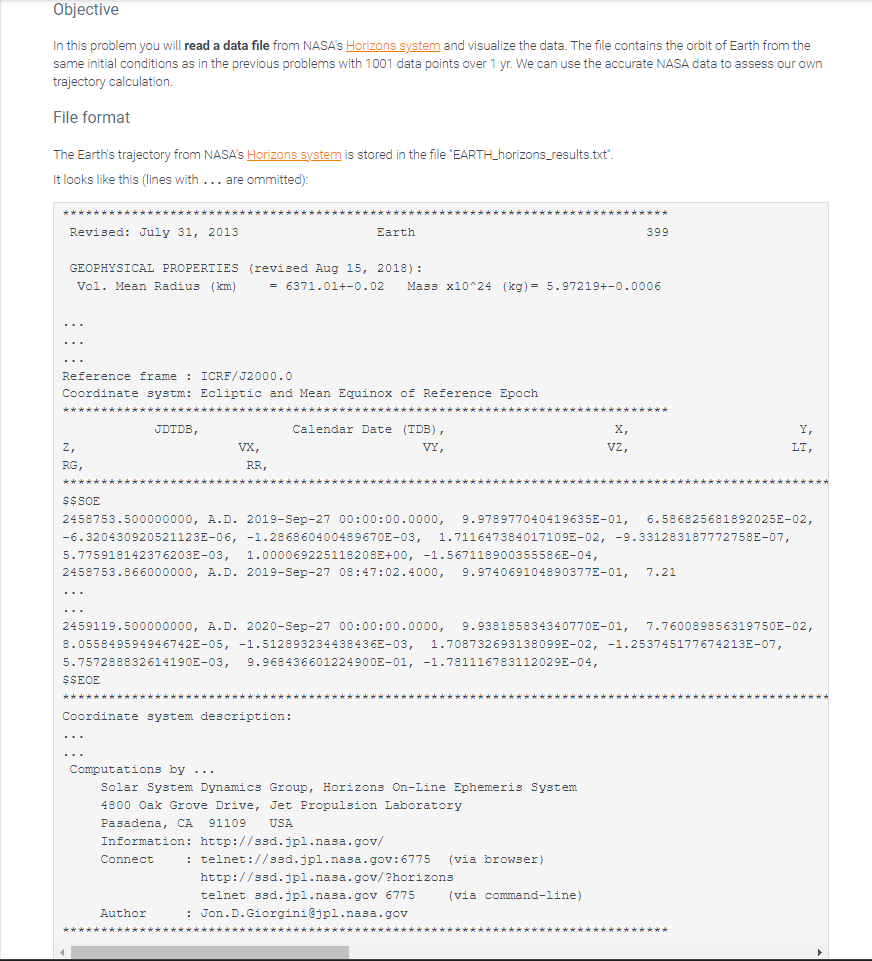
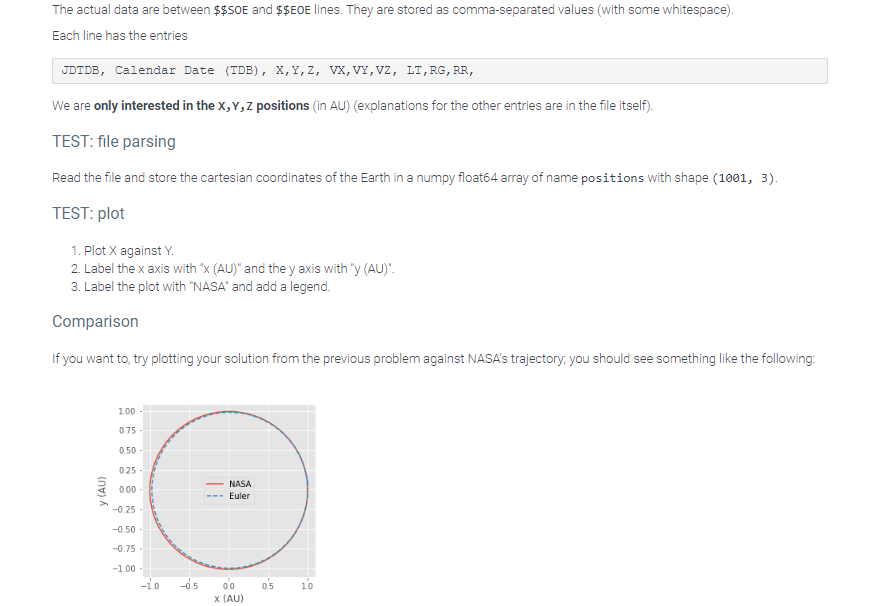
In this problem you will read a data file from NASA's Horizons system and visualize the data. The file contains the orbit of Earth from the same initial conditions as in the previous problems with 1001 data points over 1 yr. We can use the accurate NASA data to assess our own trajectory calculation. File format The Earth's trajectory from NASA's Horizons system is stored in the file "EARTH_horizons_results.txt". It looks like this (lines with ... are ommitted): Revised: July 31, 2013399 GEOPHYSICAL PROPERTIES (revised Aug 15, 2018): Vol. Mean Radius (km)=6371.01+0.02Massx1024(kg)=5.97219+0.0006 Reference frame : ICRF/J 2000.0 Coordinate systm: Ecliptic and Mean Equinox of Reference Epoch We are only interested in the X,Y,Z positions (in AU) (explanations for the other entries are in the file itself). TEST: file parsing Read the file and store the cartesian coordinates of the Earth in a numpy float64 array of name positions with shape (1001, 3 ). TEST: plot 1. Plot X against Y. 2. Label the x axis with " x(AU) " and the y axis with " y(AU) ". 3. Label the plot with "NASA" and add a legend
Step by Step Solution
There are 3 Steps involved in it

Get step-by-step solutions from verified subject matter experts