







Question: 2 . 1 3 LAB - Implement strong entity ( Sakila ) Implement a new strong entity phone in the Sakila database. Attributes and relationships
LAB Implement strong entity Sakila
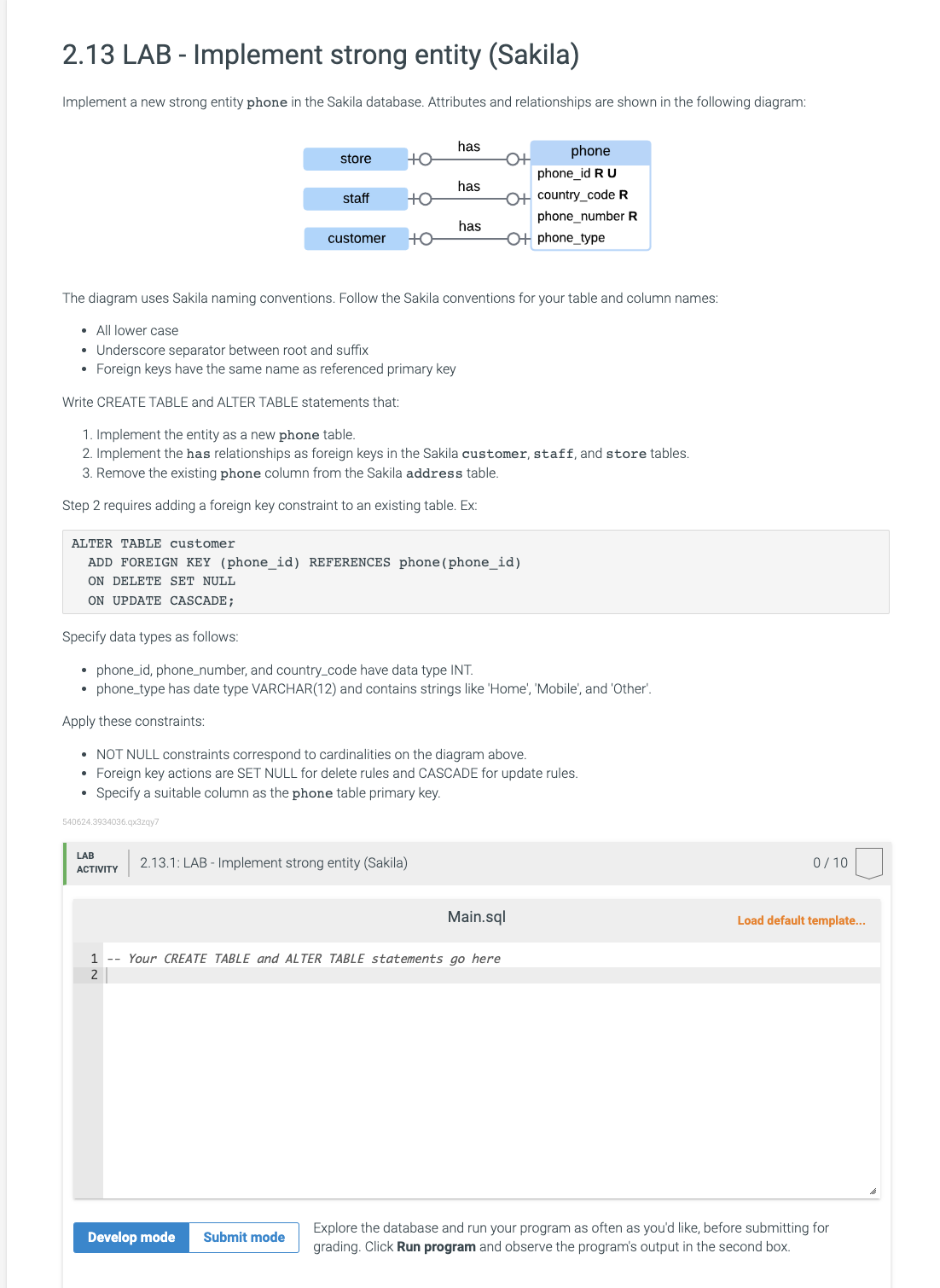
Implement a new strong entity phone in the Sakila database. Attributes and relationships are shown in the following diagram:
The diagram uses Sakila naming conventions. Follow the Sakila conventions for your table and column names:
All lower case
Underscore separator between root and suffix
Foreign keys have the same name as referenced primary key
Write CREATE TABLE and ALTER TABLE statements that:
Implement the entity as a new phone table.
Implement the has relationships as foreign keys in the Sakila customer, staff, and store tables.
Remove the existing phone column from the Sakila address table.
Step requires adding a foreign key constraint to an existing table. Ex:
ALTER TABLE customer
ADD FOREIGN KEY phoneid REFERENCES phonephoneid
ON DELETE SET NULL
ON UPDATE CASCADE;
Specify data types as follows:
phoneid phonenumber, and countrycode have data type INT.
phonetype has date type VARCHAR and contains strings like 'Home', 'Mobile', and 'Other'.
Apply these constraints:
NOT NULL constraints correspond to cardinalities on the diagram above.
Foreign key actions are SET NULL for delete rules and CASCADE for update rules.
Specify a suitable column as the phone table primary key.
Step by Step Solution
There are 3 Steps involved in it
1 Expert Approved Answer
Step: 1 Unlock

Question Has Been Solved by an Expert!
Get step-by-step solutions from verified subject matter experts
Step: 2 Unlock
Step: 3 Unlock
 Study Help