







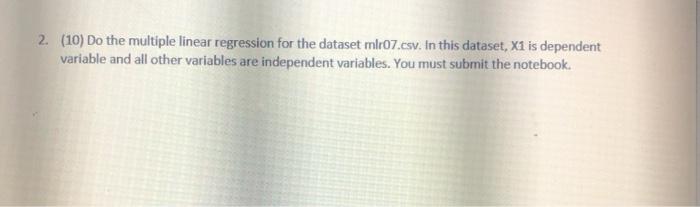
Question: 2. (10) Do the multiple linear regression for the dataset ml:07.esy. In this dataset, X1 is dependent variable and all other variables are independent variables.
![independent variables. You must submit the notebook. 39]: df - pd.read_csv ("mire.csv")](https://dsd5zvtm8ll6.cloudfront.net/si.experts.images/questions/2024/09/66f3c631d962e_01766f3c63171a80.jpg)
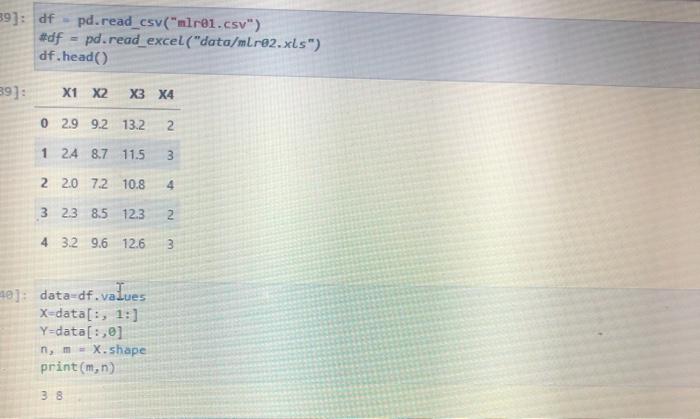
![#df pd.read_excel("data/mr92.xls") df.head() 39]: X1 X2 X3 X4 0 2.9 9.2 13.2](https://dsd5zvtm8ll6.cloudfront.net/si.experts.images/questions/2024/09/66f3c6328c3db_01866f3c63226daf.jpg)
2. (10) Do the multiple linear regression for the dataset ml:07.esy. In this dataset, X1 is dependent variable and all other variables are independent variables. You must submit the notebook. 39]: df - pd.read_csv ("mire.csv") #df pd.read_excel("data/mr92.xls") df.head() 39]: X1 X2 X3 X4 0 2.9 9.2 13.2 2 1 24 8.7 11.5 3 22.0 7.2 10.8 4 3 23 8.5 12.3 2 4 3.2 9.6 12.6 3 40]: data-df.values X-data[:, 1:) Y=data[:] nem-X. shape print(m,n) 38 [41]: #insert a column of constant 1 xi - np.hstack((np.ones((n,1)), x)) print(x1) [[ 1. 9.19999981 13.19999981 2. [ 1. 8.69999981 11.5 3. ] [ 1. 7.19999981 10.80000019 4. ] [ 1. 8.5 12.30808819 2. 1 [ 1. 9.6 12.6eeeee38 3. ] [ 1. 6.89000019 18.60000038 5. ] [ 1. 9.69999981 14.10900038 1. 1 [ 1. 7.9008081 11.19999981 3. ]] [42]: b- np. linalg. Inv(x1.Tex1)x1.TY print(b) [-5.92201143 0.33821753 0.40150391 0.26294607) (43): Yhat - X106 EY Yhat Sse - E.TEE sst Y.var) r2 = 1-5se/sst [-5.92281143 0.33821753 0.40150391 0.26294607] [43]: Yhat - X10 E = Y-Yhat sse = E.TRE sst Y.var()'n r2 = 1-sse/sst [44]: print("sse-", sse) print("sst=",sst) print("r2 -",r2) print("r=", np.sqrt(r2)) sse- 0.05849389415058279 sste 2.275000410900039 r2 = 0.9742884028194785 = 0.98706048589713 Scikit Learng package has a linear_model that can perform multiple linear regression [45]: from sklearn import linear_model model linear_model. Linear regression model.fit(X, Y) print("Coefficient model.coef_) print("Intercept model. Intercept) print("R square model.score (X, Y))
Step by Step Solution
There are 3 Steps involved in it

Get step-by-step solutions from verified subject matter experts
 Study Help