







Question: 2. Complete the code in the PointPanel class such that each time a user presses a mouse button, the coordinate of the point that was
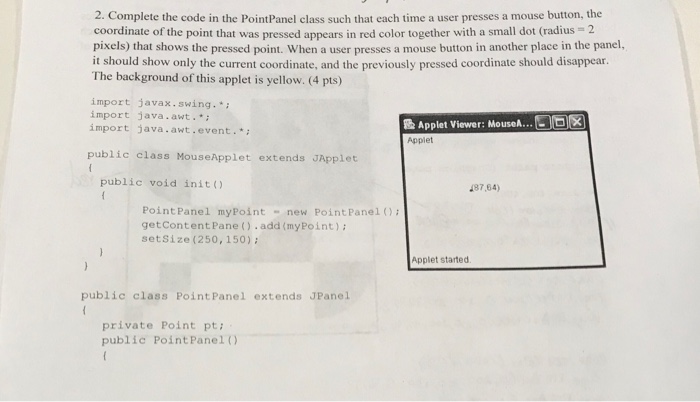
2. Complete the code in the PointPanel class such that each time a user presses a mouse button, the coordinate of the point that was pressed appears in red color together with a small dot (radius 2 pixels) that shows the pressed point. When a user presses a mouse button in another place in the panel, it should show only the current coordinate, and the previously pressed coordinate should disappear. The background of this applet is yellow. (4 pts) import javax.swing.* import java.awt. import java.awt.event.* & Applet Viewer: Mouse Applet public class MouseApplet extends JApplet public void init) 87,64) Point Panel myPoint new Point PanelO getcontentPane().add (myPoint) setsize(250, 150) Applet started public class PointPanel extends JPanel private Point pt public Point Panel 0
Step by Step Solution
There are 3 Steps involved in it

Get step-by-step solutions from verified subject matter experts
 Study Help