





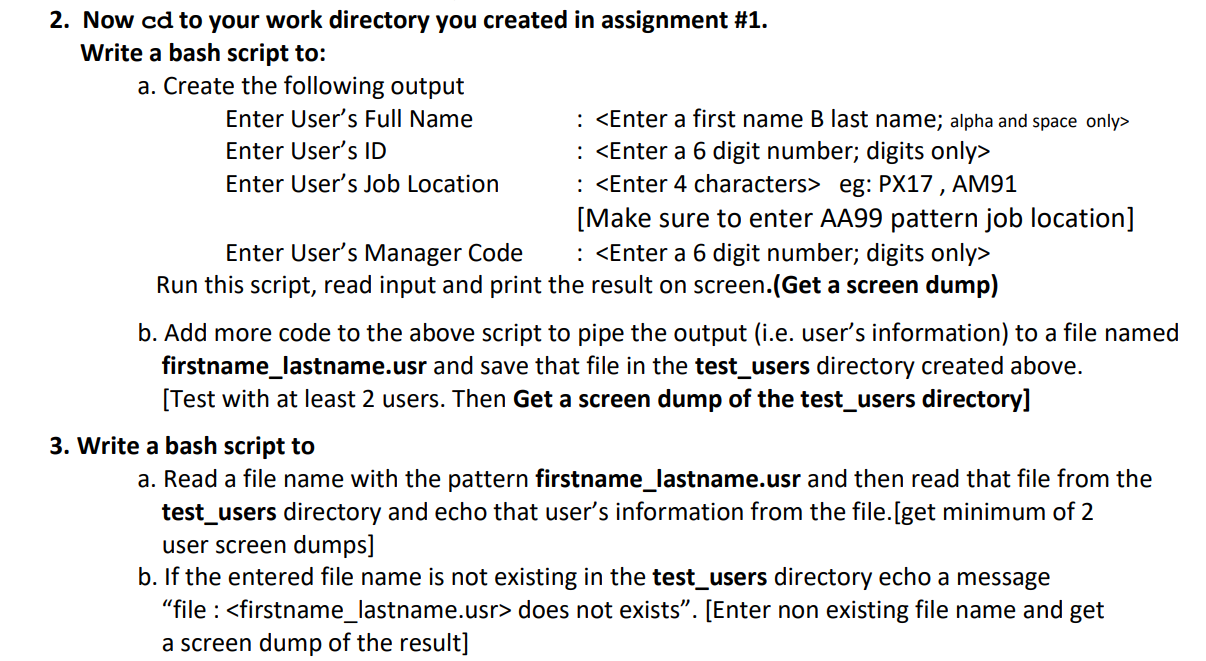
Question: 2. Now cd to your work directory you created in assignment #1. Write a bash script to: a. Create the following output Enter User's Full
 2. Now cd to your work directory you created in assignment

2. Now cd to your work directory you created in assignment #1. Write a bash script to: a. Create the following output Enter User's Full Name Enter User's ID Enter User's Job Location : eg: PX17 , AM91 [Make sure to enter AA99 pattern job location] Enter User's Manager Code : Run this script, read input and print the result on screen.(Get a screen dump) b. Add more code to the above script to pipe the output (i.e. user's information) to a file named firstname_lastname.usr and save that file in the test_users directory created above. (Test with at least 2 users. Then Get a screen dump of the test users directory] 3. Write a bash script to a. Read a file name with the pattern firstname_lastname.usr and then read that file from the test_users directory and echo that user's information from the file.[get minimum of 2 user screen dumps] b. If the entered file name is not existing in the test_users directory echo a message "file : does not exists". [Enter non existing file name and get a screen dump of the result] 2. Now cd to your work directory you created in assignment #1. Write a bash script to: a. Create the following output Enter User's Full Name Enter User's ID Enter User's Job Location : eg: PX17 , AM91 [Make sure to enter AA99 pattern job location] Enter User's Manager Code : Run this script, read input and print the result on screen.(Get a screen dump) b. Add more code to the above script to pipe the output (i.e. user's information) to a file named firstname_lastname.usr and save that file in the test_users directory created above. (Test with at least 2 users. Then Get a screen dump of the test users directory] 3. Write a bash script to a. Read a file name with the pattern firstname_lastname.usr and then read that file from the test_users directory and echo that user's information from the file.[get minimum of 2 user screen dumps] b. If the entered file name is not existing in the test_users directory echo a message "file : does not exists". [Enter non existing file name and get a screen dump of the result]

Step by Step Solution

There are 3 Steps involved in it

1 Expert Approved Answer
Step: 1 Unlock blur-text-image
Question Has Been Solved by an Expert!

Get step-by-step solutions from verified subject matter experts

Step: 2 Unlock
Step: 3 Unlock

Students Have Also Explored These Related Databases Questions!