







Question: 2. Now , create a new project and name its main class (and file ) as SwitchStatement . Implement another version of the above program
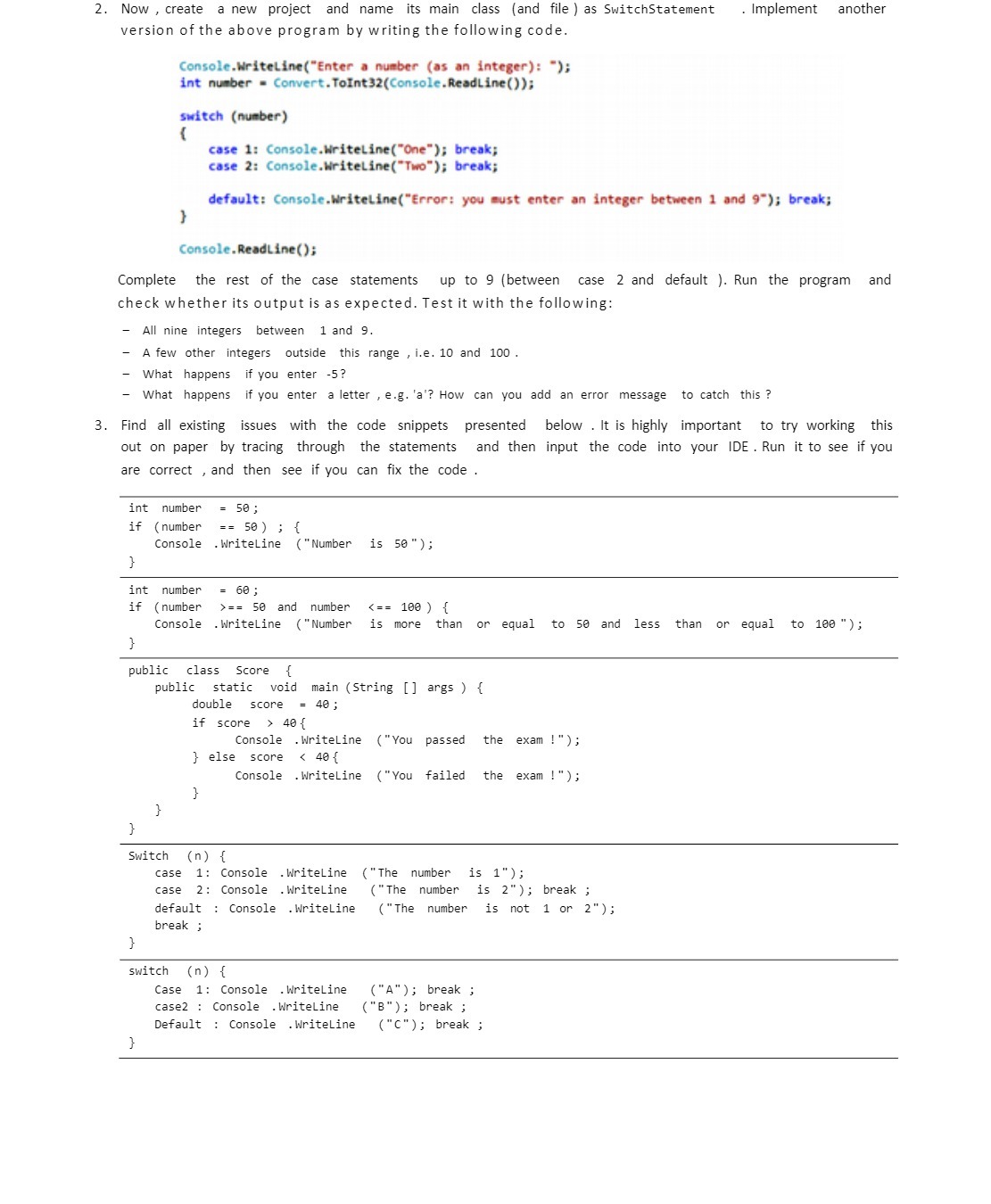
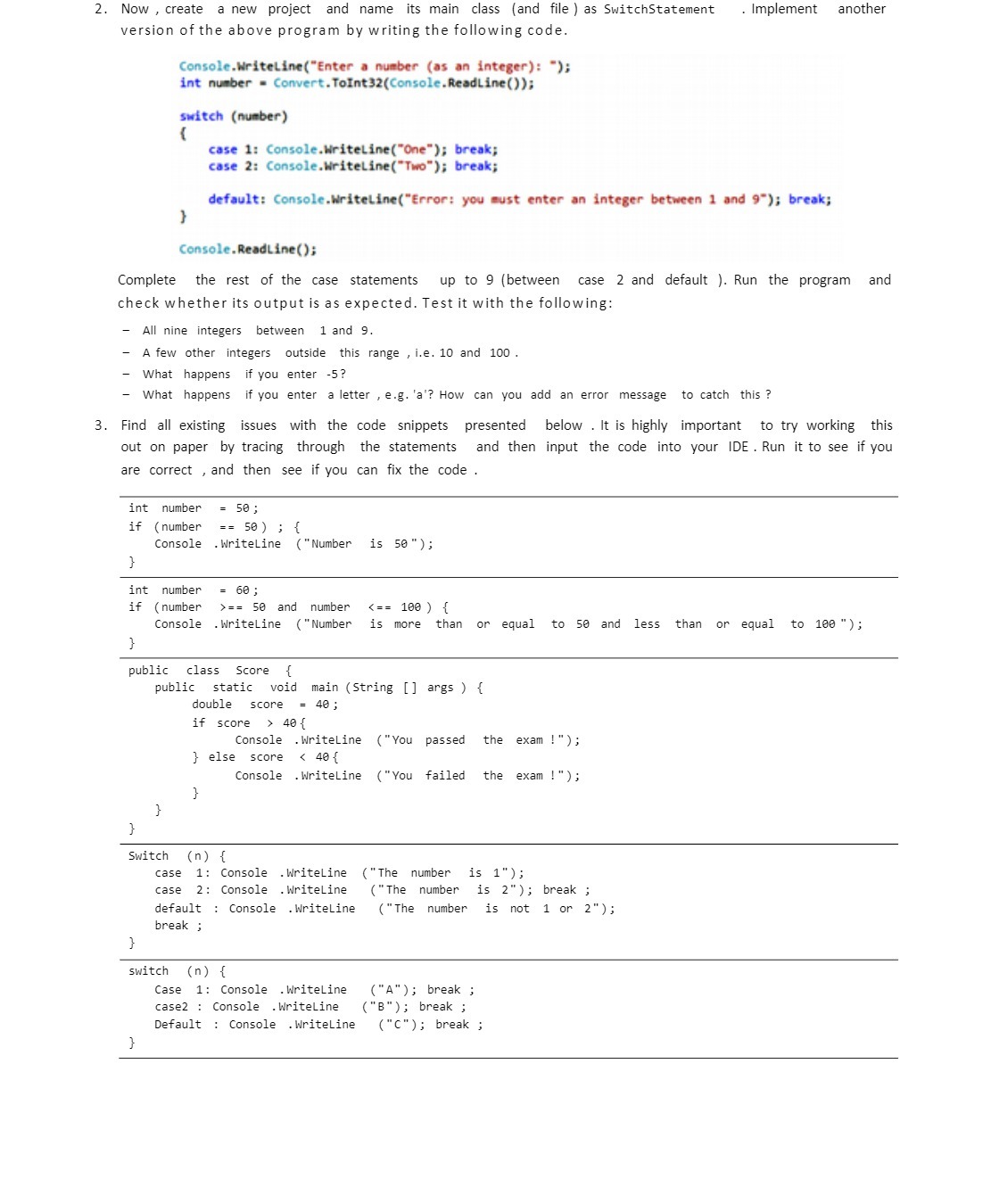
2. Now , create a new project and name its main class (and file ) as SwitchStatement . Implement another version of the above program by writing the following code. Console.WriteLine("Enter a number (as an integer): "); int number = Convert. ToInt32(Console. ReadLine()); switch (number) case 1: Console.WriteLine("One"); break; case 2: Console.WriteLine("Two"); break; default: Console.WriteLine("Error: you must enter an integer between 1 and 9"); break; Console. ReadLine(); Complete the rest of the case statements up to 9 (between case 2 and default ). Run the program and check whether its output is as expected. Test it with the following: All nine integers between 1 and 9. - A few other integers outside this range , i.e. 10 and 100 . What happens if you enter -5? What happens if you enter a letter , e.g. 'a'? How can you add an error message to catch this ? 3. Find all existing issues with the code snippets presented below . It is highly important to try working this out on paper by tracing through the statements and then input the code into your IDE . Run it to see if you are correct , and then see if you can fix the code int number = 50 ; if ( number = = 50 ) ; { Console . WriteLine ( "Number is 50" ) ; int number = 60 ; ( number > = = 50 and number 40{ Console . WriteLine ("You passed the exam !") ; } else score
Step by Step Solution
There are 3 Steps involved in it

Get step-by-step solutions from verified subject matter experts
 Study Help