



Question: 2 - Using the AMORT Function fill in the blanks from the amortization schedule shown above. 1. Balance at the beginning of the loan (1)
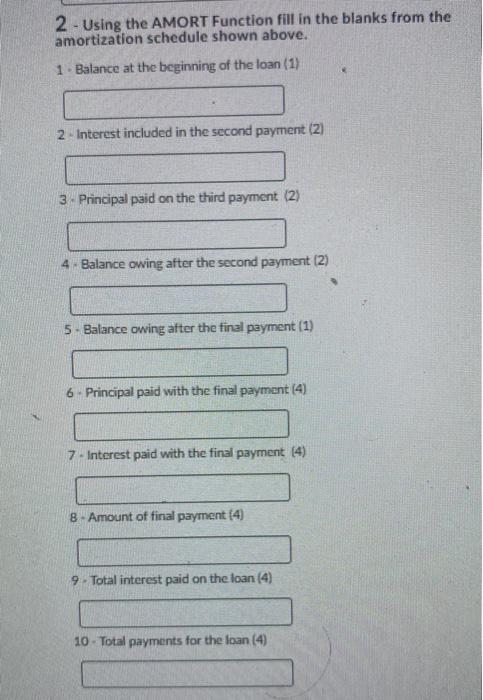
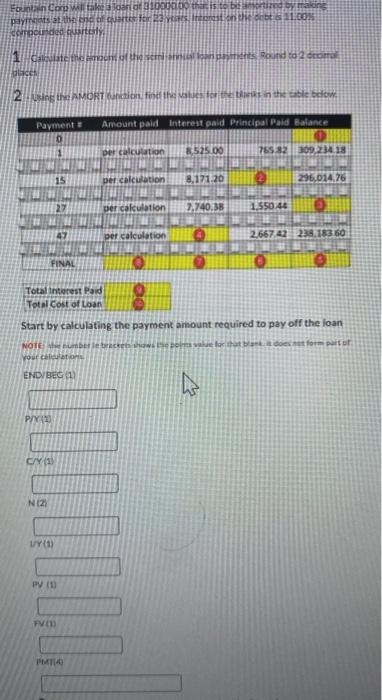
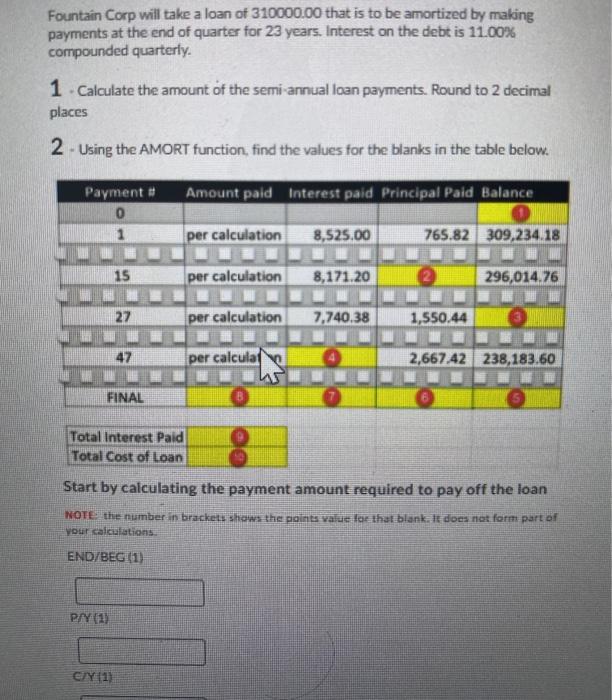
2 - Using the AMORT Function fill in the blanks from the amortization schedule shown above. 1. Balance at the beginning of the loan (1) 2 - Interest included in the second payment (2) 3. Principal paid on the third payment (2) 4 Balance owing after the second payment (2) 5- Balance owing after the final payment (1) 6. Principal paid with the final payment (4) 7. Interest paid with the final payment (4) 8. Amount of final payment (4) 9. Total interest paid on the loan (4) 10. Total payments for the loan (4) Fountain Coru will take contatoo then Days at the end of arts content ont is.COM Competde quartos Round 2 Calculate the north ce 2.Using E AMORT Runcion, finden ter in the tablete Payment Amount paid interest paid Principal Paid Balance per calcination 3.525.00 7658230923418 WWW 15 per calculation 8,171 20 296,014.76 22 per calculation 7,740.38 1.550.40 47 per calculation 2.66742 238.183 60 FINAL Total interest Paid Total cost of loan Start by calculating the payment amount required to pay off the loan NOTEberbacee Download for part of your com ENDVBEC P/7/20 CY (1) NIZ UY01) PV FV PM Fountain Corp will take a loan of 310000.00 that is to be amortized by making payments at the end of quarter for 23 years. Interest on the debt is 11.00% compounded quarterly. 1. Calculate the amount of the semi-annual loan payments. Round to 2 decimal places 2 - Using the AMORT function, find the values for the blanks in the table below. Amount paid Interest paid Principal Paid Balance Payment # 0 1 per calculation 8,525.00 765.82 309,234.18 15 per calculation 8,171.20 2 296,014.76 27 per calculation 7,740.38 1,550.44 47 per calculat 2,667.42 238,183.60 FINAL Total Interest Total Cost of loan Start by calculating the payment amount required to pay off the loan NOTE: the number in brackets shows the points value for that blank. It does not form part of You calculations END/BEG (1) PAY (1) C/Y (1) 2 - Using the AMORT Function fill in the blanks from the amortization schedule shown above. 1. Balance at the beginning of the loan (1) 2 - Interest included in the second payment (2) 3. Principal paid on the third payment (2) 4 Balance owing after the second payment (2) 5- Balance owing after the final payment (1) 6. Principal paid with the final payment (4) 7. Interest paid with the final payment (4) 8. Amount of final payment (4) 9. Total interest paid on the loan (4) 10. Total payments for the loan (4) Fountain Coru will take contatoo then Days at the end of arts content ont is.COM Competde quartos Round 2 Calculate the north ce 2.Using E AMORT Runcion, finden ter in the tablete Payment Amount paid interest paid Principal Paid Balance per calcination 3.525.00 7658230923418 WWW 15 per calculation 8,171 20 296,014.76 22 per calculation 7,740.38 1.550.40 47 per calculation 2.66742 238.183 60 FINAL Total interest Paid Total cost of loan Start by calculating the payment amount required to pay off the loan NOTEberbacee Download for part of your com ENDVBEC P/7/20 CY (1) NIZ UY01) PV FV PM Fountain Corp will take a loan of 310000.00 that is to be amortized by making payments at the end of quarter for 23 years. Interest on the debt is 11.00% compounded quarterly. 1. Calculate the amount of the semi-annual loan payments. Round to 2 decimal places 2 - Using the AMORT function, find the values for the blanks in the table below. Amount paid Interest paid Principal Paid Balance Payment # 0 1 per calculation 8,525.00 765.82 309,234.18 15 per calculation 8,171.20 2 296,014.76 27 per calculation 7,740.38 1,550.44 47 per calculat 2,667.42 238,183.60 FINAL Total Interest Total Cost of loan Start by calculating the payment amount required to pay off the loan NOTE: the number in brackets shows the points value for that blank. It does not form part of You calculations END/BEG (1) PAY (1) C/Y (1)
Step by Step Solution
There are 3 Steps involved in it

Get step-by-step solutions from verified subject matter experts