







Question: (25 points) Apply the simulated annealing search algorithm (Algorithm 15D) on page 898 in Chapter 15 to a TSP with 8 cities. Generate your own
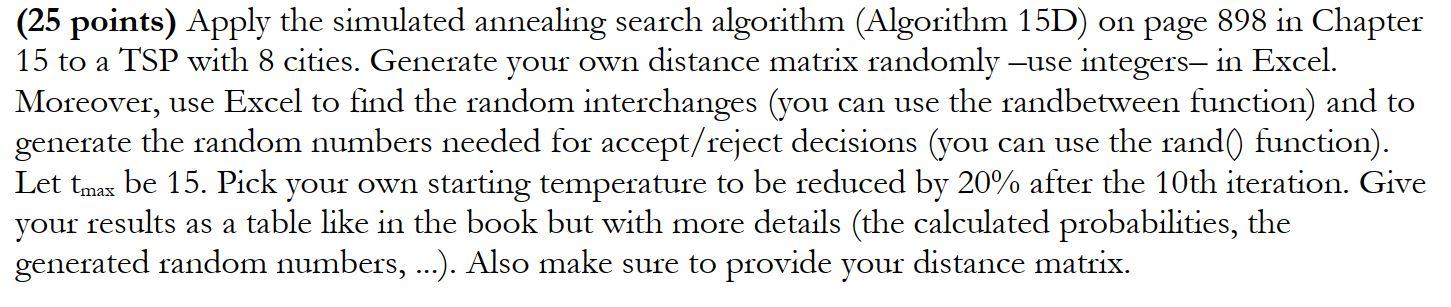
(25 points) Apply the simulated annealing search algorithm (Algorithm 15D) on page 898 in Chapter 15 to a TSP with 8 cities. Generate your own distance matrix randomly use integers, in Excel. Moreover, use Excel to find the random interchanges (you can use the randbetween function) and to generate the random numbers needed for accept/reject decisions (you can use the rand() function). Let tmax be 15. Pick your own starting temperature to be reduced by 20% after the 10th iteration. Give your results as a table like in the book but with more details (the calculated probabilities, the generated random numbers, ...). Also make sure to provide your distance matrix. (25 points) Apply the simulated annealing search algorithm (Algorithm 15D) on page 898 in Chapter 15 to a TSP with 8 cities. Generate your own distance matrix randomly use integers, in Excel. Moreover, use Excel to find the random interchanges (you can use the randbetween function) and to generate the random numbers needed for accept/reject decisions (you can use the rand() function). Let tmax be 15. Pick your own starting temperature to be reduced by 20% after the 10th iteration. Give your results as a table like in the book but with more details (the calculated probabilities, the generated random numbers, ...). Also make sure to provide your distance matrix
Step by Step Solution
There are 3 Steps involved in it

Get step-by-step solutions from verified subject matter experts
 Study Help