







Question: 412 PowerPoint Module Graded Lab Assignment Shape and Image Creating a Basic PowerPoint Computer Department You are a work study stusdent in the Computer Technology
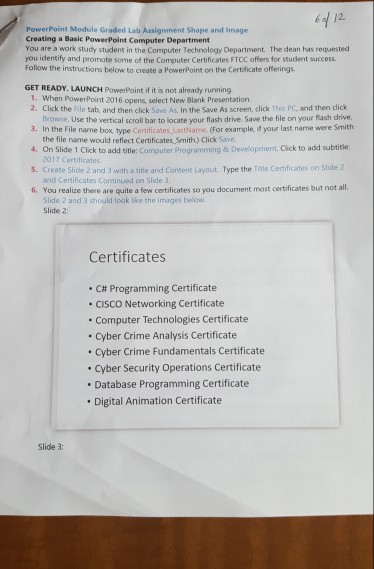
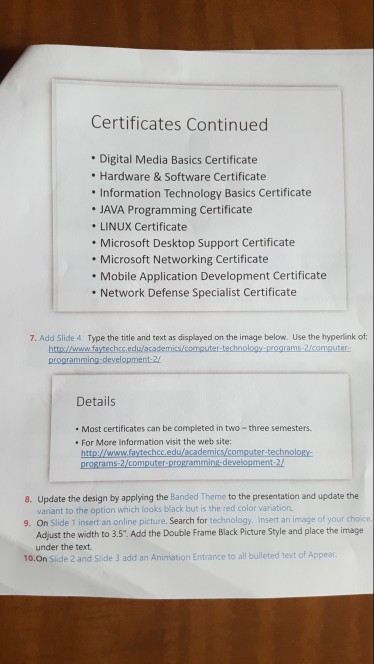
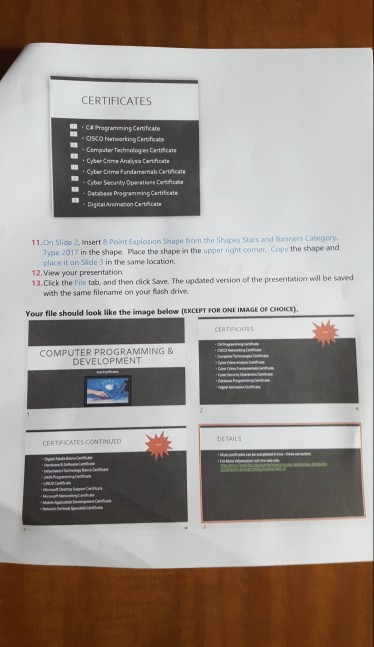
412 PowerPoint Module Graded Lab Assignment Shape and Image Creating a Basic PowerPoint Computer Department You are a work study stusdent in the Computer Technology Department The dean has requested you identify and promote some of the Computer Certificates FTCC offers for student success Follow the instructions below to create a PowerPoint on the Certificate offerings GET READY. LAUNCH PowerPaint if it is not already running 1. When PowerPoint 2016 opens, select New Blank Presentation 2. Click the File tab, and then click Save As. In the Save As screen, click This PC and then dlick 3. In the File name box, type Certificates LastName (For example, if your last name were Smith 4. On Slide 1 Click to add title: Computer Programming & Development. Cick to add subtitke s. Create Slide 2 and 3 with a title and Content Layout. Type the Title Certificates on Slide 2 6. You realize there are quite a few cestificates so you document most certificates but not all. Browse. Use the vertical scroll bar to locate your flash drive. Save the file on your flash drive the file name would reflect Certificates Smith.) Click Save. 2017 Certificates and Certificates Continued on Slide 3 Slide 2 and 3 should look like the images below Slide 2: Certificates C# Programming Certificate . CISCO Networking Certificate . Computer Technologies Certificate Cyber Crime Analysis Certificate Cyber Crime Fundamentals Certificate . Cyber Security Operations Certificate Database Programming Certificate Digital Animation Certificate Slide 3
Step by Step Solution
There are 3 Steps involved in it

Get step-by-step solutions from verified subject matter experts
 Study Help