







Question: 5. Type up the following code in my_test_drawing.py: from drawtool import DrawTool dt = DrawTool() dt.set_xY_range(0,200, 0,200) dt.set_aspect('equal') dt.set_color('r') cl = 200/2 c2 200/2 n
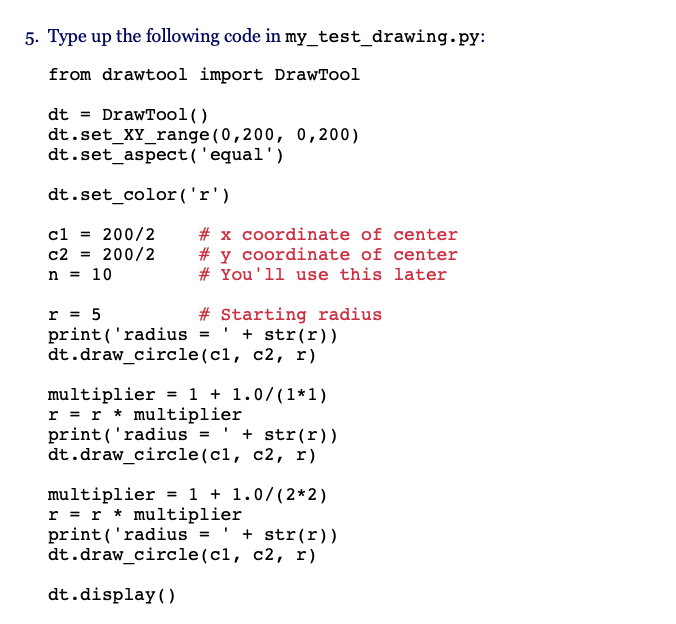
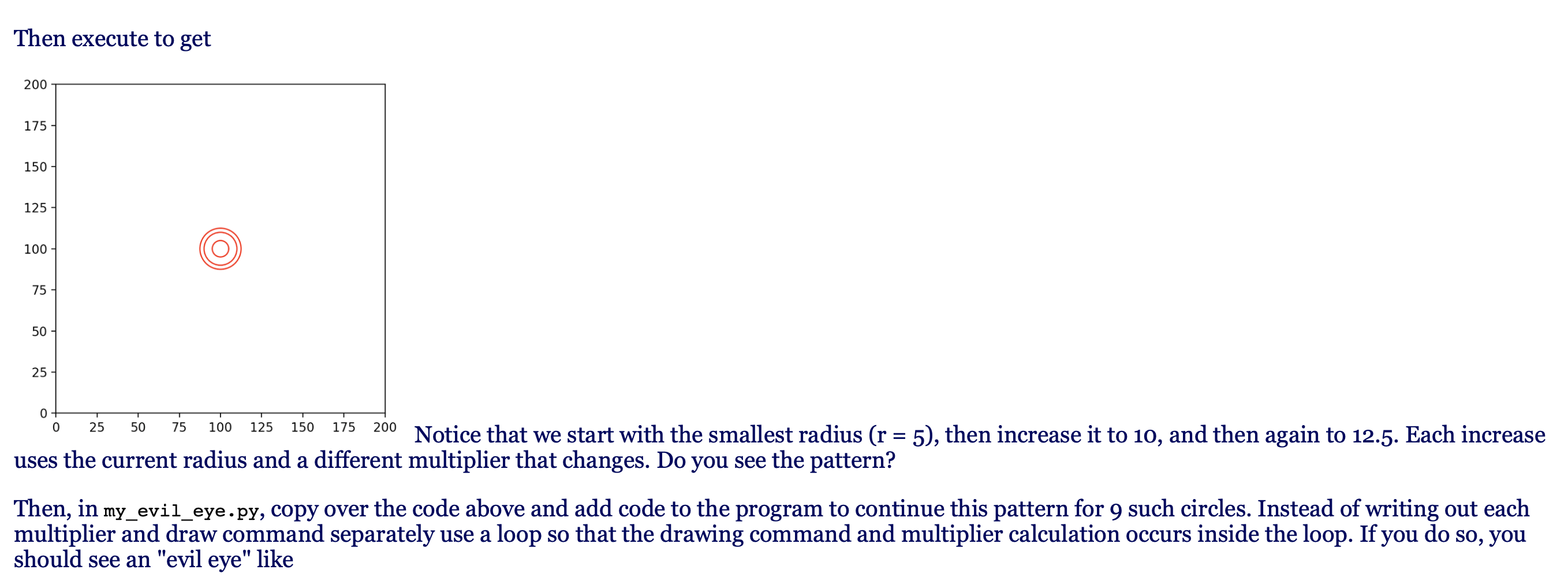
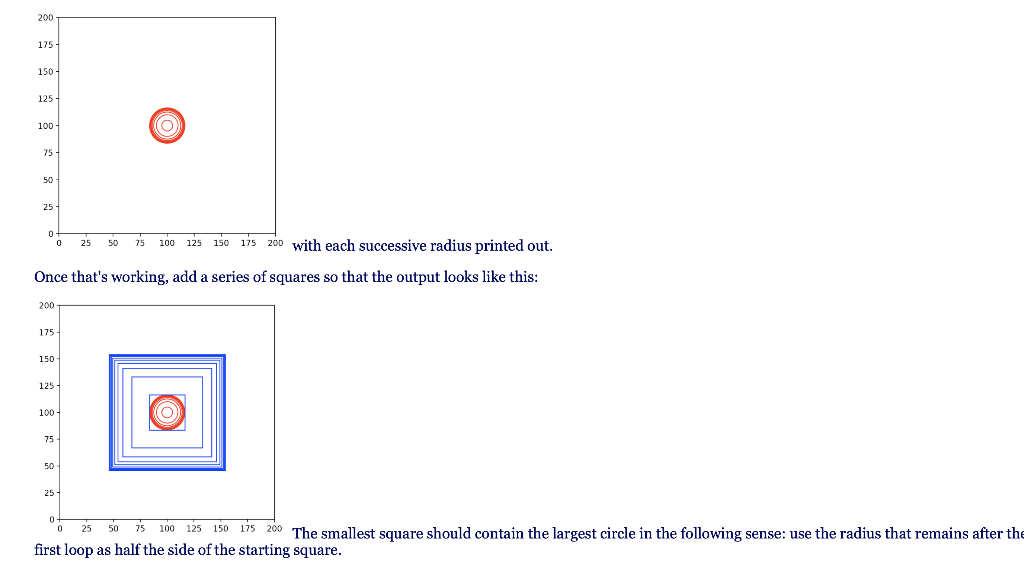
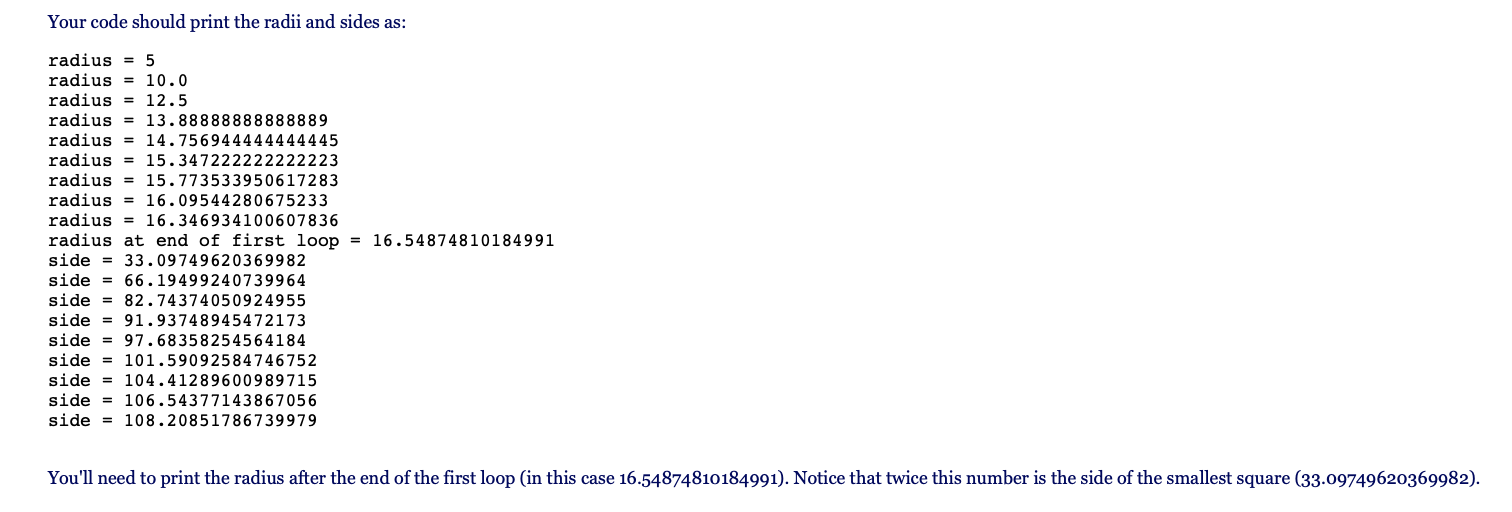
5. Type up the following code in my_test_drawing.py: from drawtool import DrawTool dt = DrawTool() dt.set_xY_range(0,200, 0,200) dt.set_aspect('equal') dt.set_color('r') cl = 200/2 c2 200/2 n = 10 # x coordinate of center # y coordinate of center # You'll use this later r = 5 # Starting radius print('radius = ' + str(r)) dt.draw_circle(c1, c2, r) multiplier = 1 + 1.0/(1+1) r = r * multiplier print('radius + str(r)) dt.draw_circle(ci, c2, r) multiplier = 1 + 1.0/(2*2) r = r * multiplier print('radius = ' + str(r)) dt.draw_circle(ci, c2, r) dt.display() Then execute to get 200 175 150 125 100 75 50 25 0+ 0 25 50 75 100 125 150 175 200 Notice that we start with the smallest radius (r = 5), then increase it to 10, and then again to 12.5. Each increase uses the current radius and a different multiplier that changes. Do you see the pattern? Then, in my_evil_eye.py, copy over the code above and add code to the program to continue this pattern for 9 such circles. Instead of writing out each multiplier and draw command separately use a loop so that the drawing command and multiplier calculation occurs inside the loop. If you do so, you should see an "evil eye" like 200 175 150 125 100 (0 75 50 25 0 0 25 50 75 100 125 150 175 200 with each successive radius printed out. Once that's working, add a series of squares so that the output looks like this: 200 175 150 125 100 75 50 25 D 25 75 100 125 150 175 200 The smallest square should contain the largest circle in the following sense: use the radius that remains after the first loop as half the side of the starting square. Your code should print the radii and sides as: radius = 5 radius = 10.0 radius = 12.5 radius = 13.88888888888889 radius = 14.756944444444445 radius = 15.347222222222223 radius 15.773533950617283 radius = 16.09544280675233 radius = 16.346934100607836 radius at end of first loop = 16.54874810184991 side = 33.09749620369982 side = 66.19499240739964 side = 82.74374050924955 side = 91.93748945472173 side = 97.68358254564184 side = 101.59092584746752 side = 104.41289600989715 side = 106.54377143867056 side = 108.20851786739979 You'll need to print the radius after the end of the first loop (in this case 16.54874810184991). Notice that twice this number is the side of the smallest square (33.09749620369982)
Step by Step Solution
There are 3 Steps involved in it

Get step-by-step solutions from verified subject matter experts
 Study Help