







Question: 6. In the Total 1Values = cell, insert a formula that calculates the Total of all individual letter grade values found in the Grade Values
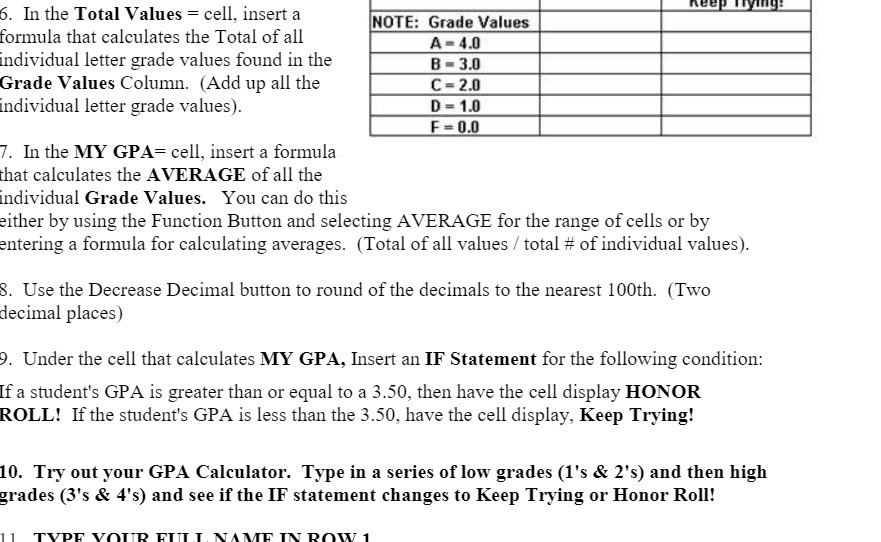
6. In the Total 1Values = cell, insert a formula that calculates the Total of all individual letter grade values found in the Grade Values Column. (Add up all the individual letter grade values). 7'. In the MY GPA: cell, insert a formula that calculates the AVERAGE of all the individual Grade 1|Values. You can do this either by using the Function Button and selecting AVERAGE for the range of cells or by entering a formula for calculating averages. (Total of all values 3' total # of individual values). 3. Use the Decrease Decimal button to round of the decimals to the nearest 100th. (Two decimal places) 9. Under the cell that calculates MY GPA, Insert an IF Statement for the following condition: if a student's GPA is greater than or equal to a 3.50, then have the cell display HONOR ROLL! Ifthe student's GPA is less than the 3.50, have the cell display, Keep Trying! 10. Try out your GPA Calculator. Type in a series of low grades (1's & 2's) and then high grades (3's & 4's) and see if the IF statement changes to Keep Trying or Honor Roll! ll TWP VHI'TD FTTI'.'I.NAW TM 11\"\"? 1
Step by Step Solution
There are 3 Steps involved in it

Get step-by-step solutions from verified subject matter experts
 Study Help