







Question: 7. Create a new project named Temperature with an empty activity and use any name you like for its activity and layout. The UI consists
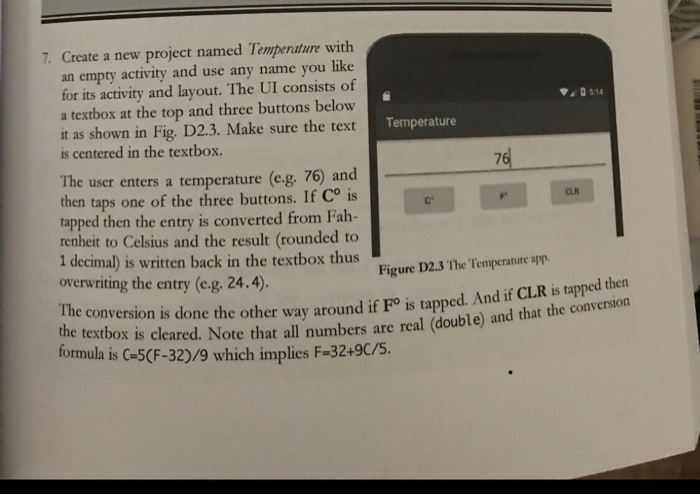
7. Create a new project named Temperature with an empty activity and use any name you like for its activity and layout. The UI consists of a textbox at the top and three buttons below it as shown in Fig. D2.3. Make sure the text is centered in the textbox Temperature 76 The user enters a temperature (eg, 76) and then taps one of the three buttons. If Co is tapped then the entry is converted from Fah- renheit to Celsius and the result (rounded to 1 decimal) is written back in the textbox thus overwriting the entry (e.g. 24.4) CLR Figure D2.3 The Temperature app The conversion is done the other way around if Fo is tappe the textbox d. And if CLR is tapped then s cleared. Note that all numbers are real (double) and that the conversion formula is G-5(F-32)/9 which implies F-32-9c/S
Step by Step Solution
There are 3 Steps involved in it

Get step-by-step solutions from verified subject matter experts
 Study Help