



Question: > 8.75 out of 10.00 Open the debug3-4.css file. The body element should have a width that is 90% of the width of the browser
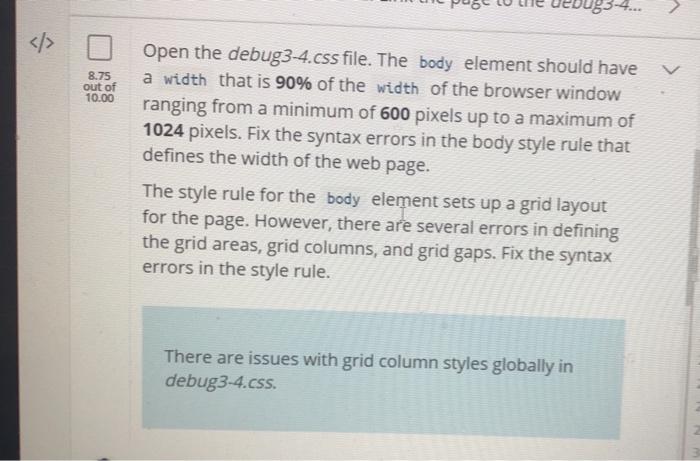
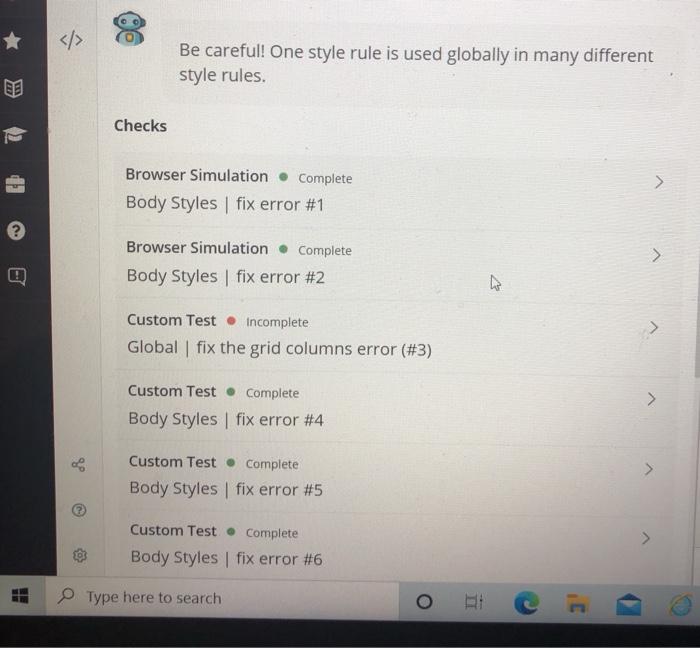
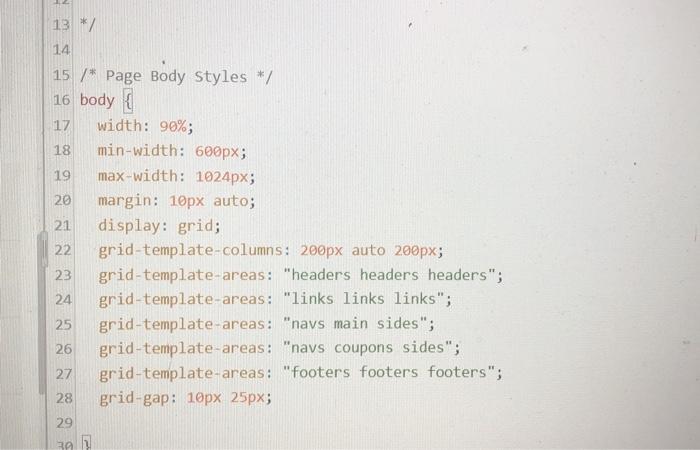

> 8.75 out of 10.00 Open the debug3-4.css file. The body element should have a width that is 90% of the width of the browser window ranging from a minimum of 600 pixels up to a maximum of 1024 pixels. Fix the syntax errors in the body style rule that defines the width of the web page. The style rule for the body element sets up a grid layout for the page. However, there are several errors in defining the grid areas, grid columns, and grid gaps. Fix the syntax errors in the style rule. There are issues with grid column styles globally in debug 3-4.css. Be careful! One style rule is used globally in many different style rules. Checks > Browser Simulation. Complete Body Styles | fix error #1 > Browser Simulation Complete Body Styles fix error #2 Custom Test Incomplete Global fix the grid columns error (#3) Custom Test Complete Body Styles fix error #4 Custom Test Complete Body Styles fix error #5 Custom Test Complete Body Styles fix error #6 Type here to search o 20 13 */ 14 15 /* Page Body Styles */ 16 body { 17 width: 90%; 18 min-width: 600px; 19 max-width: 1024px; margin: 10px auto; 21 display: grid; 22 grid-template-columns: 200px auto 200px; 23 grid-template-areas: "headers headers headers"; 24 grid-template-areas: "links links links"; 25 grid-template-areas: "navs main sides"; 26 grid-template-areas: "navs coupons sides"; 27 grid-template-areas: "Footers footers footers"; 28 grid-gap: 10px 25px; 29 39 31 32 How can i fixed grid columns eror(#3)? Thanks! 33)
Step by Step Solution
There are 3 Steps involved in it

Get step-by-step solutions from verified subject matter experts