







Question: 9 . 1 5 pandas: Create Series from Dictionary Using the same names and grades from the previous lab, create a Python dictionary of key
pandas: Create Series from Dictionary
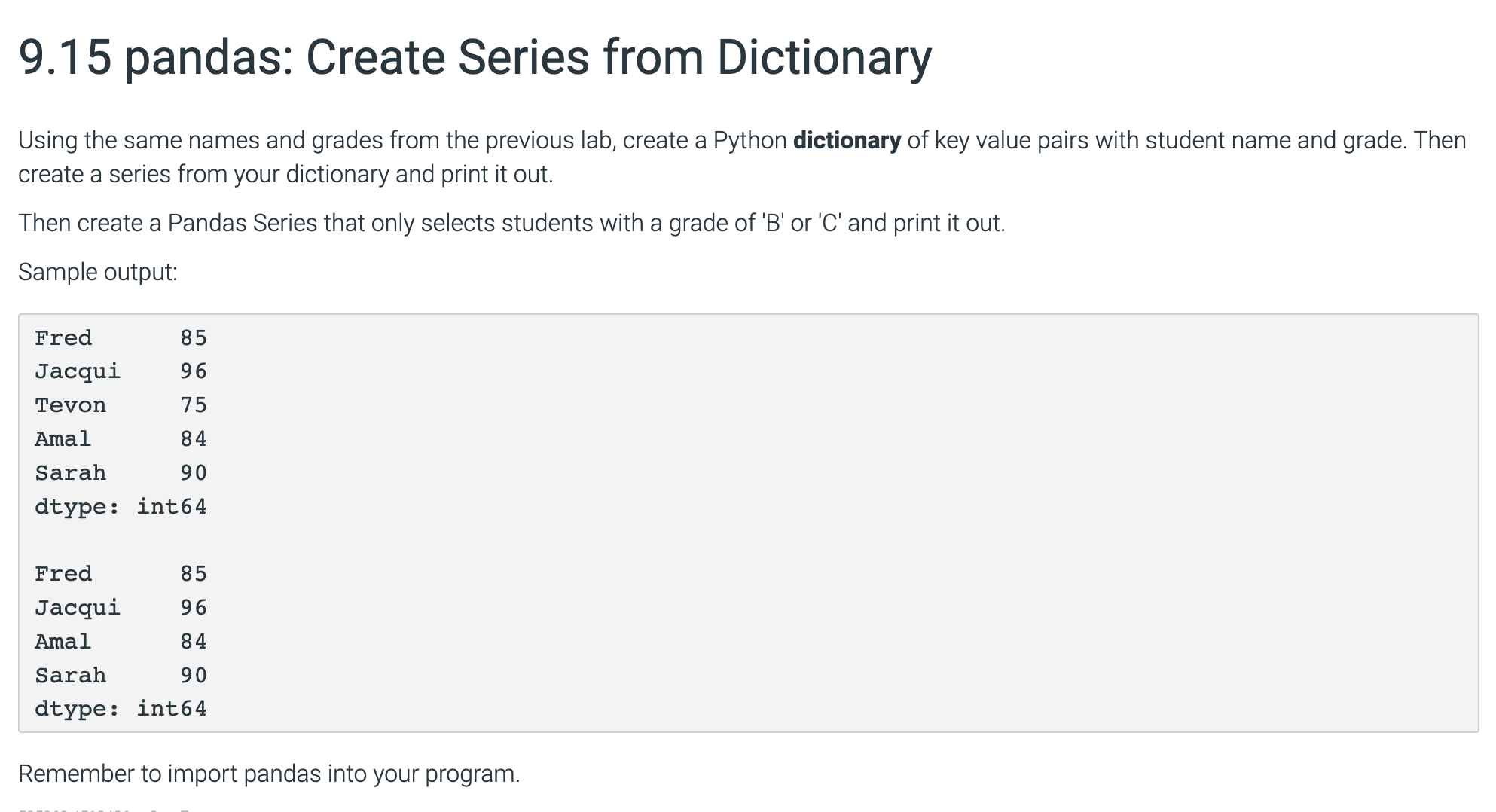
Using the same names and grades from the previous lab, create a Python dictionary of key value pairs with student name and grade. Then create a series from your dictionary and print it out.
Then create a Pandas Series that only selects students with a grade of B or C and print it out.
Sample output:
Fred
Jacqui
Tevon
Amal
Sarah
dtype: int
Fred
Jacqui
Amal
Sarah
dtype: int
Remember to import pandas into your program. main.py
import pandas as pd
# create a dictionary containing names and grades of students
namesgrades Fred: 'Jacqui': 'Tevon': 'Amal': 'Sarah':
# create a pandas series from the dictionary
series pdSeriesnamesgrades
# print the series
printseries
# print a blank line
print
# create a series with grades of B or C
# note: A is for B is for C is for D is for F is for
# so to fetch grades of B or C we need to fetch grades between and for that below statement
series seriesseries & series
# print the series
printseries
# note: sample output provided is not correct, because the question is to fetch students with grades B
# the sample output provided contains students with grades A as well.
# if you want to fetch students with at least grade B then the below statement can be used
# series seriesseries
:Compare output
Output differs. See highlights below.
Special character legend
Your output
Expected output
Step by Step Solution
There are 3 Steps involved in it
1 Expert Approved Answer
Step: 1 Unlock

Question Has Been Solved by an Expert!
Get step-by-step solutions from verified subject matter experts
Step: 2 Unlock
Step: 3 Unlock
 Study Help