







Question: A ? ? ? A ? ? ? A a v A d i a m o n d Adarr T AaBbCcDdE A A .
Adarr
T
AaBbCcDdE
A
A QA
s
Normal
Numb
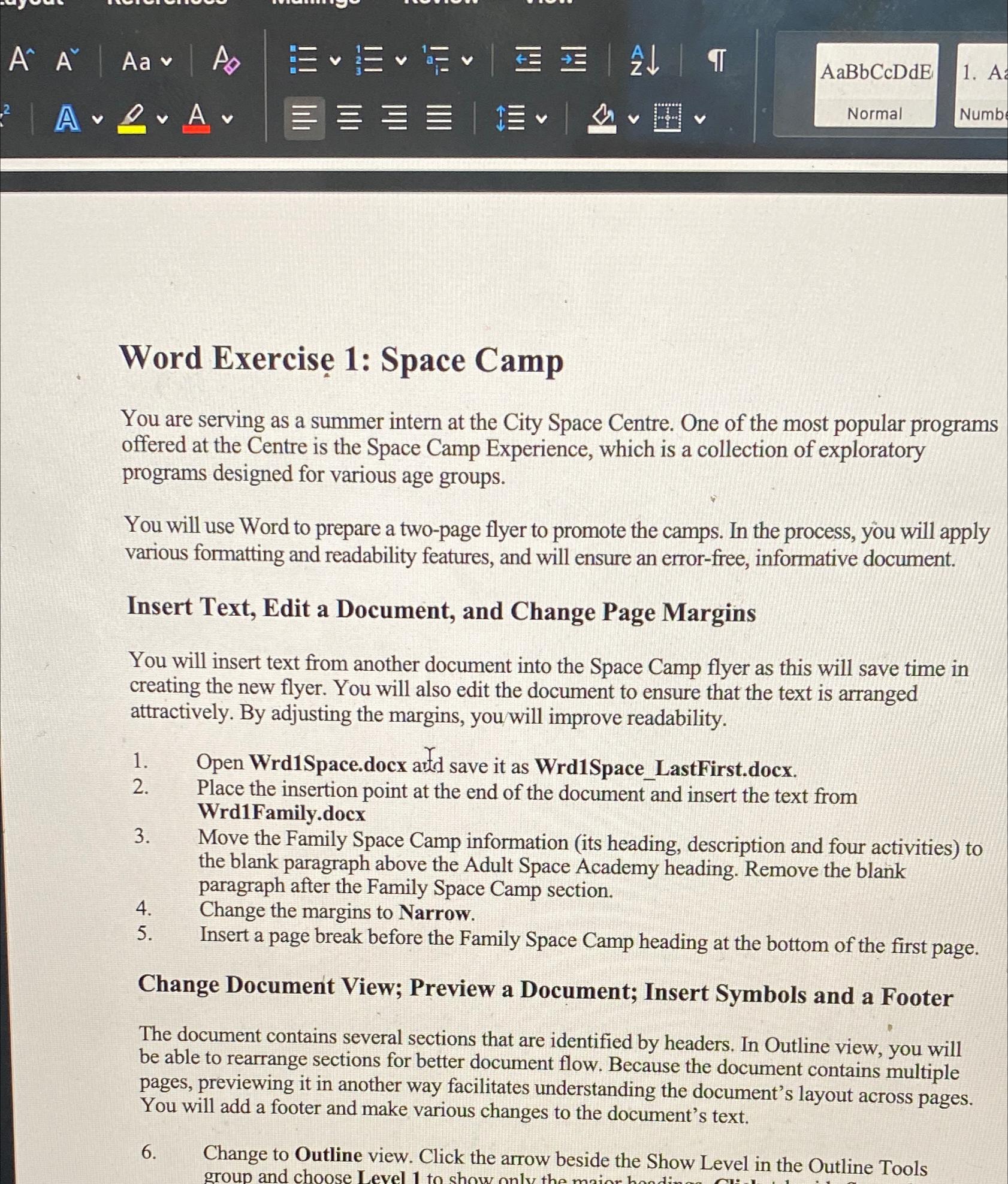
Word Exercise : Space Camp
You are serving as a summer intern at the City Space Centre. One of the most popular programs offered at the Centre is the Space Camp Experience, which is a collection of exploratory programs designed for various age groups.
You will use Word to prepare a twopage flyer to promote the camps. In the process, you will apply various formatting and readability features, and will ensure an errorfree, informative document.
Insert Text, Edit a Document, and Change Page Margins
You will insert text from another document into the Space Camp flyer as this will save time in creating the new flyer. You will also edit the document to ensure that the text is arranged attractively. By adjusting the margins, youwill improve readability.
Open WrdSpace.docx artd save it as WrdSpaceLastFirst.docx.
Place the insertion point at the end of the document and insert the text from WrdFamily.docx
Move the Family Space Camp information its heading, description and four activities to the blank paragraph above the Adult Space Academy heading. Remove the blank paragraph after the Family Space Camp section.
Change the margins to Narrow.
Insert a page break before the Family Space Camp heading at the bottom of the first page.
Change Document View; Preview a Document; Insert Symbols and a Footer
The document contains several sections that are identified by headers. In Outline view, you will be able to rearrange sections for better document flow. Because the document contains multiple pages, previewing it in another way facilitates understanding the document's layout across pages. You will add a footer and make various changes to the document's text.
Change to Outline view. Click the arrow beside the Show Level in the Outline Tools
Step by Step Solution
There are 3 Steps involved in it
1 Expert Approved Answer
Step: 1 Unlock

Question Has Been Solved by an Expert!
Get step-by-step solutions from verified subject matter experts
Step: 2 Unlock
Step: 3 Unlock
 Study Help