



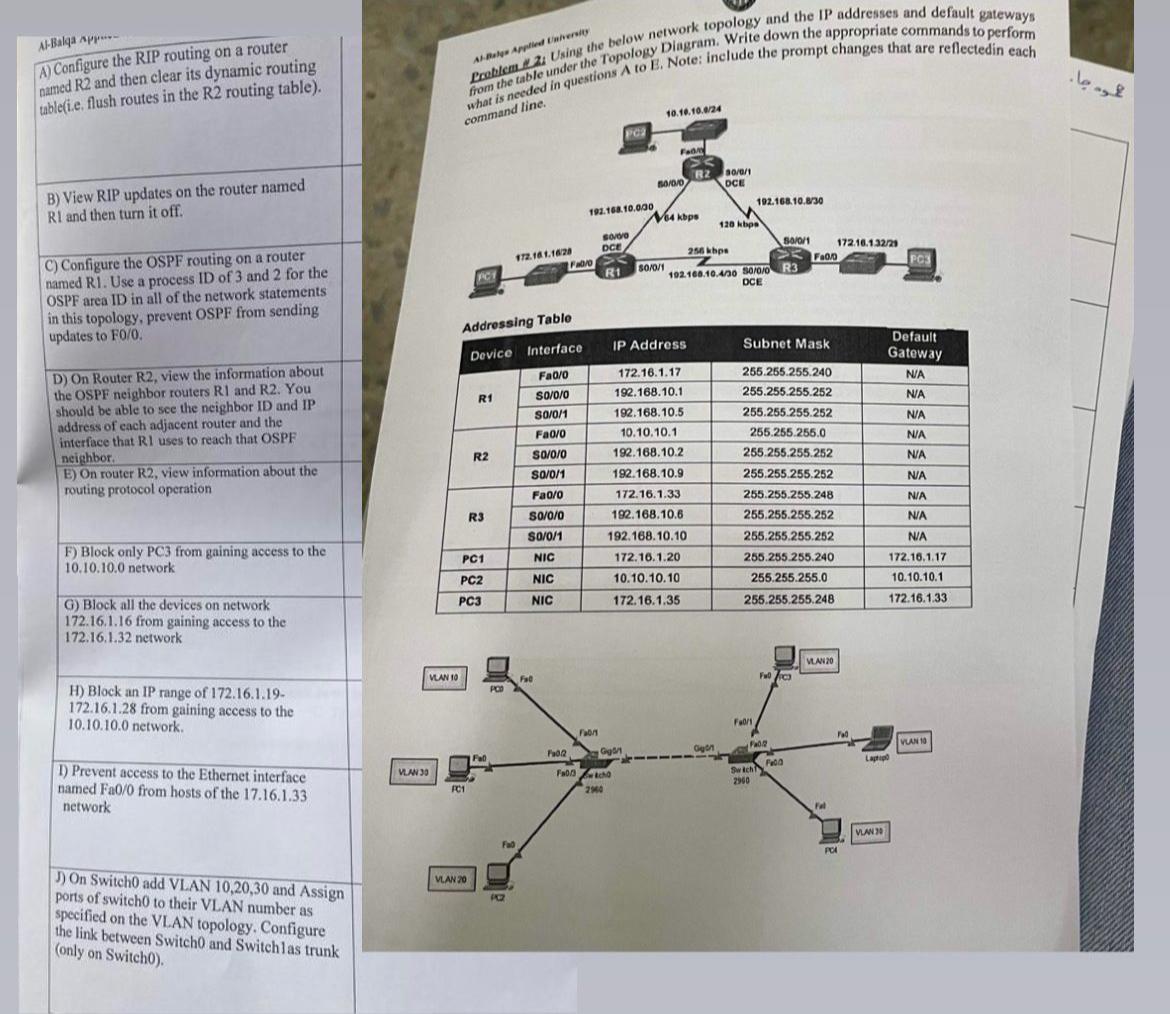
Question: A ) Configure the RIP routing on a router named R 2 and then clear its dynamic routing tuble ( i . e . flush
A Configure the RIP routing on a router named and then clear its dynamic routing tubleie flush routes in the routing table
B View RIP updates on the router named and then turn it off.
C Configure the OSPF routing on a router named RI Use a process ID of and for the OSPF area ID in all of the network statements in this topology, prevent OSPF from sending updates to
D On Router view the information about the OSPF neighbor routers R and R You should be able to see the neighbor ID and IP address of each adjacent router and the interface that RI uses to reach that OSPF neighbor.
E On router view information about the routing protocol operation wh con
Addrossing Table
tableDeviceInterface,IP Address,Subnet Mask,tableDefaultGatewayRNASoNAsoNARNAsoNAsoNARFaooNAsoNAsotableNAPCNIC,PCNIC,PCNIC,
H Block an IP range of
from gaining access to the network.
I Prevent access to the Ethernet interface named from hosts of the network
J On Switch add VLAN and Assign ports of switch to their VLAN number as specified on the
VLAN topology. Configure the link between Switch and Switchlas trunk only on Switch
Step by Step Solution
There are 3 Steps involved in it
1 Expert Approved Answer
Step: 1 Unlock

Question Has Been Solved by an Expert!
Get step-by-step solutions from verified subject matter experts
Step: 2 Unlock
Step: 3 Unlock